 시드리스로 전환하고 SWITCH30으로 30% 할인. 11월 04일까지


Tangem Wallet에서 암호화폐 보내는 방법
Tangem Wallet에서 암호화폐를 보내는 방법은 매우 간단해요. 아래 단계별 안내를 참고하세요.
1. 코인을 받을 사람에게 송금할 지갑 주소를 요청하세요.
Important! You must find out from the recipient which network you need to use to send them the coins. Many tokens exist simultaneously across different networks. If the transfer is not made to the network that the recipient specified when they generated the address, the coins will be lost and it will be impossible to recover them.
2. Tangem 앱을 열고 원하는 토큰을 선택하세요.
예시로, Binance Smart Chain 네트워크의 USDT를 보내는 경우를 들어볼게요.
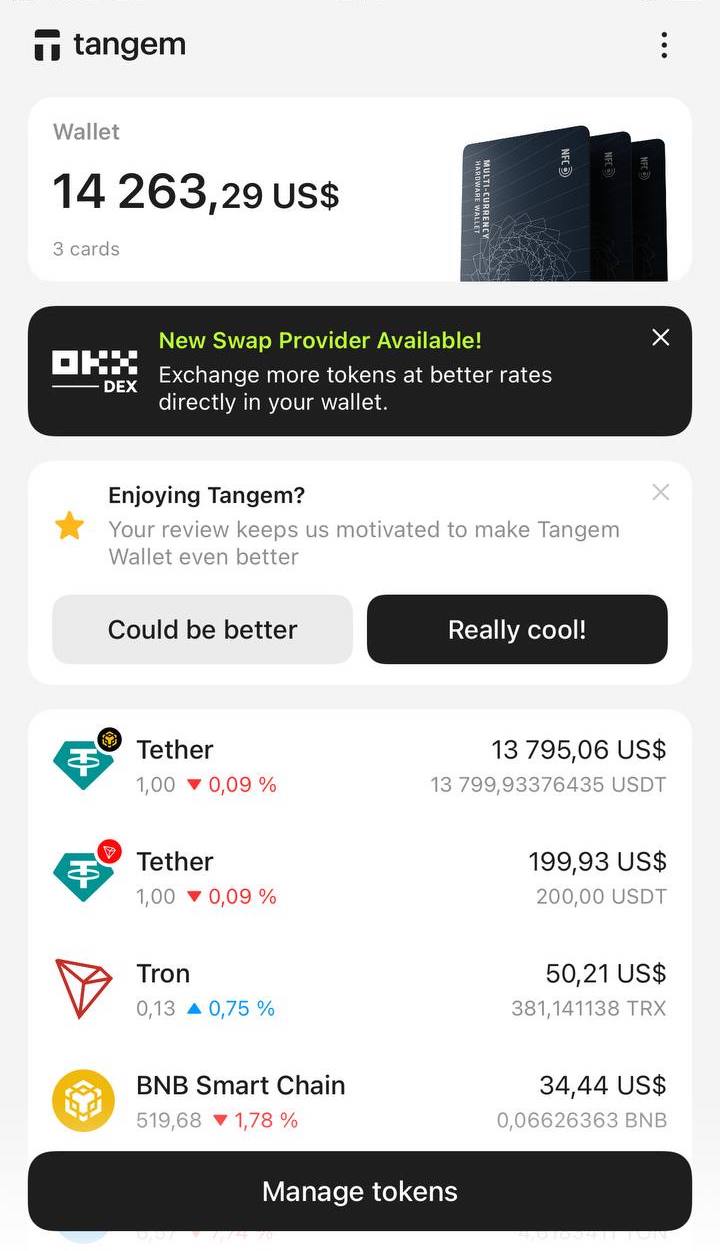
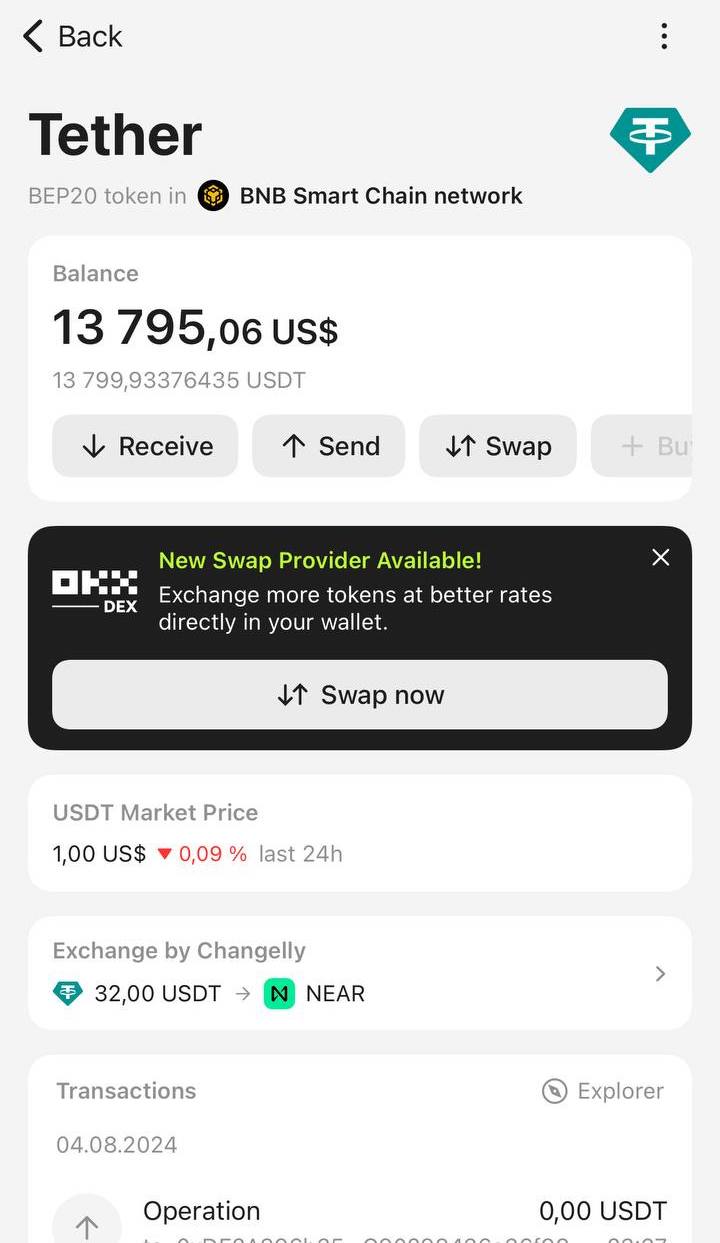
3. 나타난 화면에서 Send를 누르세요.
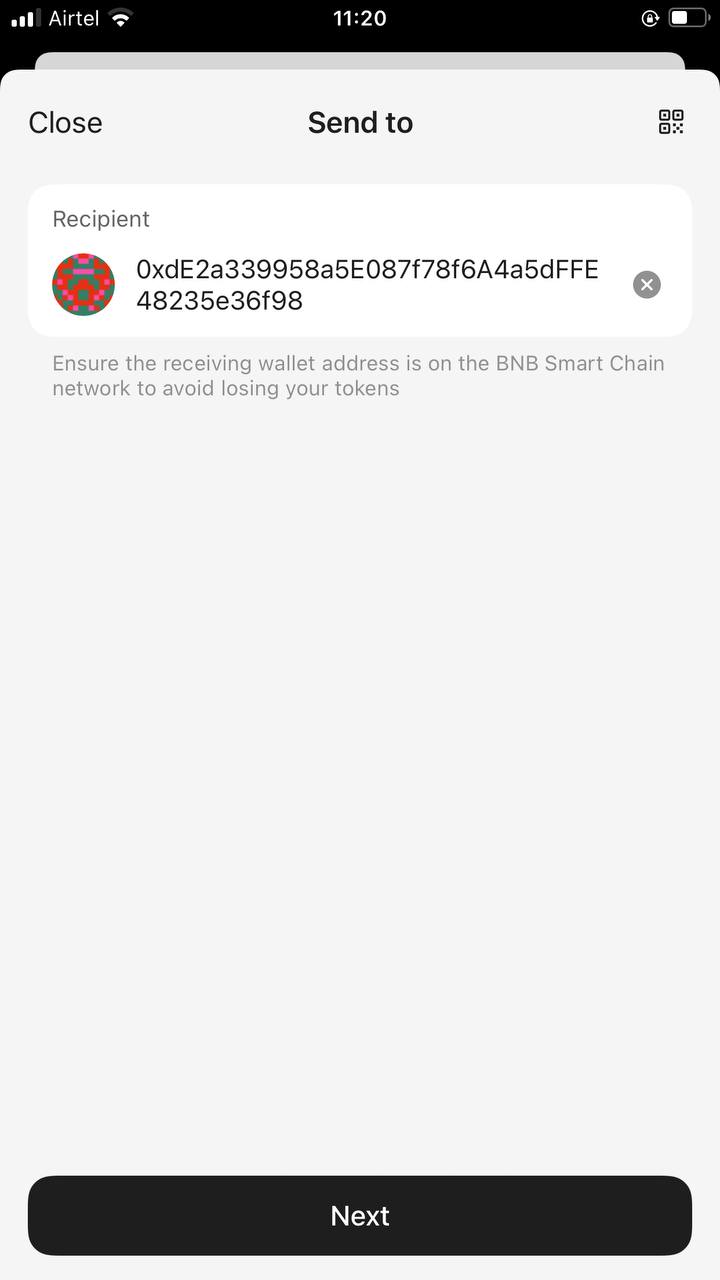
4. Paste 또는 직접 받는 사람의 주소를 입력하세요. 주소를 복사해서 붙여넣을 때는 반드시 한 번 더 확인하세요. Next를 누르세요.
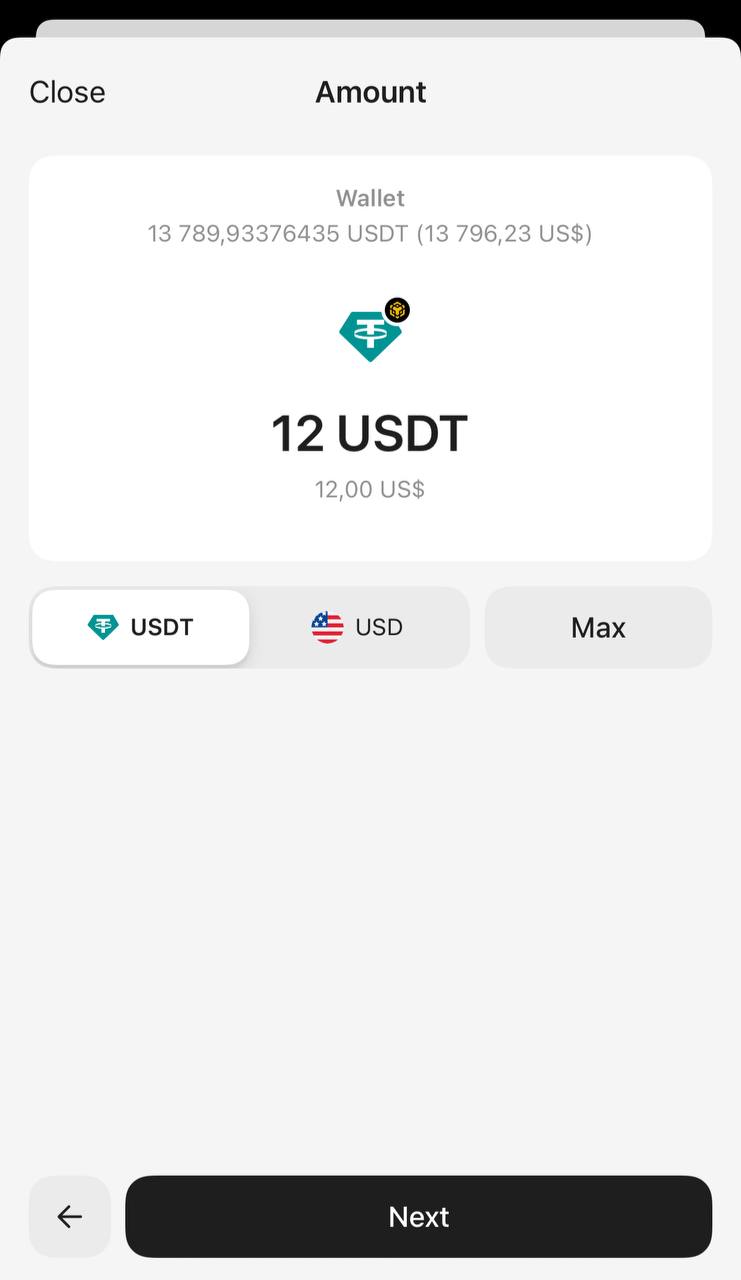
5. 보낼 금액을 입력하세요. 토큰 개수나 달러 환산 금액 모두 입력할 수 있어요. 전체 잔액을 보내려면 Max를 누르세요. Next를 누르세요.
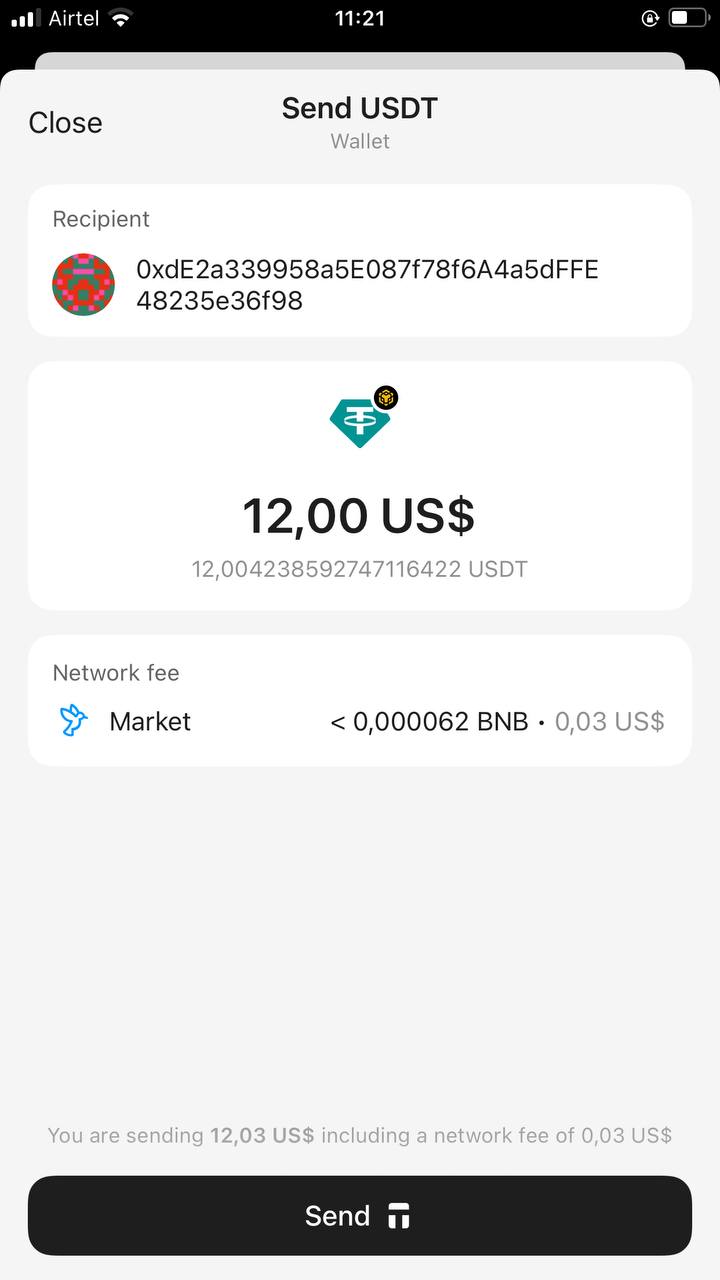
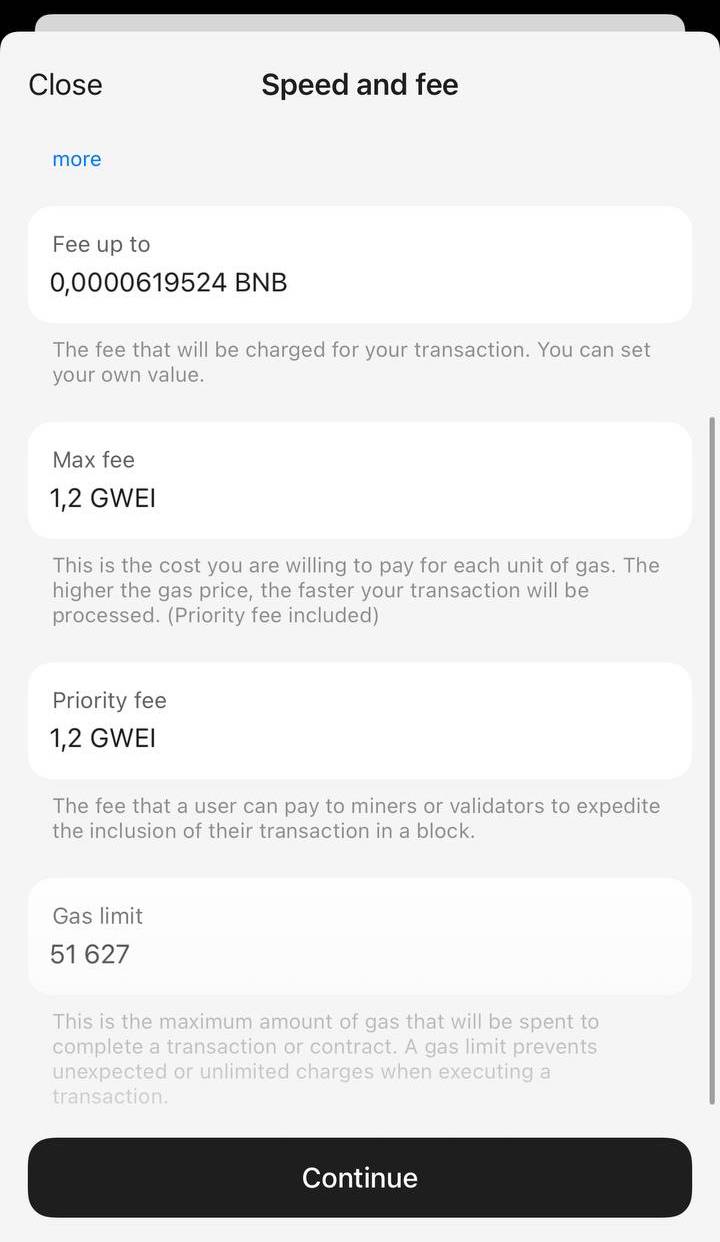
6. Network fee를 눌러 수수료 수준을 선택하세요. 기본값은 Market이에요.
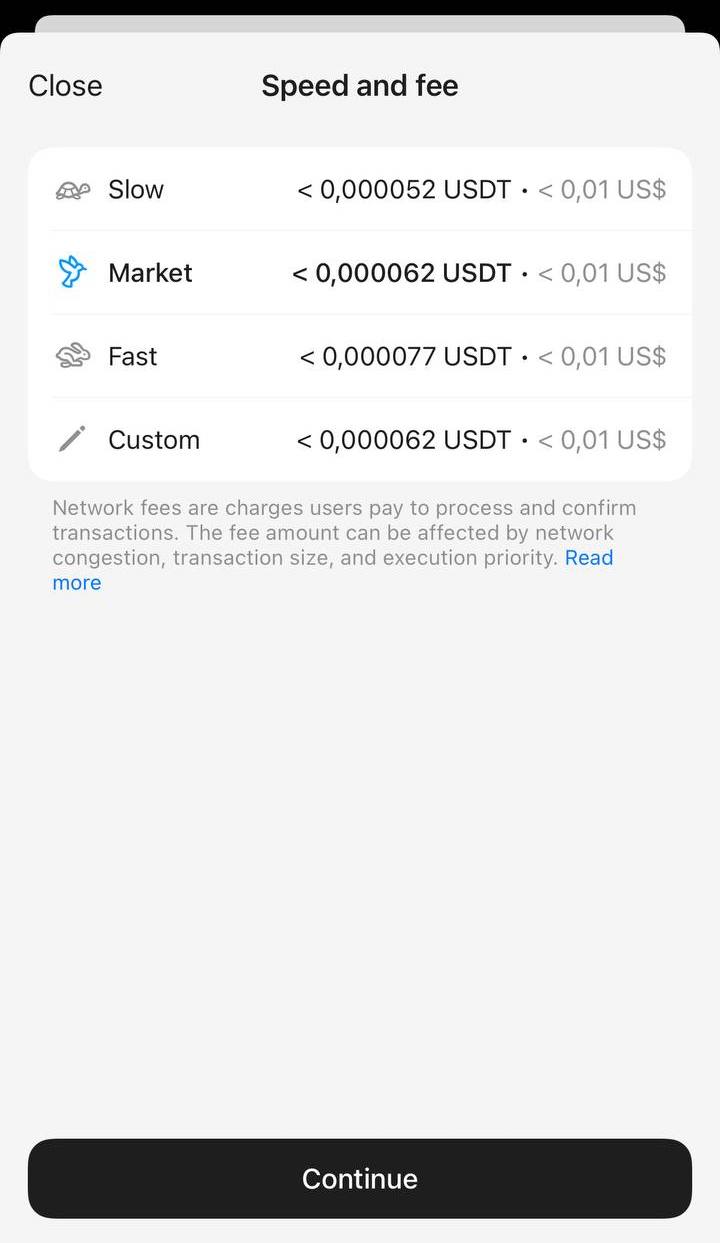
수수료는 Slow, Market, Fast 중에서 선택하거나 Custom을 눌러 직접 지정할 수 있어요. 트랜잭션이 원활하게 처리될 수 있도록 충분한 수수료를 설정하세요. Network fee를 조정한 뒤 Continue를 누르세요.
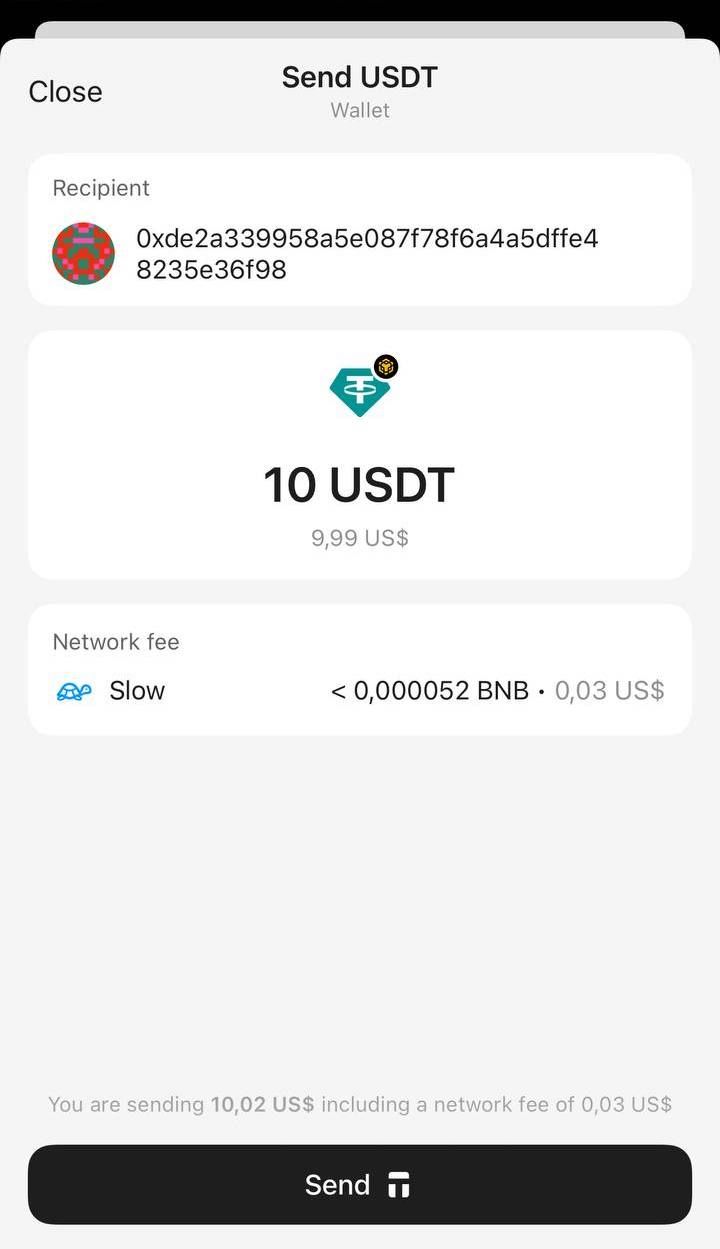
8. 입력한 정보를 다시 한 번 확인하고 Send를 누르세요.
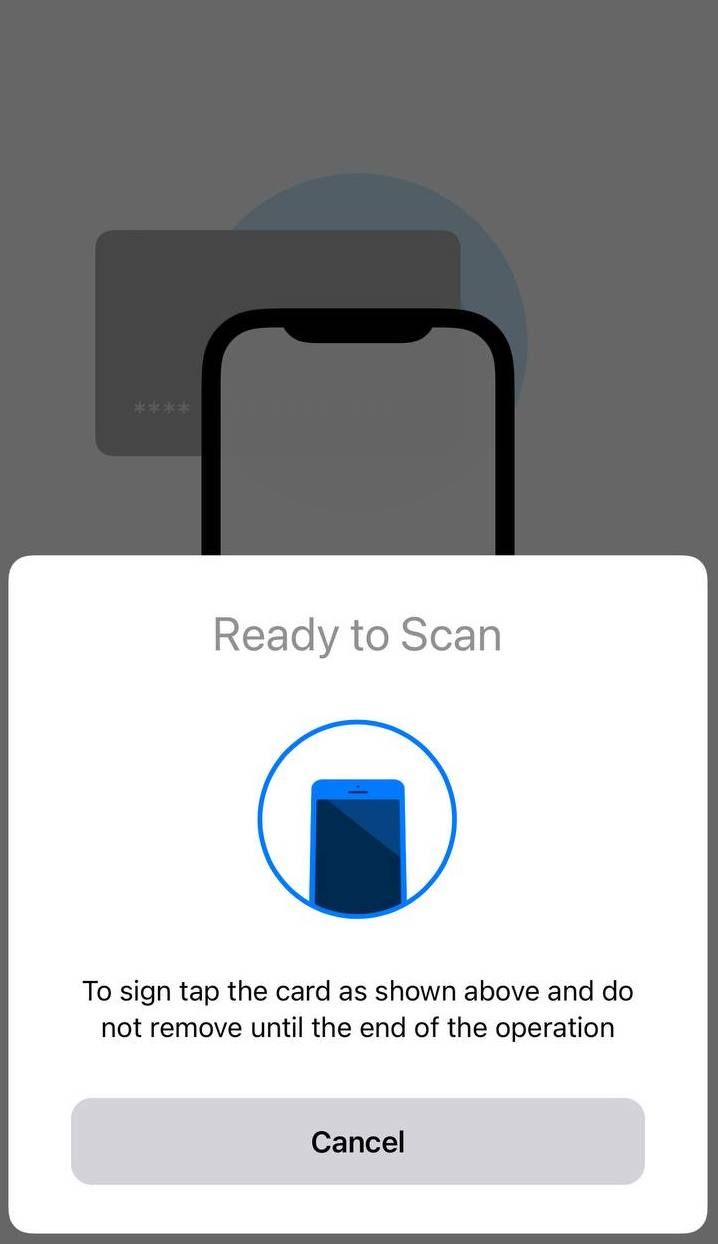
9. 액세스 코드 또는 생체 인증 정보를 입력하고, 지갑을 스캔해 트랜잭션에 서명하세요.
10. Close를 눌러 종료하세요. 블록체인에서 트랜잭션이 승인되면 메인 화면의 잔액이 갱신돼요. 토큰이 출금되고, 받는 사람이 송금액을 받게 됩니다.
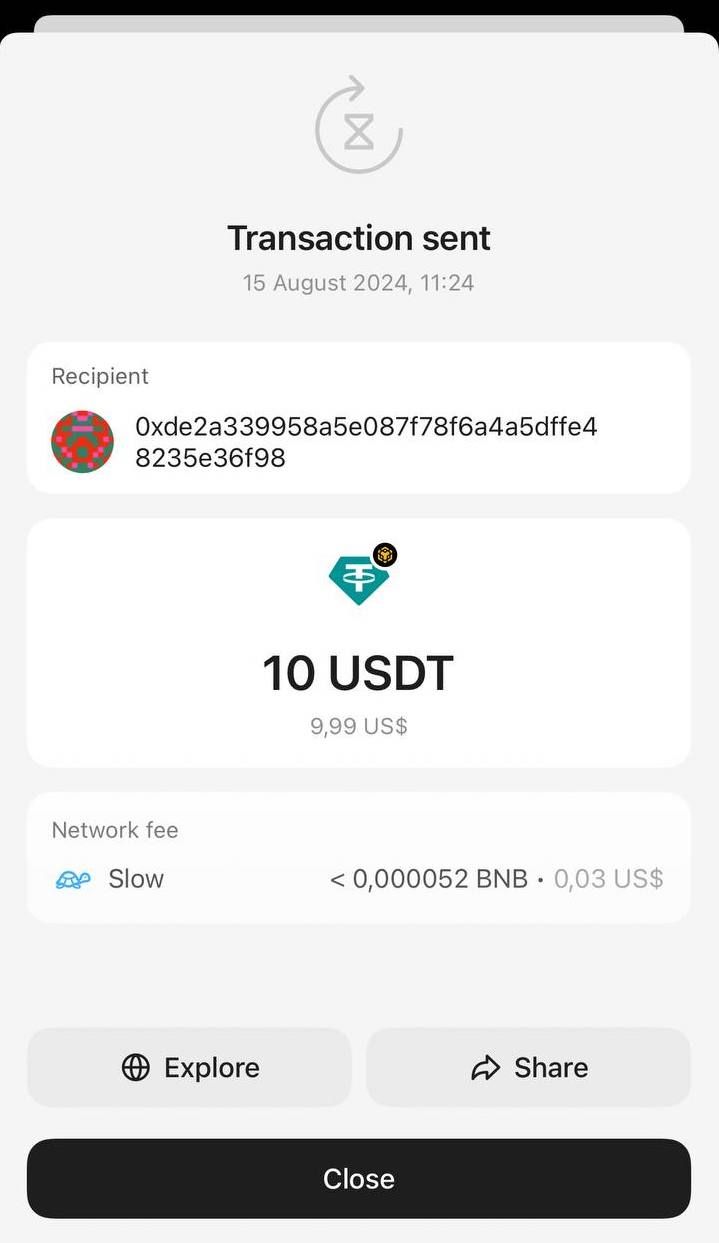
위와 같은 방법으로 Tangem Wallet에서 지원하는 다양한 디지털 자산을 보낼 수 있어요.
Tangem Wallet에서 암호화폐 받는 방법도 참고해보세요.
Tangem에서 암호화폐 보내기: FAQ
-
Tangem 앱에서 토큰을 열고 Send를 누른 다음, 받는 사람의 주소를 붙여넣고 금액을 입력한 뒤 네트워크 수수료를 확인하세요. 이어서 확인을 누르고 액세스 코드나 생체 인증을 입력한 다음, Tangem을 휴대폰에 대어 거래에 서명합니다. 블록체인에서 거래가 확인되면 홈 화면의 잔액이 업데이트됩니다.
-
받는 사람에게 어떤 네트워크를 써야 하는지 물어보세요. 많은 토큰이 여러 네트워크에 동시에 존재하며, 받는 사람이 주소를 생성할 때 지정한 네트워크로 전송하지 않으면 코인을 복구할 방법 없이 잃게 됩니다. 주소를 붙여넣은 뒤에도 다시 한 번 확인하세요.
-
네. Network fee를 눌러 Slow, Market(기본값), Fast 중에서 고르거나, Custom으로 직접 요율을 설정할 수 있습니다. 네트워크가 거래를 처리할 수 있도록 수수료를 충분히 높게 설정해야 합니다.
-
금액 화면에서 Max를 누르면 앱이 전체 잔액을 자동으로 채워 줍니다. 금액은 토큰 단위나 달러 환산액 중 원하는 쪽으로 입력할 수 있습니다.


이것들을 놓치지 마세요 

다른 기사들

