
 EXTRA −10%


Lost or Stolen Crypto Card? How to Freeze It in Minutes
Ця стаття доступна такими мовами:
- Lost or Stolen Crypto Card: Do These 5 Things First
- How to Freeze a Tangem Pay Card
- Check Your Transactions and Dispute Unknown Charges
- How to Replace a Lost or Stolen Tangem Pay Card
- Lost Your Card or Your Wallet? Why the Difference Matters
- If Your Phone Was Stolen Too
- Who Pays for Fraudulent Charges? Liability Rules
- How to Lower the Damage Before It Happens
You just realized your crypto card is missing. Here's what to do right now: freeze it in the app, check your recent transactions, report any charges you don't recognize, and order a replacement. Four actions. None of them require a phone call.
This guide covers the exact freeze and replacement flow for Tangem Pay, a five-step checklist that works for any crypto card, and one critical distinction that trips up a lot of people: losing a crypto payment card is not the same as losing a self-custody wallet. Your card and your wallet are separate things. Knowing the difference changes what you do next.
Turn your crypto into everyday spending

Lost or Stolen Crypto Card: Do These 5 Things First
These steps apply regardless of which card provider you use.
- Freeze the card immediately. Open the provider's official app and lock the card before anything else. A freeze blocks new transactions without closing your account or touching your balance.
- Review recent and pending transactions. Look for anything unfamiliar. Pending pre-authorization holds are normal and typically settle within one to two business days. Unknown charges are a different problem.
- Report unauthorized charges in writing. Use the app's built-in dispute tool or the provider's official support email. Note the date, amount, and merchant for every charge you're disputing. Keep screenshots.
- Request a replacement and update recurring merchants. Once you confirm the card is gone, replace it. Then update any subscription services that have the old card number on file.
- Secure the accounts linked to your card. Change your account password and confirm that two-factor authentication is active. If your phone was also taken, see the section below before reinstalling anything.
The steps below show how each one works in Tangem Pay.
How to Freeze a Tangem Pay Card
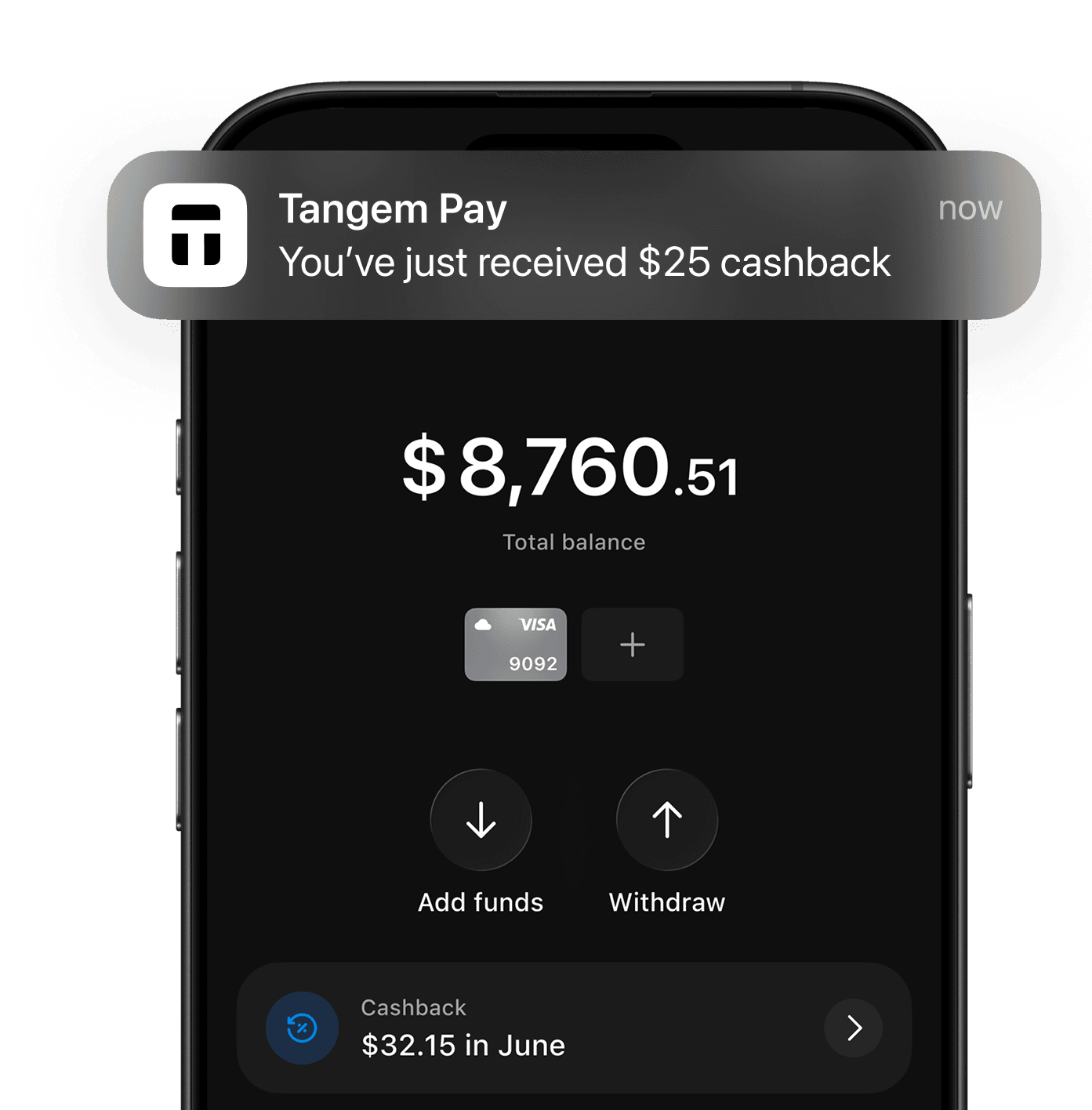
Tangem Pay is an optional non-custodial payment account inside the Tangem app, separate from your Tangem Wallet balances and keys. Freezing your Tangem Pay card immediately blocks new transactions. Your balance stays untouched. Your account stays open.
To freeze a Tangem Pay card:
- Open the Tangem app and go to your Tangem Pay account.
- Tap the card icon.
- Select Freeze.
That's it. The card is blocked the moment you confirm. If you added the card to Apple Wallet or Google Wallet, it will appear as Suspended while frozen. It returns to normal after you unfreeze it. To unfreeze, go back to the same screen and select Unfreeze. A freeze is the right move when you're not sure whether the card is lost or just misplaced. If you find it, select Unfreeze from the same screen. If it's definitely gone, move to replacement.
Plan card limits: A Basic plan permits up to three Visa Platinum cards. A Plus plan permits up to five Visa Signature cards.
For a deeper look at card settings and spending limits, see Tangem Pay card settings and limits.
Check Your Transactions and Dispute Unknown Charges
Your Pay transaction history is available directly in the Tangem app. Tap any transaction to see its details. From there, the Get Help control generates a support email with the transaction logs already attached, saving time when you're reporting a problem.
Two things to distinguish here. A pending or pre-authorization hold temporarily reduces your available balance until the transaction settles, which typically takes 1 to 2 business days. These are normal. A fuel station pre-authorization, for example, may hold $175 by default. That's not fraud.
An unknown charge is different. If you see a merchant you don't recognize or an amount that doesn't match a purchase, that's worth disputing. For refunds and chargeback assistance, contact Paera support. Disputed charges must be reported within 60 days of appearing on your statement.
A $30 handling fee may apply if a formal dispute is opened. Paera handles the dispute through the Visa chargeback process and may ask you for supporting documents. The support address is support@paera.com. Do not send identification documents, full card numbers, seed phrases, or security codes by email.
How to Replace a Lost or Stolen Tangem Pay Card
Replacement is permanent. Once you confirm it, the old card details stop working immediately and cannot be undone.
To replace a Tangem Pay card:
- Open the Tangem app and go to your Tangem Pay account.
- Select the card you want to replace.
- Tap the three-dot menu.
- Select Replace and confirm.
A virtual card reissue is typically generated within five minutes. In rare cases, it can take up to 48 hours.
If you had the old card in Apple Wallet or Google Wallet, you'll need to add the new card manually to use it for contactless payments. For current replacement or reissue pricing, see the Tangem Pay terms. Update any subscriptions or recurring billing that used the old card number. The old details won't work once replacement is confirmed.
If you want to stop using a card entirely rather than replace it, the Close Card option is available, but only when more than one card is linked to your account. The final remaining card cannot be closed through this option.
Here's a quick reference for the three options:
| Action | What it does | Reversible? | Balance affected? |
|---|---|---|---|
| Freeze | Blocks new transactions | Yes (Unfreeze) | No |
| Replace | Issues a new card, stops the old one | No | No |
| Close Card | Permanently closes that card | No | No |
Lost Your Card or Your Wallet? Why the Difference Matters
This is the most common point of confusion. Your Tangem Pay card is an optional payment account. Your Tangem hardware wallet stores private keys offline on an NFC chip. They are different things, and losing one does not mean you've lost the other.
| What's lost | What's at risk | What to do |
|---|---|---|
| Tangem Pay card only | Card transactions | Freeze, review, replace |
| Tangem hardware wallet card | Wallet access (if no backup) | Use backup cards |
| Phone | App access, Apple Pay / Google Pay | Lock phone, reinstall app |
| All hardware wallet cards + no seed phrase | Funds permanently inaccessible | No recovery path |
One specific warning about the wallet-Pay relationship: factory-resetting the linked Tangem Wallet or deleting the Tangem account permanently removes access to the linked Tangem Pay card and its funds. The Pay account cannot be relinked to a different wallet after onboarding. Before any reset or account deletion, withdraw the full Tangem Pay balance first.
If you lose a hardware wallet card but still have a backup card, your wallet access is intact. Use the backup card and, for added security, transfer funds to a new wallet. If you lose all hardware wallet cards and have no seed phrase enabled, the funds are permanently inaccessible. That's the nature of self-custody: the private key never leaves the chip, and there's no recovery process without backup material.
If Your Phone Was Stolen Too
The phone situation adds a step before you do anything else.
- On iPhone: Use another Apple device or visit iCloud.com/find, select the stolen iPhone, and choose Mark as Lost. This locks the device and suspends Apple Pay cards and passes. It requires that "Find My Phone" be enabled before the theft.
- On Android: Go to android.com/find, select the phone, and choose Mark as lost to lock it with its PIN, pattern, or password. If you had Remote Lock enabled, android.com/lock works as an alternative.
Once the phone is secured, reinstall the Tangem app on a new device from the official App Store or Google Play. Verify the developer and app identity before entering anything. For hardware wallet users, access is restored by downloading the app and tapping your card. The private keys remain on the card, not the phone.
After reinstalling, freeze or replace the Tangem Pay card, change your account email password, and confirm two-factor authentication is active. Revoke any unfamiliar active sessions or devices from your account settings.
Who Pays for Fraudulent Charges? Liability Rules
US law draws a clear line between credit cards and debit/prepaid cards.
| Card type | Liability if reported promptly | Liability if delayed |
|---|---|---|
| US credit card | Up to $50 (or $0 for account-number-only fraud) | Up to $50 |
| US debit / prepaid (EFT) | Up to $50 if reported within 2 business days | Up to $500 within 60 days; potentially unlimited after 60 days |
For Tangem Pay, report suspected fraud to support@paera.com. See the current terms.
Whether US federal card-liability rules apply to a specific crypto card transaction depends on the card program's terms, the card network rules, and the funding method. A card payment through Visa is treated differently from a direct blockchain transfer, to which these card-liability rules do not apply. The cardholder agreement governs.
This section is general information only and is not legal or financial advice. For your specific situation, review the Paera cardholder terms and consult a qualified professional.
How to Lower the Damage Before It Happens
The best time to limit card-loss exposure is before it happens. A few practical measures:
- Keep only spending funds in Tangem Pay. The standard practice is to hold a small balance for day-to-day use and keep the bulk of holdings in cold storage. A stolen card can only spend what's loaded on it.
- Check your current spending limit. Spending limits may depend on verification, risk profile, and account history. See the current terms.
- Use a separate virtual card for subscriptions. That way, replacing another card does not disrupt your everyday recurring payments.
- Add the card to Apple Pay or Google Pay. Contactless payments from a locked phone are harder to abuse than a physical card alone.
- Save support contacts now. Store support@paera.com and the Tangem app's help link before you need them.
If a card payment gets declined after all of this, the issue is usually a different one entirely.
For hardware wallet protection and pricing, see Tangem Wallet.
Disclaimer: This article is general information only and does not constitute legal or financial advice. Fees, liability rules, and product features are described as of November 2026. Review the current Paera cardholder terms and consult a qualified professional for advice specific to your situation.
FAQ About Lost or Stolen Crypto Cards
-
Freeze the card in the provider's official app. Then review recent transactions, report any charges you do not recognize, and request a replacement if the card is lost or stolen.
-
No. Your Tangem Pay card is separate from your Tangem Wallet balances and keys. Freezing blocks new transactions without affecting your Pay balance. A lost Pay card does not mean you've lost a self-custody wallet.
-
Replacement and reissue pricing can change. Check the Tangem Pay terms before confirming.
-
Your cardholder agreement governs. For Tangem Pay, report suspected fraud to support@paera.com. US federal rules may apply differently to a Visa card payment and a direct blockchain transfer.
-
No. If only the Pay card or phone is missing, restore access on your new device or freeze the card. Factory-resetting the linked Tangem Wallet or deleting the Tangem account permanently removes access to the linked Tangem Pay card and its funds. Withdraw the full Tangem Pay balance before any reset or account deletion.
-
Once you confirm a replacement, the old card details stop working immediately and cannot be undone. Add the new card to Apple Wallet or Google Wallet manually for contactless payments. A missing crypto card is stressful, but the next move is clear: freeze it in the app now. Then check recent transactions and decide whether the card should stay frozen or be replaced.


Не пропустіть 



Інші статті

