 シードレスへ。SWITCH30で30%OFF。10/26まで


CoinLedgerでTangem Walletの仮想通貨税申告を簡単に
仮想通貨の確定申告シーズンは、取引履歴の管理や損益計算、コンプライアンス対応など、複雑で手間がかかるものです。しかし、CoinLedgerを使えば、Tangem Walletユーザーでも簡単かつスムーズに対応できます。本記事では、仮想通貨の税申告を安心して行うためのポイントを詳しく解説します。
CoinLedgerとは?
CoinLedgerは、世界中で70万人以上が利用する仮想通貨税務ソフト兼ポートフォリオ管理ツールです。ポートフォリオの追跡や仮想通貨の税務レポート作成を簡単にしてくれます。Tangemをはじめ、さまざまなウォレットや取引所から取引履歴を手軽にインポートでき、資産管理がぐっと楽になります。
CoinLedgerの仕組み
CoinLedgerを使えば、Tangemや他のウォレット・取引所から取引履歴をインポートできます。Ethereumをはじめとする複数のブロックチェーンと連携し、1つのダッシュボードで仮想通貨資産を一元管理できます。
When tax season approaches, you can generate a comprehensive tax report, which can be easily imported into TurboTax, TaxAct, and other tax preparation software. CoinLedger’s portfolio tracking features are free! There’s no need to pay until you wish to download your tax report.
Tangem WalletとCoinLedgerの連携方法
Tangem Walletの取引履歴をCoinLedgerにインポートする手順をご紹介します。
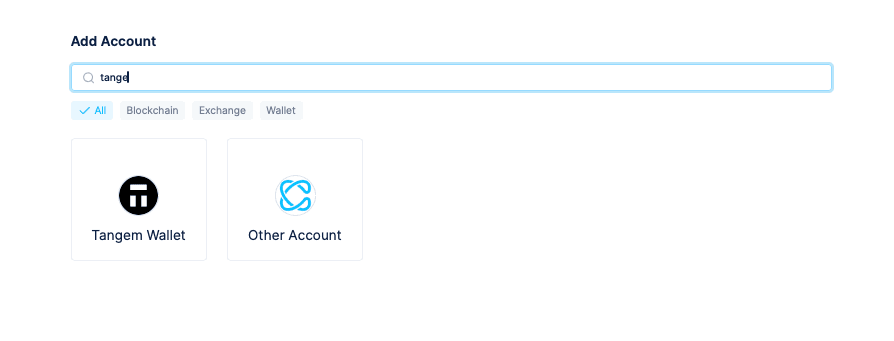
CoinLedgerの画面でAccountをクリックし、Tangem Walletを選択します。
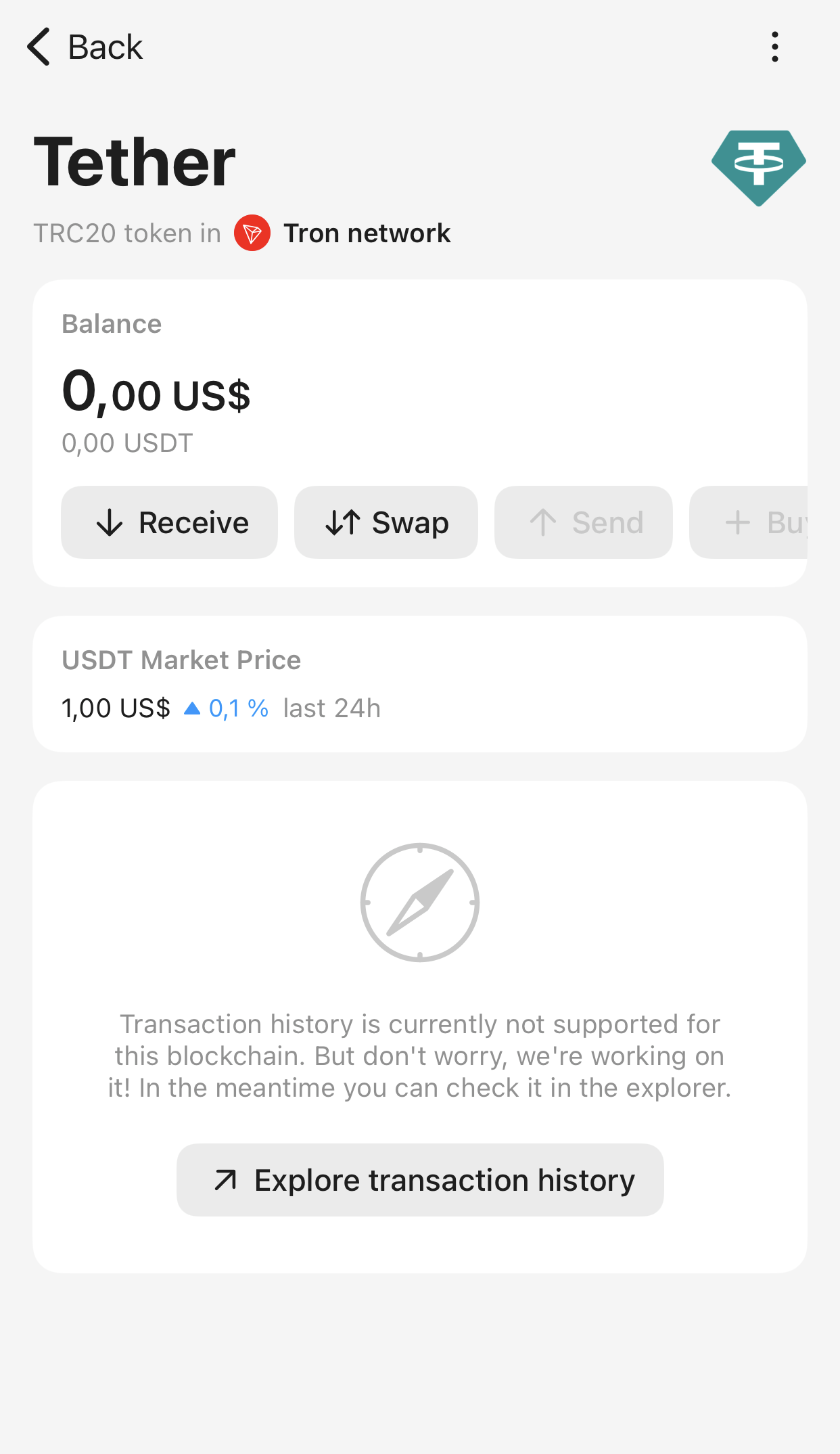
Tangem Walletにログインし、インポートしたいトークンを選択します。
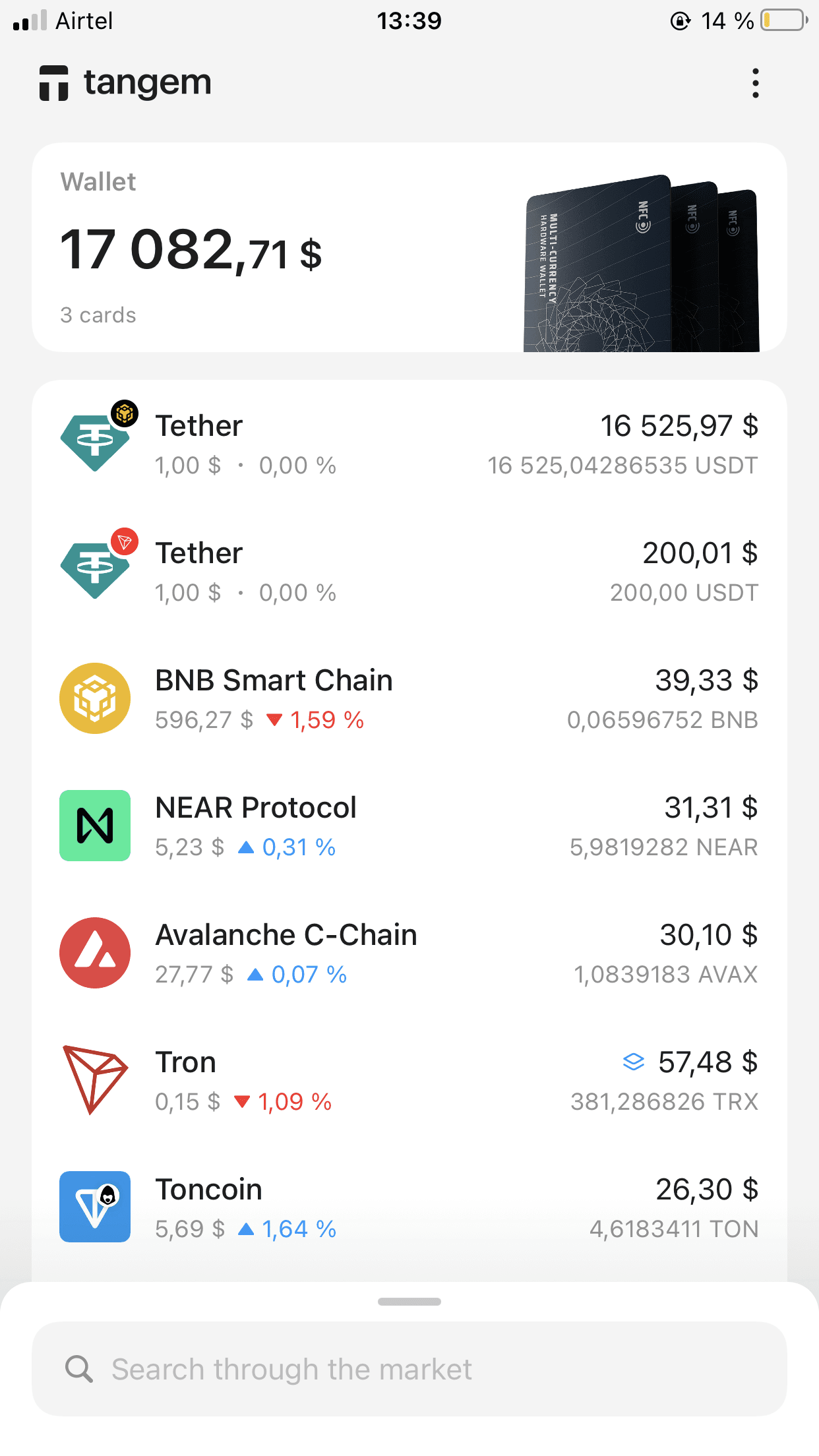
トークンの画面でReceiveをタップします。
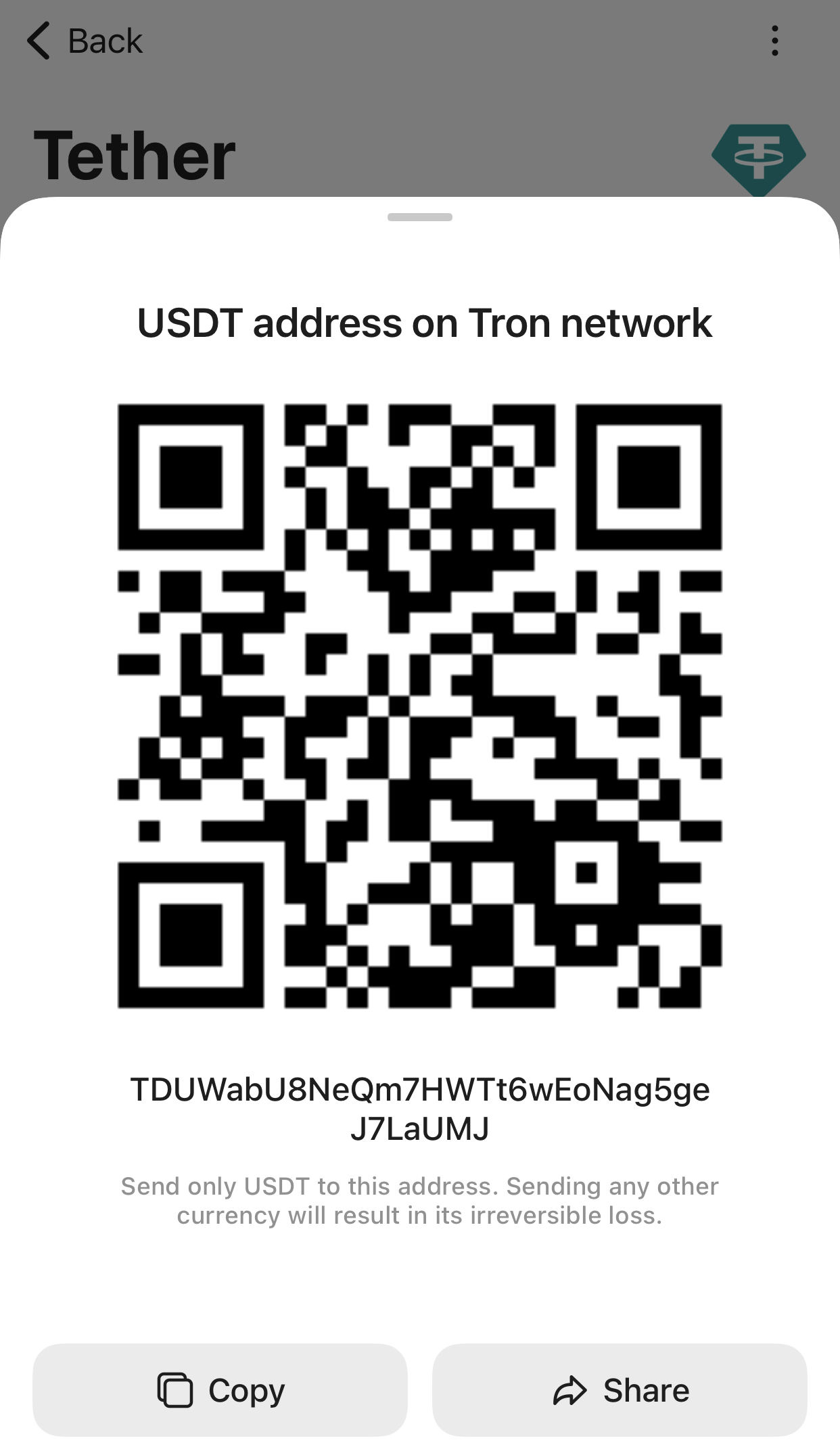
Copyをタップして、このブロックチェーン用のウォレットアドレスをクリップボードにコピーします。
CoinLedgerに戻り、新しいTangem WalletタブでConnect Walletを選択します。
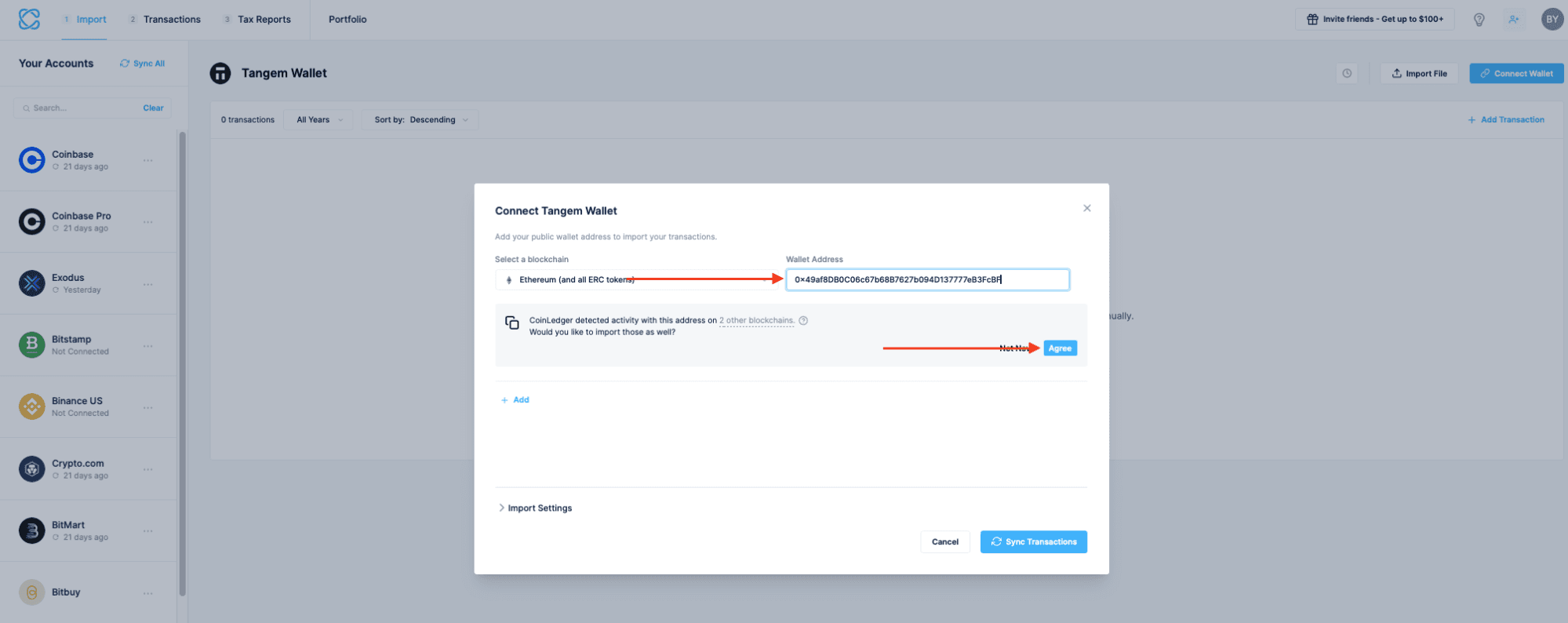
- ウォレットアドレス欄にアドレスを貼り付けます。インポートしたいブロックチェーンも選択してください。
CoinLedger will automatically scan this address to see if it was used on any other blockchains. Click Agree.
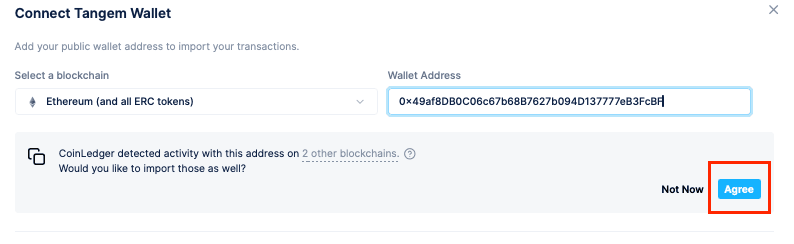
After a moment, CoinLedger will ask you to review each of the blockchains it recognized. This allows you to import all of your Tangem Wallet transactions in one click. You can remove or modify any of the suggested blockchains on this screen.
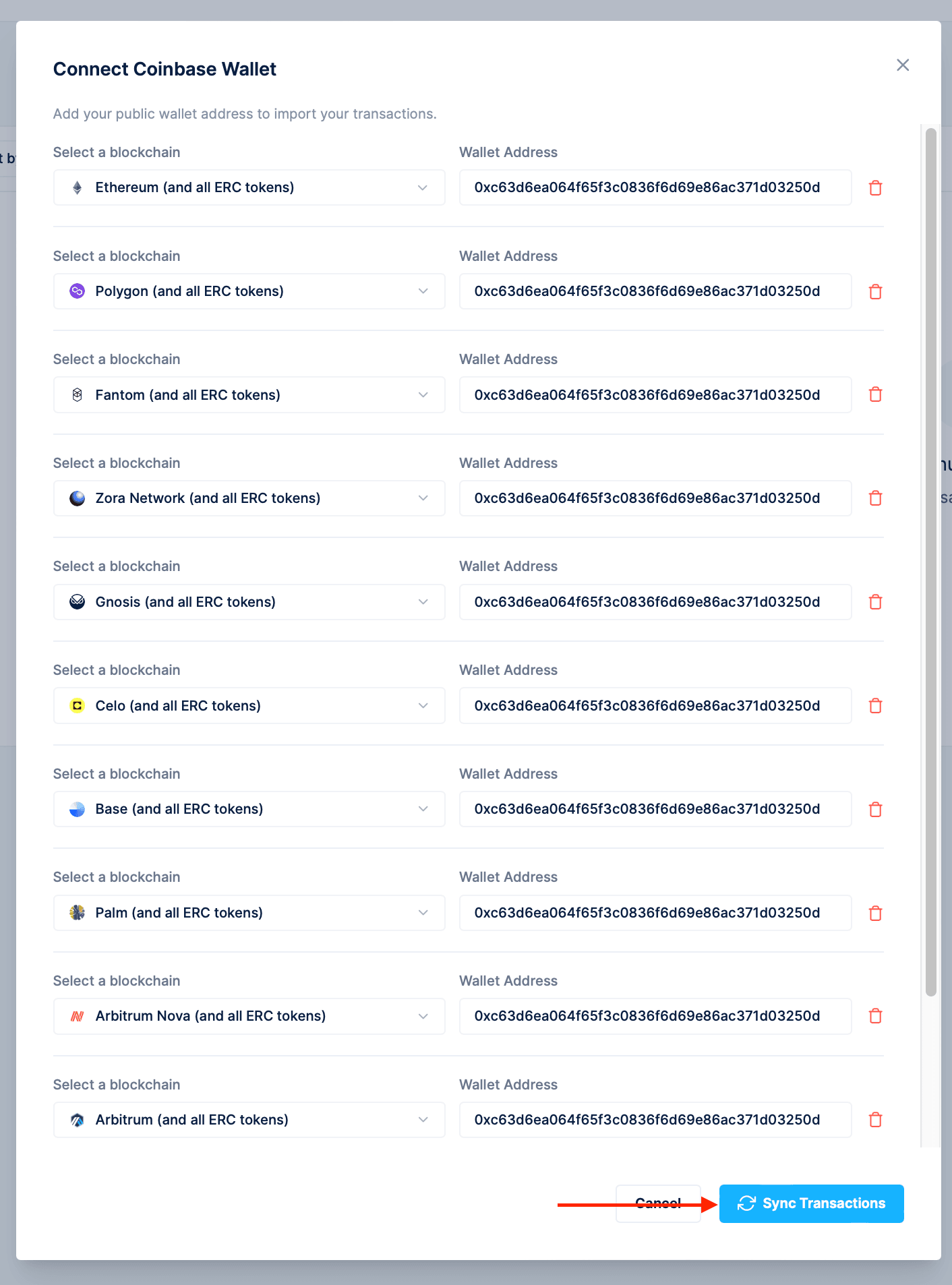
- Once you’re ready to proceed with your import, select Sync Transactions.
- すべての手順が完了すると、Tangem Walletの取引履歴がCoinLedgerアカウントにインポートされます。他のウォレットも同様に取り込めば、仮想通貨の税務レポートを一括で作成できます。
CoinLedgerの料金は?
CoinLedgerのポートフォリオ管理機能は無料で利用できますが、税務レポートの料金は取引件数によって異なります。一般的にレポート作成は$49〜$199程度です。詳しい料金はこちらをご覧ください。
CoinLedgerはサポート対応していますか?
CoinLedgerは、無料プランを含むすべてのユーザーにカスタマーサポートを提供しています。help@coinledger.ioへのメールや、アプリ内のライブチャットで問い合わせが可能です。
CoinLedgerの安全性について
CoinLedgerは、公開されているブロックチェーンアドレス経由でのみ取引履歴をインポートします。プラットフォーム側がウォレットにアクセスしたり、ユーザーの代わりに取引を行うことはありません。また、256ビット暗号化などのセキュリティ対策を徹底し、顧客データの保護にも努めています。
デジタル資産を自分で守りたい方は、Tangem Walletの超安全・バッテリーフリーのハードウェアカードをぜひご活用ください。ポートフォリオを守る最もシンプルな方法はtangem.comでご確認いただけます。


お見逃しなく 



その他の記事

