 시드리스로 전환하고 SWITCH30으로 30% 할인. 10월 26일까지



Tangem Wallet와 CoinLedger로 암호화폐 세금 신고 쉽게 하기

암호화폐 세금 시즌이 다가오면 거래 내역을 추적하고, 수익과 손실을 계산하며, 관련 규정을 모두 준수해야 해서 복잡하게 느껴질 수 있어요. 하지만 Tangem Wallet 사용자는 CoinLedger를 활용하면 훨씬 간편하게 세금 신고를 준비할 수 있답니다. 이 가이드에서는 암호화폐 세금 신고에 꼭 필요한 모든 정보를 순서대로 안내해 드릴게요.
CoinLedger란 무엇인가요?
CoinLedger는 전 세계 70만 명 이상의 투자자가 사용하는 암호화폐 세금 신고 및 포트폴리오 추적 소프트웨어예요. 포트폴리오 관리와 암호화폐 세금 보고서 생성 과정을 간소화해 주죠. Tangem을 비롯한 다양한 지갑과 거래소에서 거래 내역을 손쉽게 불러올 수 있어 자산 관리를 편리하게 할 수 있어요.
CoinLedger는 어떻게 작동하나요?
CoinLedger를 사용하면 Tangem과 여러 지갑, 거래소에서 거래 내역을 불러올 수 있어요. 이 플랫폼은 Ethereum을 비롯한 다양한 블록체인과 연동되어 하나의 대시보드에서 암호화폐 자산을 한눈에 관리할 수 있죠.
When tax season approaches, you can generate a comprehensive tax report, which can be easily imported into TurboTax, TaxAct, and other tax preparation software. CoinLedger’s portfolio tracking features are free! There’s no need to pay until you wish to download your tax report.
Tangem Wallet을 CoinLedger와 연동하는 방법
Tangem Wallet 거래 내역을 CoinLedger에 불러오는 방법을 안내해 드릴게요.
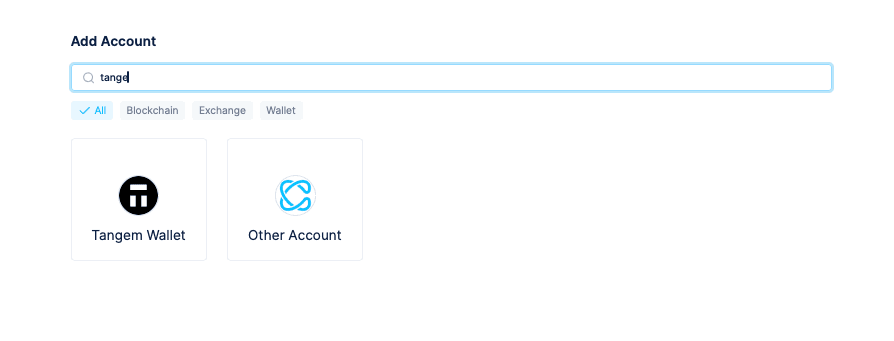
CoinLedger 화면에서 Account를 클릭하고 Tangem Wallet을 선택하세요.
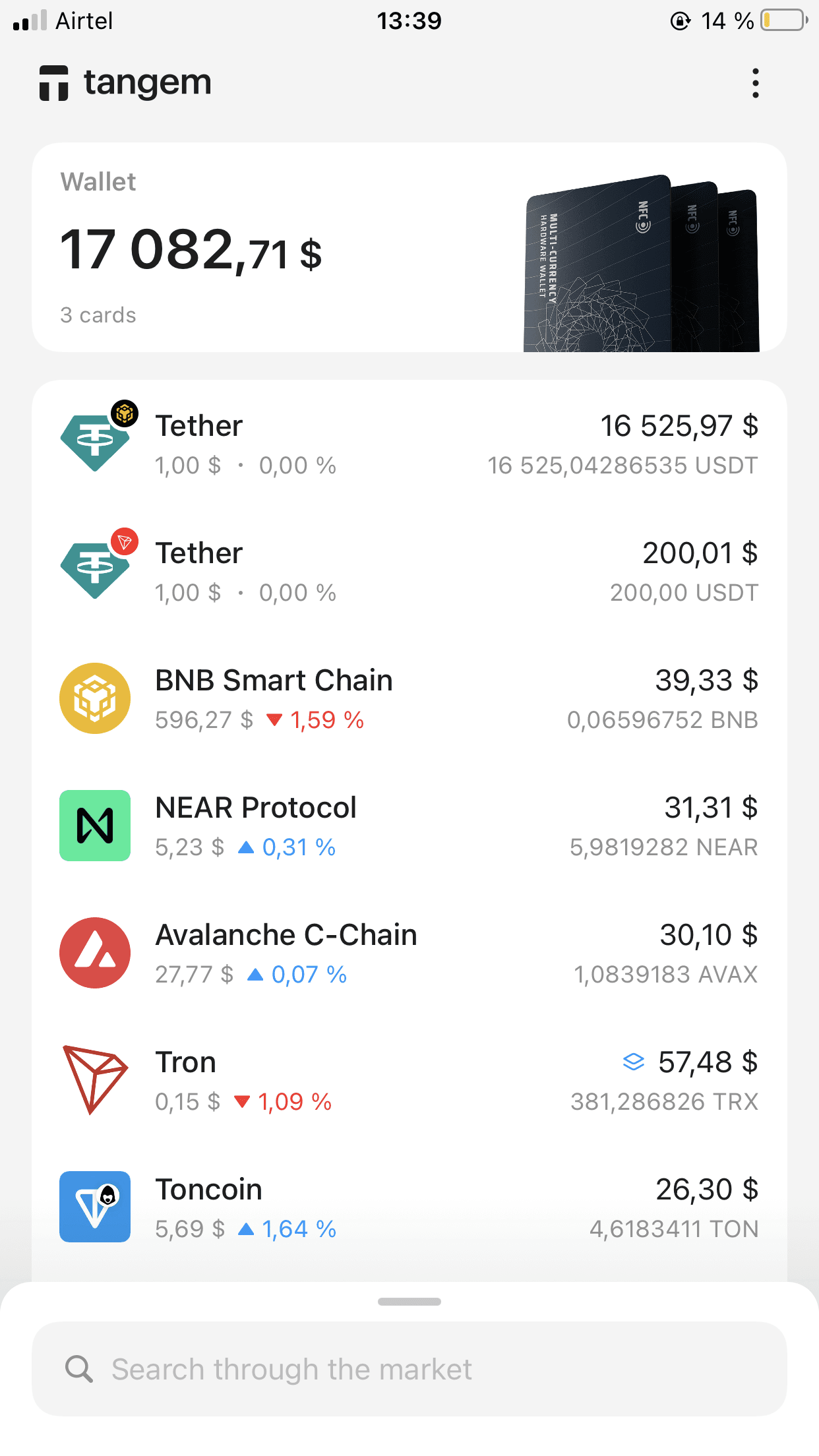
Tangem Wallet에 로그인한 후 가져오려는 토큰을 선택하세요.
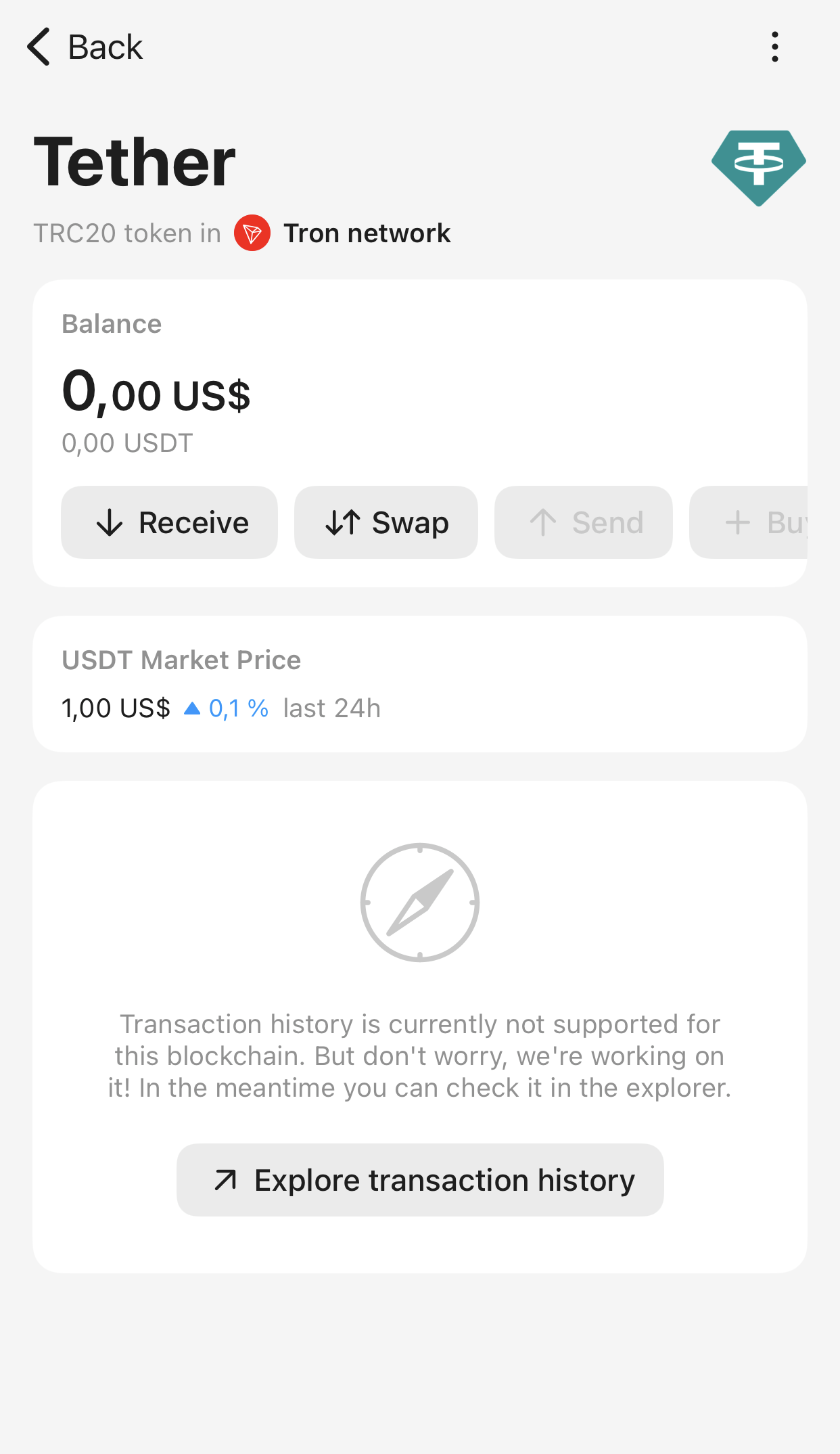
토큰 페이지에서 Receive를 탭하세요.
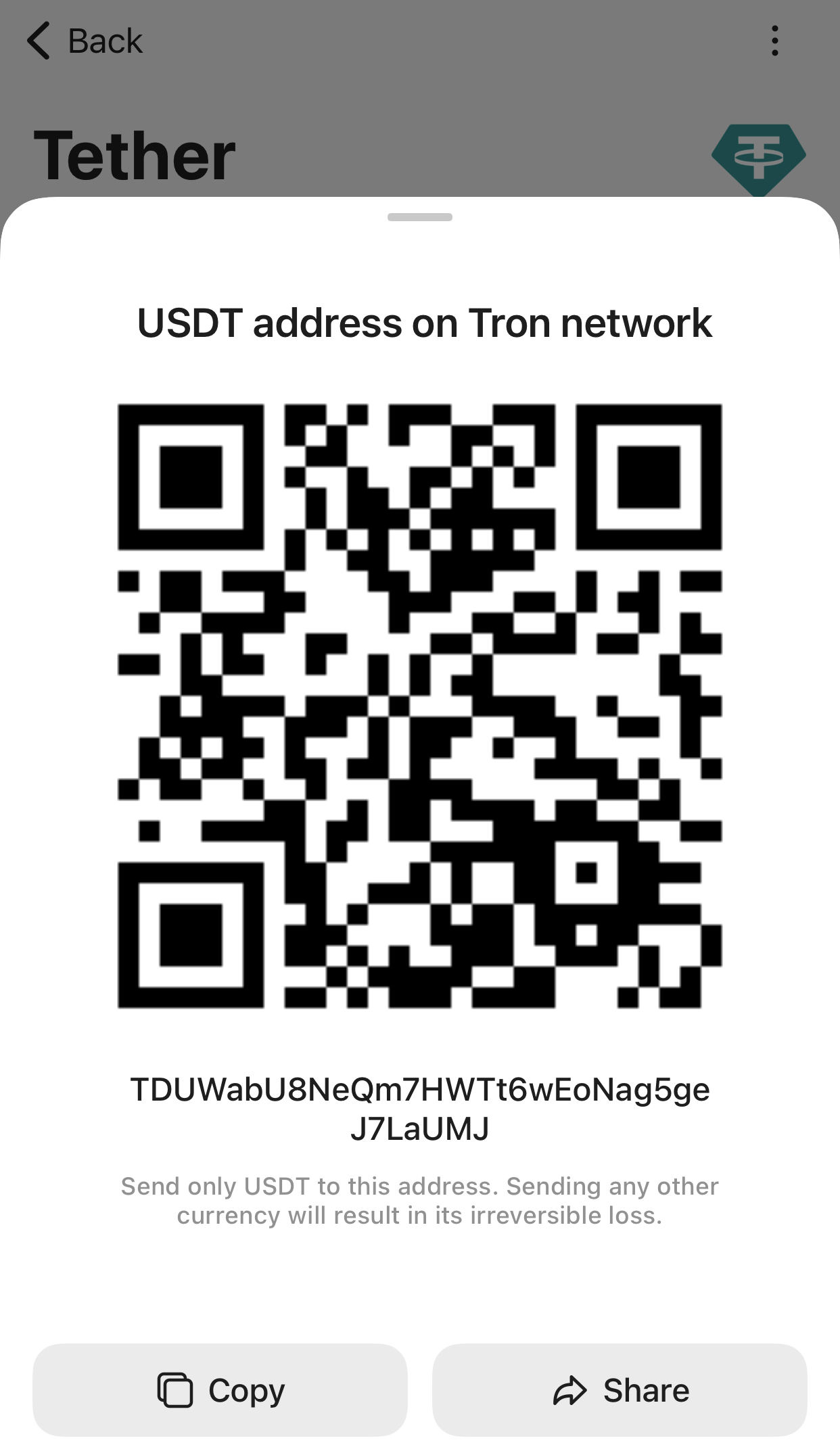
Copy를 눌러 해당 블록체인 지갑 주소를 복사하세요.
CoinLedger로 돌아가 새 Tangem Wallet 탭에서 Connect Wallet을 선택하세요.
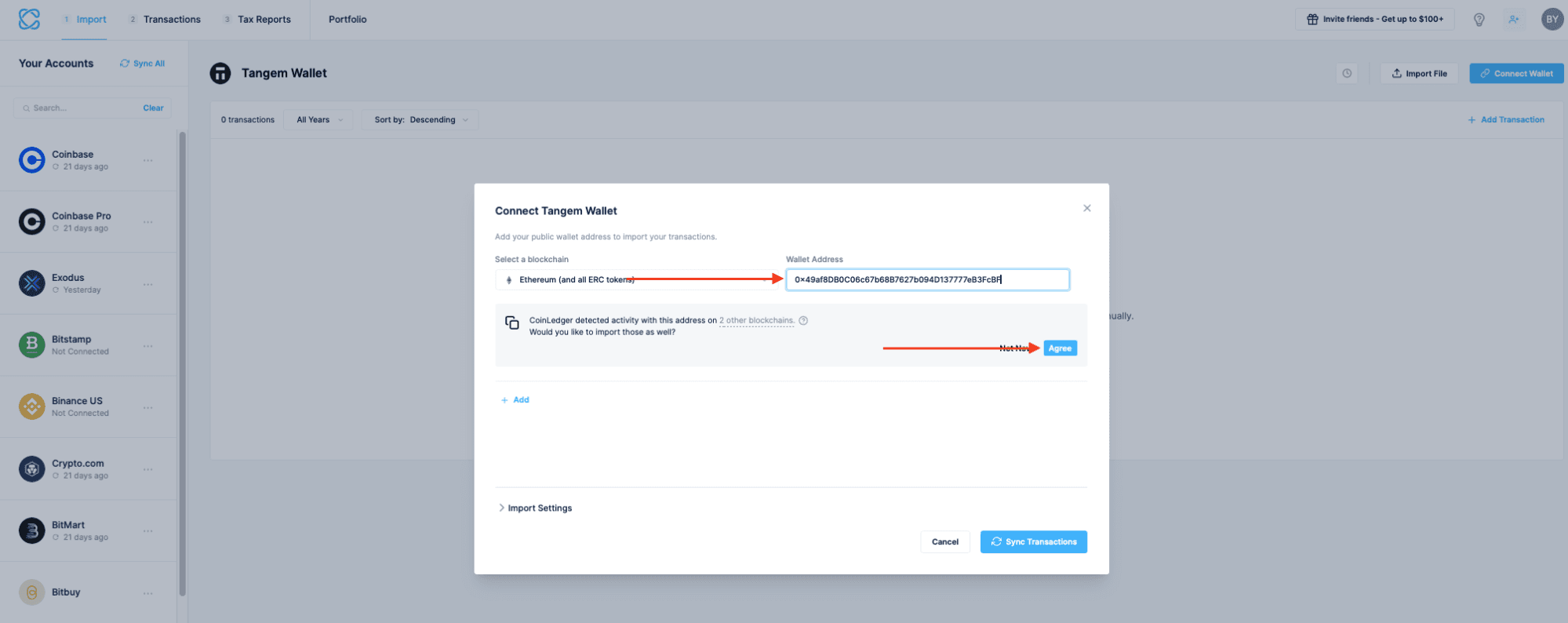
- 지갑 주소 입력란에 복사한 주소를 붙여넣으세요. 가져오려는 블록체인도 선택하라는 안내가 나와요.
CoinLedger will automatically scan this address to see if it was used on any other blockchains. Click Agree.
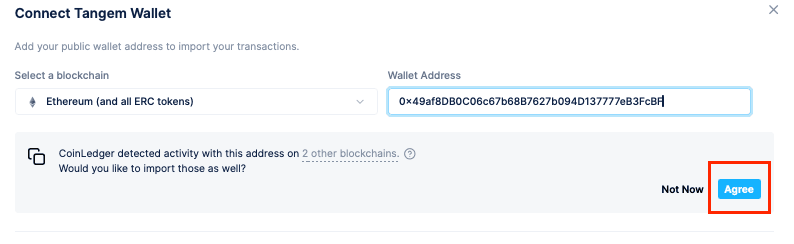
After a moment, CoinLedger will ask you to review each of the blockchains it recognized. This allows you to import all of your Tangem Wallet transactions in one click. You can remove or modify any of the suggested blockchains on this screen.
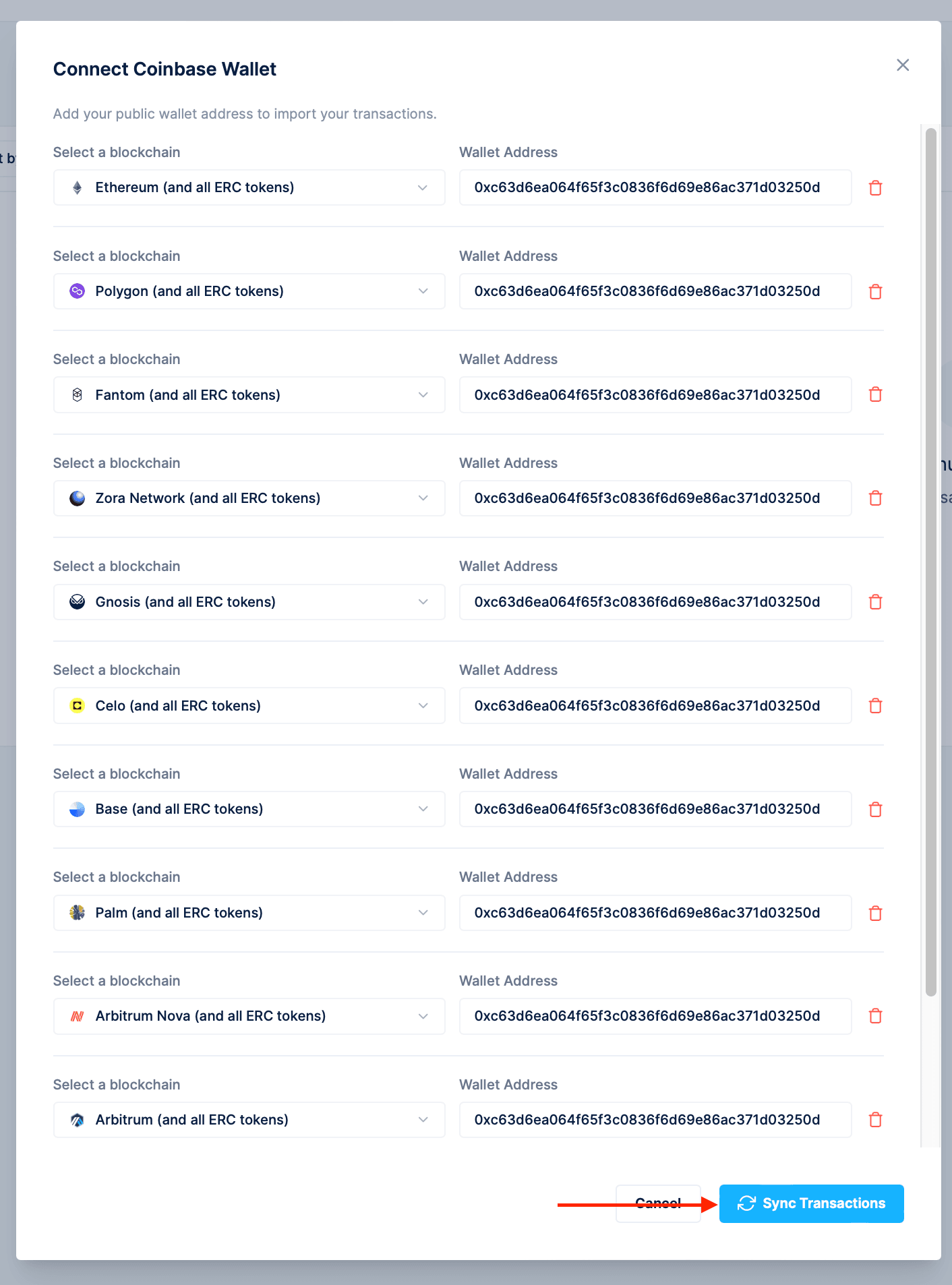
- Once you’re ready to proceed with your import, select Sync Transactions.
- 모든 단계를 마치면 Tangem Wallet 거래 내역이 CoinLedger 계정에 불러와져요. 다른 지갑들도 가져온 후, 전체 암호화폐 세금 보고서를 생성할 수 있습니다.
CoinLedger 이용 요금은 얼마인가요?
CoinLedger의 포트폴리오 추적 기능은 무료로 제공되지만, 세금 보고서 발급 비용은 거래 건수에 따라 달라집니다. 일반적으로 세금 보고서는 $49~199 사이에서 책정돼요. CoinLedger 요금에 대한 자세한 내용은 여기에서 확인하세요.
CoinLedger는 고객 지원을 제공하나요?
CoinLedger는 무료 플랜을 포함한 모든 사용자에게 고객 지원을 제공해요. help@coinledger.io로 이메일을 보내거나 CoinLedger 앱 내 라이브 채팅을 통해 문의할 수 있습니다.
CoinLedger는 안전한가요?
CoinLedger는 공개된 블록체인 주소를 통해 거래 내역만 불러오며, 지갑에 직접 접근하거나 거래를 대신 실행할 권한은 없어요. 또한 256비트 암호화 등 보안 모범 사례를 적용해 고객 데이터를 안전하게 보호합니다.
디지털 자산을 직접 관리하고 싶다면? 배터리 없이 사용할 수 있는 Tangem Wallet의 초강력 하드웨어 카드를 경험해 보세요. 어디서든 암호화폐를 안전하게 지킬 수 있습니다. tangem.com에서 포트폴리오 보호의 가장 쉬운 방법을 확인해 보세요.


이것들을 놓치지 마세요 


다른 기사들

