
 EXTRA −10%


How to Withdraw Crypto From Revolut to Tangem Wallet
Ця стаття доступна такими мовами:
- Can you withdraw crypto from Revolut?
- What you need before you start
- Step 1: Copy your Tangem wallet address
- Step 2: Check which network Revolut uses
- Step 3: Add your Tangem address in Revolut
- Step 4: Send the crypto to Tangem
- Revolut crypto withdrawal fees
- Travel Rule checks: why Revolut asks about your wallet
- Why move crypto from Revolut to self-custody
- What to do if your Revolut withdrawal fails or is delayed
- Security tips for Revolut crypto withdrawals
- Final thoughts
Revolut holds your crypto on your behalf. Your keys stay with Revolut, not with you. Moving your coins to a self-custody wallet puts you back in control, but the send flow has a few steps that trip people up: matching networks, the "My wallet" ownership check, a Travel Rule prompt, and a service fee on top of the network fee.
This guide walks through the full process of withdrawing crypto from Revolut to a Tangem Wallet, step by step. Menus, fees, and rules are as of October 2026; availability depends on your country and the Revolut entity that serves you.
Can you withdraw crypto from Revolut?
Yes. Eligible UK and EEA customers can withdraw supported cryptoassets to external wallets, with availability depending on plan and location. As of October 2026, Revolut supports 30+ cryptocurrencies for withdrawal on supported networks. The app shows the current asset-and-network list under Crypto → Send at the time of withdrawal.
Revolut documents support for certain cryptocurrencies on supported networks. Named examples include BTC on Bitcoin, ETH, USDC, and MATIC on Ethereum, USDT on Ethereum and TRON, XRP on Ripple, and SOL on Solana. The complete list is shown in the app.
Crypto services for applicable EEA customers are provided by Revolut Digital Assets Europe Ltd (RDAEL, Cyprus), a MiCA-licensed crypto-asset service provider. UK customers are served by Revolut Ltd. Revolut X also supports withdrawals to external wallets.
What you need before you start
Before initiating a transfer, confirm the following:
- Your Tangem Wallet is set up, and you can open the app.
- The coin you want to send is in your Revolut balance.
- Your phone is to hand: Revolut sends a 6-digit security code by SMS or in-app notification.
- You have time for a small test transfer before sending the full amount.
- You have checked your sending limit under Crypto → More → Limits and fees → Sending limits in the Revolut app.
Step 1: Copy your Tangem wallet address
A wallet address is the public-facing identifier for a specific network. You need the address for the exact coin and network you are receiving.
- Open the Tangem app on your phone.
- Tap the token you want to receive (for example, ETH or BTC).
- Select Receive.
- The app displays your address and a QR code. For Bitcoin, the app shows a SegWit address by default; Legacy is also available if needed.
- Tap Copy address to copy it to your clipboard.
An XRP Ledger account needs a 1 XRP activation reserve before it can hold XRP. Transfers from an exchange to your Tangem Wallet do not require a destination tag, because you control the wallet address. If an exchange form requires a tag field, you can leave it blank or enter any value. It will not affect the funds arriving at your own Tangem address.
Step 2: Check which network Revolut uses
This is the most important step. Blockchain networks operate independently: a token sent on one network does not automatically appear on another. Identical-looking EVM addresses do not prove network compatibility, because Ethereum, BNB Chain, Base, and Polygon can share the same address format.
Check the network Revolut shows on the review screen before you confirm. If it differs from the network you selected in Tangem, stop and start again with the matching network.
| Token | Networks Revolut documents | Tangem network to select |
|---|---|---|
| BTC | Bitcoin | Bitcoin |
| ETH | Ethereum | Ethereum |
| USDT | Ethereum, TRON | Ethereum or TRON (match Revolut's choice) |
| USDC | Ethereum | Ethereum |
| MATIC | Ethereum | Ethereum (not Polygon network) |
| XRP | Ripple (XRP Ledger) | XRP Ledger |
| SOL | Solana | Solana |
Note on MATIC: Revolut sends MATIC as an Ethereum-network token. In Tangem, select the Ethereum network version of MATIC, not the Polygon network token. Sending to the wrong network can result in funds becoming permanently inaccessible
.
Never send assets on a network that Tangem does not support. The Tangem Mobile Wallet supports 100+ networks as of version 5.34 (March 2026), but always confirm the specific network in the app before proceeding.
Step 3: Add your Tangem address in Revolut
- In the Revolut app, go to Crypto and tap Send.
- Select the cryptocurrency you want to withdraw.
- Tap Add wallet address (or New).
- Paste your Tangem address from the clipboard.
- When asked about ownership, select My wallet. This means the address belongs to you.
- Enter the 6-digit security code delivered to your phone.
The "My wallet" designation is an ownership declaration required under Travel Rule regulations (explained below). Only mark an address as "My wallet" if it genuinely belongs to you. If you are sending to another person's address, provide that person's name instead. Never mark someone else's address as self-owned.
Step 4: Send the crypto to Tangem
- Enter the amount you want to send.
- Check the network shown on the confirmation screen. Confirm it matches the network you selected in Tangem.
- Review the total fee (service fee plus network fee).
- Confirm the transfer.
Start with a small test transfer. Send a minimal amount first, and confirm it has arrived in your Tangem Wallet before sending the remainder. Once a withdrawal is confirmed, it cannot be canceled or reversed. Revolut states explicitly that withdrawals are irreversible, including while pending.
Revolut may batch-process for up to 20 minutes before broadcasting. Once a TxID appears, track it in a blockchain explorer. Confirmation timing varies by blockchain and network conditions.
Revolut crypto withdrawal fees
Revolut's withdrawal cost has two components: a fixed service fee and a variable network fee.
| Cryptocurrency | Service fee (UK) |
|---|---|
| XRP, XLM, DOT, SOL, AVAX, XTZ, ALGO, ADA | £1 (or local-currency equivalent) |
| All other cryptocurrencies (including BTC, ETH, USDT) | £3 (or local-currency equivalent) |
Figures from Revolut's fee schedule as of October 2026. EEA customers: Revolut documents the same £1/£3 bands with "or local-currency equivalent." Verify the current fee on Revolut's withdrawal screen before confirming.
The network fee is variable: it depends on transaction speed and current blockchain traffic. Revolut calculates the anticipated network cost, adds the service fee, and displays the full total in-app before you confirm. The amount charged will not exceed the pre-submit quote. Because the service fee is fixed per withdrawal, consolidating small balances into a single transfer reduces the fee as a proportion of the amount sent.
Travel Rule checks: why Revolut asks about your wallet
The Travel Rule requires crypto-asset service providers to collect and exchange originator and beneficiary information for transfers between providers.
Here's what that means in practice. When you withdraw to an external wallet, Revolut may ask for beneficiary details. For withdrawals to a self-hosted wallet (a wallet you control, such as Tangem), Revolut may require ownership verification depending on the amount or other circumstances. This is why the app asks you to mark the address as "My wallet" and complete the 6-digit code.
For exchange-to-exchange transfers, Revolut may request missing information such as the sender's name or date of birth for deposits, and requires the beneficiary's name for withdrawals. Deposits remain pending until the required information is supplied.
Revolut can reject or fail a withdrawal when Travel Rule requirements cannot be met, or the required data cannot be shared. If a withdrawal is placed under review, follow the in-app instructions and supply any requested information promptly. Do not attempt to circumvent the check by resubmitting the same address without completing verification. No specific threshold figure is published by Revolut for when ownership verification is triggered; the requirement depends on the amount and circumstances at the time of transfer.
Why move crypto from Revolut to self-custody
Revolut holds your crypto in custody. That means Revolut controls the private keys, not you. Custodial storage can offer account recovery and a simpler interface, but it exposes the holder to counterparty risks: platform issues, insolvency, or regulatory freezes.
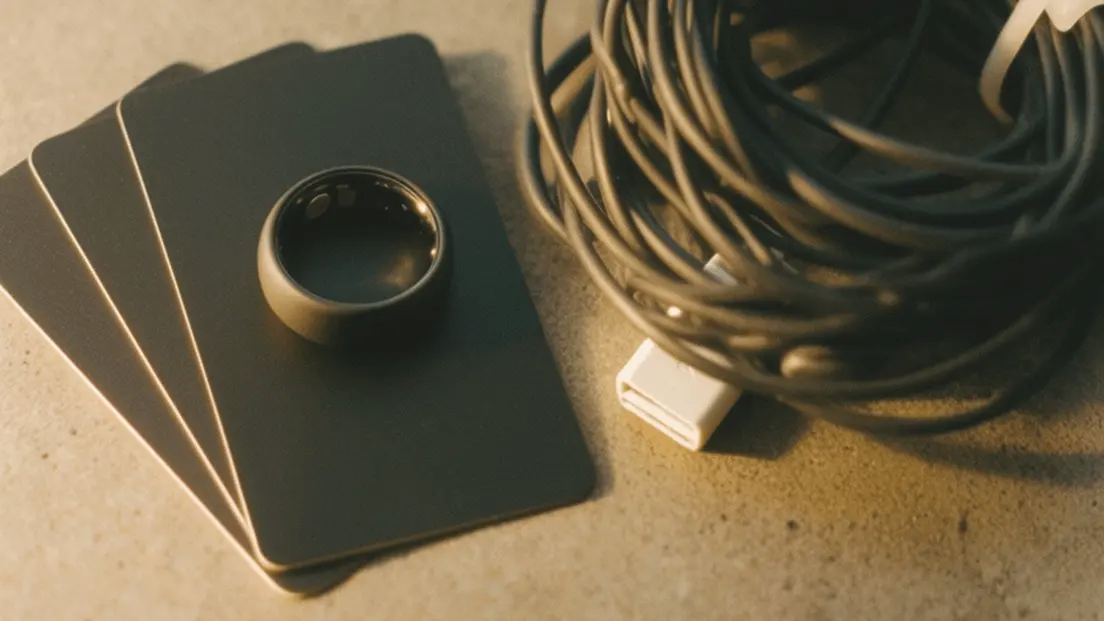
Self-custody removes that counterparty layer. With a Tangem Wallet, private keys are generated within a Samsung S3D350A secure element, certified to Common Criteria EAL6+, and never leave the card. The hardware works with both credit-card-sized plastic cards and the Tangem Ring (a zirconia-ceramic wearable) through NFC. Transaction signing occurs on the chip when the phone is tapped; the app alone cannot move funds or approve a transaction without a tap.
The default backup model is seedless: two or three cards each hold an encrypted copy of the key material. A seed phrase is optional for users who want portability to other wallets. The trade-off is real: if all backup cards are lost and no seed phrase was enabled, funds cannot be recovered. Keep cards in separate physical locations. For context on MiCA, self-custody, and why to move crypto away from exchanges.
Tangem Wallet cards and Ring are available at tangem.com/en/pricing/.
What to do if your Revolut withdrawal fails or is delayed
- Unsupported address or network: Revolut warns that sending to an incompatible address or unsupported network can result in permanent loss. Double-check the network before re-submitting.
- Pending or batching: Revolut may batch processing for up to 20 minutes before broadcast. Once a TxID appears, track it in a blockchain explorer to check the on-chain status.
- Failed due to limits: Check your sending limit under Crypto → More → Limits and fees → Sending limits. Limits vary by plan and verification level.
- Travel Rule review: If Revolut requests additional information, supply it through the in-app flow. Withdrawals can be rejected if required data cannot be shared.
- Sent to the wrong network: A confirmed transaction sent to the wrong address or network cannot be reversed on the blockchain. Contact Revolut support only for exchange-side issues; on-chain errors cannot be undone.
- In-app support: Use Revolut's in-app chat for any exchange-side problem. Be aware that scammers impersonate support via phone calls. Revolut will not call you unsolicited to resolve a withdrawal issue.
Security tips for Revolut crypto withdrawals
- Send a small test amount first. Confirm it arrives in Tangem before sending the full balance.
- Compare the first and last six characters of the address you pasted against the address shown in the Tangem app. Never rely on a visual scan of the middle section alone.
- Watch for address poisoning: attackers send tiny transactions from look-alike addresses hoping you copy them from your history. Always copy the address fresh from the Tangem Receive screen.
- Only mark an address as My wallet in Revolut if it genuinely belongs to you.
- No legitimate service will ask for your seed phrase or Tangem access code. Anyone who does is attempting to steal your funds.
Final thoughts
Withdrawing crypto from Revolut to a self-custody wallet comes down to four things: copy the correct Tangem address for the right network, match that network in Revolut, complete the "My wallet" ownership step, and send a small test transfer before moving the full amount. Check the fee on the review screen. It includes both the service fee and the variable network fee.
For a broader look at withdrawing crypto from any exchange to Tangem. If you are ready to move to self-custody, the Tangem wallet is available in card and Ring form.
This guide is for information only and is not financial advice. Exchange menus, fees, networks, and limits change. Check the exchange's withdrawal screen before you confirm.
FAQ About Withdrawing Crypto From Revolut
-
You can withdraw any cryptocurrency that Revolut supports for external withdrawal and that Tangem supports on its network. Revolut documents external withdrawals of cryptocurrencies, including BTC, ETH, USDT, USDC, XRP, SOL, and MATIC, but the complete current list is available in the app. Tangem supports 100+ networks and 16,000+ tokens. Always confirm both sides support the same network before sending.
-
Timing depends on the blockchain and current network conditions. After broadcast, confirmation time varies by blockchain. Use the transaction ID in a blockchain explorer to track progress once the transfer is on-chain.
-
The fee has two parts. The service fee is £1 (or local-currency equivalent) for XRP, XLM, DOT, SOL, AVAX, XTZ, ALGO, and ADA, and £3 (or local-currency equivalent) for all other cryptocurrencies. A variable network fee is added on top. Revolut shows the full total before you confirm, and the amount charged will not exceed that quoted figure.
-
No. Revolut states that withdrawals are irreversible and cannot be canceled after confirmation, including during pending status. Review the address, network, and fee carefully on the confirmation screen before tapping Confirm.
-
This is a Travel Rule requirement. Regulations require Revolut to collect originator and beneficiary information for crypto transfers. When you withdraw to a self-hosted wallet, Revolut may ask you to confirm ownership. That is the purpose of the "My wallet" designation and the 6-digit code. In some cases, depending on the amount or circumstances, additional ownership verification may be required.
-
A confirmed on-chain transaction cannot be reversed. Revolut warns that sending to an incompatible address or unsupported network can result in permanent loss of funds. Always confirm that the network shown on Revolut's review screen matches the network you selected in the Tangem app before confirming.


Не пропустіть 



Інші статті

