 Selected Wallets · Ends Apr 6


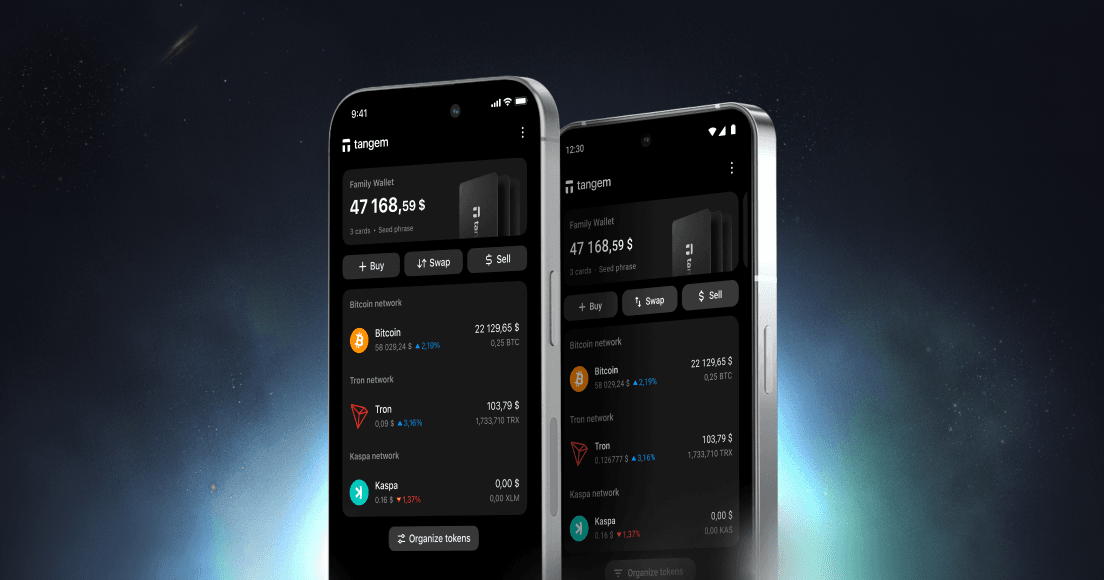
SWEETS wallet
The most secure hardware wallet for your SWEETS
Securely store SWEETS with Tangem, where thousands trust their crypto investments.
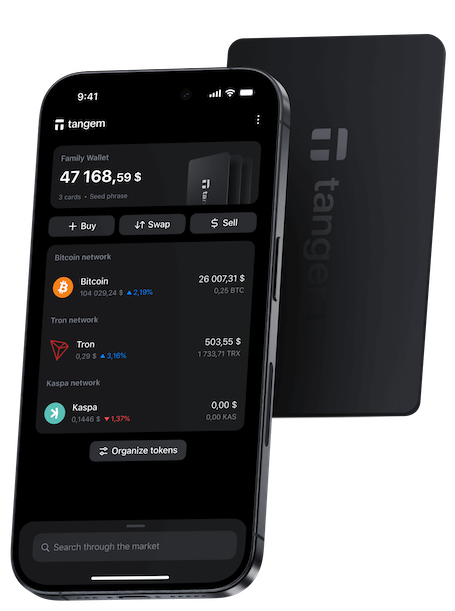

How to secure your SWEETS with Tangem?
When you buy or hold SWEETS in Tangem, it secures your private keys in many ways:
- With the seedless setup and smart backups on extra devices, your Bitcoin is safe and accessible only to you.
- Tangem is IP69K water and dustproof, built to protect against extreme temperatures, EMPs, ESCs, and X-RAYS.
- An access code and biometric authentication protect against unauthorized access.
- Private keys are generated and stored on its EAL6+ CC secure element.
How to get a SWEETS Crypto Wallet?
Tangem products are for everyone, from beginners to experts. They keep your crypto safe and easy to manage. With cutting-edge technology, Tangem lets you control and protect your digital assets.
Buy TangemWhy choose SWEETS wallet with Tangem.
Privacy
No registration and KYC required to use the app. We don't track your data.

Security
Your private keys are encrypted and never leave your device. Only you have control over your funds.

Convenient designs
Choose from a variety of elegant designs, including unique co-branded editions and our innovative ring-form factor wallet, ensuring both style and functionality.

24/7 Customer care
Fast support for your needs. Live chat and email support for customers from all over the globe.

What is SWEETS ($SWTS)?
SWEETS, symbolized as $SWTS, represents a groundbreaking approach to memecoins driven by its community. Spearheaded by influential leaders within the Solana ecosystem, SWEETS melds the fun of meme culture with a robust framework of safety measures and intellectual property rights. The core aspiration of this initiative is to underscore the power of memecoins as catalysts for community involvement and innovation.
What is a SWEETS wallet?
A SWEETS wallet holds the private keys necessary to interact with your SWEETS address. It is crucial to note that the wallet does not contain the tokens themselves; instead, these are stored on the blockchain. The wallet serves the vital functions of generating and securing these keys, thus facilitating the management of your holdings. Essentially, a SWEETS wallet is your gateway to send, receive, and handle your $SWTS tokens effectively.
How does a SWEETS wallet work?
SWEETS wallets exploit the power of public and private key cryptography to govern blockchain accounts. While the private key should be kept confidential to ensure account security, the public key is used to accept tokens. Access to funds requires your private key, and tools like the Tangem Wallet confidentially generate and preserve these keys within its chip.
What are the types of SWEETS wallets?
Exchange SWEETS Wallets:
On platforms like Coinbase, Binance, and Kraken, users can purchase SWEETS using fiat currency through custodial wallets. However, this comes with potential risks, such as the loss of account access.Software SWEETS Wallets:
These wallets, available on devices, handle private keys and enable $SWTS transactions. Despite their user-friendliness, they are prone to malware and hacking attempts, encompassing mobile, desktop, and browser categories.Mobile SWEETS Wallets:
Specialized applications that facilitate SWEETS transactions via smartphones, offering on-the-go accessibility.Desktop SWEETS Wallets:
Installed on PCs, they store private keys directly on the user's hard drive or SSD.Hardware SWEETS Wallets:
As offline options, these wallets, including solutions like Tangem, provide enhanced protection against digital threats.
How to Choose the Best SWEETS Wallet
Selecting the ideal wallet comes down to individual needs, focusing on ease of use, dependability, longevity, and safety. To optimally safeguard assets against online risks and ensure secure storage of substantial amounts, a hardware option like Tangem is strongly advised.
SWEETS $SWTS


Tangem supports other cryptocurrencies
Reliability and convenience at your fingertips. Manage thousands of cryptocurrencies with peace of mind anywhere and anytime
See all supported cryptosSWEETS FAQ
- A top wallet for $SWTS should strike a balance between safety and usability. Tangem provides this by securing keys offline while allowing quick access through your phone.
- Software wallets for SWEETS are often free, but hardware wallets usually require a one-time purchase. Sending transactions may involve network fees.
- The best wallet for storing SWEETS is one that keeps your private keys offline while remaining easy to manage. Tangem offers this balance by placing keys in an offline card that you tap with your phone, providing both high security and simple everyday use.
- A SWEETS wallet is a tool that lets you store, send, and receive your digital assets. It manages your private keys, which prove ownership of your $SWTS.
Related articles
Learn more


Something went wrong
Please
Don’t miss! 🚀 We drop prices for 20%
Flash sale expires soon! Stakes with BTC Reward Tap & Get

00:00:00