


 Mude para seedless. 30% OFF com SWITCH30 até 02 nov.
Quanto USDC você precisa para começar a usar o Tangem Pay?
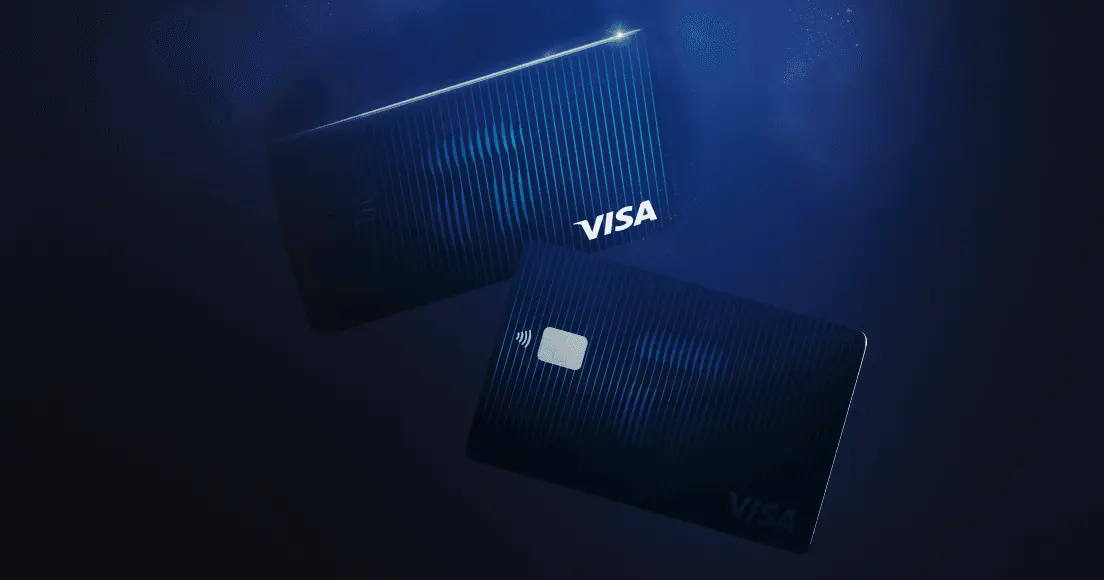
Não é necessário nenhum depósito mínimo de USDC para ativar o Tangem Pay. Você realiza o KYC, emite o cartão Visa virtual e só precisa adicionar fundos quando quiser começar a gastar. A dúvida prática não é o mínimo para ativação, mas sim quanto carregar para conseguir usar o cartão sem ficar sem saldo após a primeira compra. Para um teste inicial, pense no valor das compras: carregue o que pretende gastar em breve e recarregue sempre que precisar.
O que é o Tangem Pay?
O Tangem Pay é uma conta de pagamentos não custodial integrada ao app Tangem Wallet. Permite adicionar saldo em USDC na rede Polygon e gastar usando um cartão Visa virtual, aceito em qualquer lugar do mundo onde Visa é aceita.
Veja como funciona o fluxo. Você envia USDC nativo na Polygon para sua conta Tangem Pay. Na hora do pagamento, a compra com Tangem Pay funciona como qualquer transação Visa: o comerciante recebe em USD pela rede Visa, como em qualquer cartão. Nos bastidores, o valor correspondente em USDC é convertido e debitado da sua conta após a confirmação da compra. Em uma compra de US$ 25, são descontados US$ 25 em USDC da transação após a liquidação.
O cartão é somente virtual no lançamento, com cartões físicos previstos para uma futura atualização. Você pode adicioná-lo ao Apple Pay ou Google Pay para pagamentos por aproximação em lojas físicas, ou usar os dados do cartão em compras online.
Duas coisas importantes para quem está começando:
- Tangem Wallet e Tangem Pay são contas separadas dentro do mesmo app. Sua Tangem Wallet guarda suas criptos principais sob autocustódia. O Tangem Pay é a conta de gastos em USDC.
- Para usar o cartão, você completa um KYC único com a Sumsub (documento oficial e verificação facial). A Tangem não acessa nem armazena seus dados de identidade. Sua Tangem Wallet principal permanece totalmente anônima e sem necessidade de KYC.
O Tangem Pay foi lançado na versão 5.31 do app em dezembro de 2025. O parceiro emissor é a Rain.
Sem saldo mínimo para ativar
A ativação tem dois passos: verificação KYC e emissão do cartão. Nenhum deles exige depósito em USDC. Você faz o KYC pelo app Tangem. Após aprovação, o cartão Visa virtual é emitido. O carregamento vem depois, quando você decidir gastar. Não há valor mínimo obrigatório para receber o cartão. Esse é o ponto chave: ativação e carregamento são etapas separadas.
Esse modelo pode parecer diferente se você está acostumado com cartões bancários ou de exchanges, onde conta e saldo disponível costumam ser a mesma coisa. No Tangem Pay, você pode concluir o KYC e configurar o cartão primeiro, depois decidir quanto USDC adicionar à conta de gastos.
Ao carregar a conta, envie USDC nativo na Polygon da sua Tangem Wallet ou de outra wallet compatível. Uma taxa de gas da Polygon é cobrada em cada carregamento, e o valor exato varia conforme as condições da rede. O Tangem Pay não cobra taxas de transação nem mensalidade.
One practical note: O Tangem Pay está disponível atualmente nos EUA, América Latina e Ásia-Pacífico em 42 países. O lançamento para Reino Unido e União Europeia está previsto para 2026. Confira os requisitos atualizados em tangem.com/en/tangem-pay/ antes de começar, pois podem mudar.
Quanto USDC carregar de fato?
Fontes públicas não informam um valor mínimo obrigatório de carregamento. Considere o primeiro carregamento como uma decisão de uso, não como uma exigência do produto.
Mas carregar pouco pode gerar atrito. Fontes públicas não detalham o comportamento de recarga ou recusas, então trate o primeiro carregamento como o valor que você quer disponível antes de tentar gastar. Um ponto de partida prático para a maioria é o valor que pretende gastar em breve. Isso cobre pequenas compras do dia a dia, como uma refeição, assinatura ou recarga de transporte, sem travar mais USDC do que vai usar.
Use o valor da compra como referência. Se a primeira compra for um pedido online de US$ 25, carregue o Tangem Pay para esse valor em vez de transferir todo o saldo de USDC. Após a confirmação da transação, o valor equivalente em USDC é descontado da conta.
Assim, o cartão fica útil sem virar armazenamento de saldo. Não é preciso tentar acertar um valor fixo — basta definir um saldo temporário para a próxima compra ou próximas poucas compras. Pequenas recargas frequentes costumam ser melhores do que manter um saldo grande parado. Você pode testar o cartão em uma compra real, sentir como funciona o fluxo de recarga e ajustar depois. Se passar a usar o Tangem Pay com frequência, seu gasto semanal dará uma noção melhor do valor ideal do que qualquer sugestão genérica.
Veja um resumo prático:
Spending pattern | Suggested approach |
Compra-teste única | Carregue o suficiente para essa compra |
Algumas compras pequenas | Carregue o que pretende gastar em breve |
Gastos frequentes no dia a dia | Recarregue de acordo com seu padrão real de gastos |
Essas são orientações práticas, não limites do produto. Carregue o que pretende gastar. Mantenha o restante do seu USDC na Tangem Wallet sob suas próprias chaves. Se tiver dúvida, comece com uma compra planejada e uma pequena margem para variações de preço, depois recarregue quando sentir segurança no fluxo.
Uma taxa a considerar em compras internacionais é a cotação padrão de câmbio da Visa, aplicada a compras em moeda diferente do USD. Esse custo é da rede Visa, não uma taxa do Tangem. Para compras em USD, não há cobrança de câmbio. Os fundos do Tangem Pay são creditados imediatamente após a confirmação na blockchain e ficam disponíveis para uso assim que o carregamento é confirmado on-chain.
O que acontece com o USDC que fica no cartão?
É aqui que o modelo de autocustódia faz diferença. O USDC que você coloca no Tangem Pay fica em um smart contract sob seu controle, não é transferido para um sistema fiduciário custodial. Os fundos permanecem on-chain e sob seu controle até que uma compra seja autorizada e liquidada pela Visa. Isso é diferente dos cartões cripto tradicionais, que normalmente exigem enviar cripto para uma exchange, converter para fiat, carregar o cartão e só então gastar.
Para guardar USDC por mais tempo, mantenha na Tangem Wallet. Autocustódia significa que você controla as chaves privadas. Nenhum terceiro pode congelar, confiscar ou bloquear acesso a esses fundos. A Tangem Wallet não exige KYC nem coleta dados pessoais. Só as atividades no Tangem Pay são visíveis para parceiros de compliance.
Pense nessa divisão como dois saldos com funções diferentes. A Tangem Wallet guarda o restante do seu USDC sob autocustódia. O Tangem Pay é o valor que você disponibilizou para uso no cartão. Se pretende guardar USDC para depois, mantenha na Tangem Wallet até ter uma compra real. Se já planeja gastar, mova só o valor que deseja ter disponível no cartão.
Essa separação também facilita corrigir eventuais erros. Se você queria testar uma compra de US$ 25, não precisa expor um saldo muito maior ao fluxo de gastos. Mantenha a conta de gastos simples e temporária. Deixe a wallet principal para fundos que não pretende usar de imediato.
O resultado é mais seguro: o cartão tem saldo suficiente para funcionar e a wallet continua guardando o restante sob suas chaves.
O equilíbrio de custódia é real: a praticidade de um cartão Visa exige o cumprimento do KYC. Carregue de acordo com sua necessidade.
The simplest way to start: ative com KYC e carregue apenas o que pretende gastar. Não há depósito mínimo exigido para ativação segundo a documentação disponível. Uma taxa de gas da Polygon se aplica a cada carregamento e varia conforme a rede. O que não for carregado permanece na sua Tangem Wallet sob autocustódia, sob suas chaves. Ative em tangem.com/en/tangem-pay/.
FAQ sobre saldo da Tangem Pay: mínimos e recargas
-
Não é necessário depósito mínimo de USDC para ativar o Tangem Pay. A ativação envolve a verificação KYC pelo app Tangem e emissão do cartão Visa virtual. O carregamento com USDC na Polygon é uma etapa separada, feita quando você quiser gastar. Confira os requisitos atualizados em tangem.com/en/tangem-pay/ antes de começar, pois podem mudar.
-
Sim, você pode carregar US$ 10 em USDC no Tangem Pay. Uma taxa de gas da Polygon se aplica a cada carregamento, e o valor varia conforme as condições da rede.
-
Carregue o que pretende gastar em breve. Mantenha o restante do seu USDC sob autocustódia na Tangem Wallet.
-
Para recarregar o Tangem Pay, envie USDC nativo na Polygon para sua conta Tangem Pay a partir da Tangem Wallet ou de outra wallet compatível. Os fundos são creditados imediatamente após a confirmação na blockchain e ficam disponíveis para uso assim que o carregamento é confirmado on-chain.
-
Seu saldo fica em um smart contract sob seu controle e pode ser transferido de volta para a Tangem Wallet a qualquer momento. Use o Tangem Pay como conta de gastos e carregue apenas o que pretende usar, conforme as opções disponíveis no app.
-
O Tangem Pay não cobra taxas de transação nem mensalidade. As taxas aplicáveis são as de gas da Polygon para carregamento e a cotação padrão de câmbio da Visa para compras em moedas diferentes do USD. Taxas de saque em ATM serão informadas quando o recurso estiver disponível. Todas as taxas são exibidas durante o cadastro e nas transações.





