Grab EXTRA 10% OFF
How to Store Plasma XPL Safely: Cold Storage Guide 2026
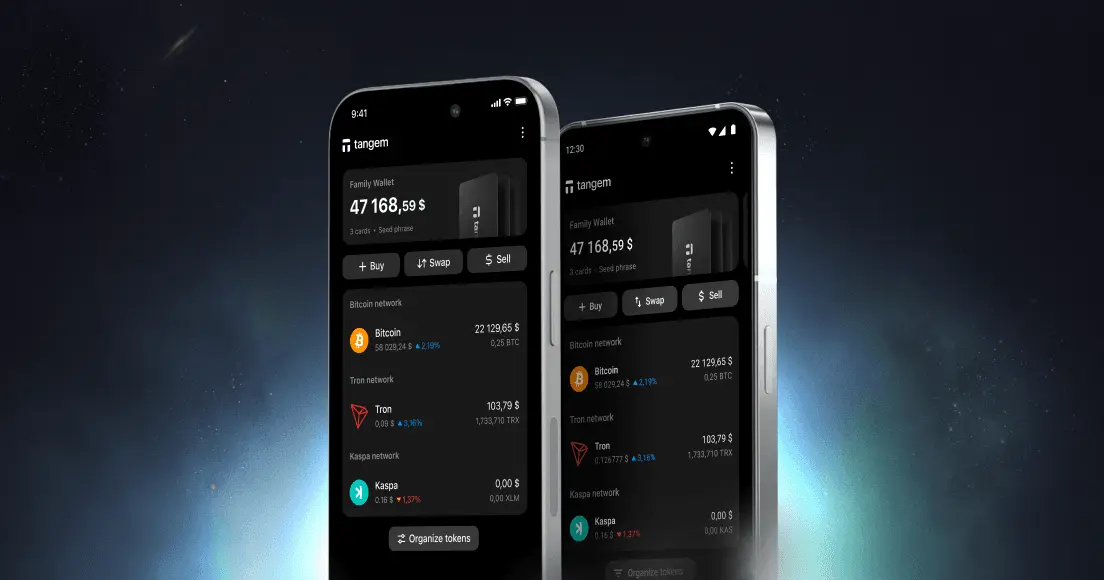
Plasma is a payments-focused Layer 1 blockchain built for stablecoin transactions. XPL is its native token. It pays transaction fees and rewards validators. Its mainnet beta launched on September 25, 2025. If your XPL is sitting on an exchange right now, this guide explains how to store Plasma XPL safely: which network to use, which wallets support Plasma, how to run the transfer, and what to do about backups and staking.
Why Self-Custody Matters for XPL Holders
An exchange balance is an IOU. The exchange controls the private keys; you hold a claim. That's a meaningful distinction when the asset is XPL on a young, fast-growing network. See the full breakdown in our guide to custodial vs non-custodial wallet options.
The practical risks are real. A custodial exchange can be hacked, become insolvent, face regulatory action, or freeze your account. None of which you can prevent. Plasma's official wallet guidance also warns users not to share recovery information and to use only official wallet applications.
Self-custody removes those third-party risks. When you hold the private key, no platform can freeze your XPL. The trade-off is that you become fully responsible: losing your private key or recovery method means there is no third-party resolution process. That responsibility is manageable. The rest of this guide shows you exactly how.
How to Store Plasma XPL Safely: Cold Storage Guide 2026
XPL Basics for Storage
Plasma is an EVM-compatible Layer 1 using Proof of Stake consensus. Mainnet beta launched September 25, 2025. The network's chain ID is 9745. XPL is the native token. It pays fees and rewards validators. Its initial supply was 10,000,000,000 XPL, and one-third of team tokens had a one-year cliff from the mainnet-beta launch, unlocking on September 25, 2026. The US public sale of XPL was scheduled to unlock on July 28, 2026.
Because Plasma is EVM-compatible, XPL addresses look exactly like Ethereum addresses. They start with 0x. But the balances are completely separate. Sending XPL to your Ethereum address on the wrong network will not move funds to Plasma. Network selection matters every time.
Plasma is one of several stablecoin-focused chains emerging right now. For another example, see Arc by Circle. For current XPL price and network data, visit the Plasma website.
Storage Options at a Glance
| Option | Key control | Internet exposure | Best for |
|---|---|---|---|
| Exchange | Exchange | Always online | Active trading only |
| Hot wallet (MetaMask, Trust Wallet, Rabby) | You | Always online | Daily use, dApp access |
| Hardware wallet (Tangem) | You | Never online | Long-term storage |
The practical approach: keep a small XPL balance in a hot wallet for app interactions, and move the bulk to cold storage. Learn more about the differences in our guide to what a cold wallet is.
Choosing a Hardware Wallet
The first thing to check is whether a hardware wallet has native Plasma support, not just generic EVM compatibility.
Tangem added Plasma EVM in app version 5.31 (December 12, 2025). Plasma EVM is listed in the app's network list. The private key is generated inside a Samsung S3D350A secure element certified to EAL6+ and never leaves the chip. Signing works by tapping your card to your phone: the NFC field powers the chip, which signs the transaction internally, and the app broadcasts the result. The key is never exposed to an internet-connected environment. WalletConnect on Plasma EVM is supported, and the backup uses two or three cards that hold identical keys. A seed phrase is optional.
For XPL holders who want offline key storage with verified Plasma support, Tangem is the straightforward choice. You can pick up a Tangem hardware wallet and have it set up in one to three minutes.
Sending XPL to Cold Storage: What to Check First
Before you initiate a withdrawal, run through this checklist:
- Plasma network on the exchange. Confirm the exchange offers withdrawal on the Plasma network specifically, not a bridged version on another chain, unless your wallet supports that version.
- Correct address. Get the address from your wallet's Receive screen. Check the first four and last four characters before you paste, and check again after.
- Send a small test amount first. Always. Confirm it arrives in the Tangem app before sending the rest.
- Keep XPL for fees. Leave a small amount of XPL in your wallet after the transfer. Fees on Plasma are paid in XPL, and you'll need some to move funds later.
- Watch for exchange holds. Some exchanges apply a holding period after a withdrawal request.
For more on moving assets off an exchange, see why withdraw from exchanges.
Steps to transfer XPL to your Tangem Wallet:
- Set up your Tangem card or ring in the Tangem app and complete the backup before depositing any funds.
- Add the Plasma EVM network in the app.
- Tap Receive on XPL and copy your
0xaddress. - On the exchange, choose Withdraw, select XPL and the Plasma network, and paste the address.
- Send a small test amount and confirm it appears in the Tangem app.
- Withdraw the rest, leaving a small amount of XPL in the wallet for future fees.
For guidance on buying Plasma before moving to self-custody, check the current purchase options.
XPL for Fees, Now and Later
Fees on Plasma are paid in XPL. This means you always need a small XPL balance to interact with the network, including to move your funds out of cold storage in the future. Don't send every last XPL to cold storage. Keep a working amount in a hot wallet or leave a small balance accessible.
Stablecoins are the primary use case on Plasma. If you're also storing USDC, the guide to the best USDC wallet covers storage options. Tangem's supported-assets list shows USDC available on the Plasma network.
Backup: The Part Most Beginners Get Wrong
Most people set up a wallet and immediately deposit funds. The backup comes later, or never. Tangem creates backup cards only once, during initial setup. All cards in the set hold identical keys and are interchangeable. There is no primary card and no hierarchy. If you lose one card, any other card in the set restores full access.
Store backup cards in at least two physically separate locations. Separate means different buildings, not different drawers. Recovery material should never be stored online. If you chose the optional seed phrase during setup, store it offline on durable media. Anyone who has that phrase controls the associated funds. If all backup cards are lost and there is no seed phrase, the funds are permanently inaccessible. For a full explanation of how the backup model works, see how backup works.
Note: new backup cards cannot be added after setup is finalized. Get the full set right at the start.
Staking XPL: Where Things Stand
Plasma uses Proof of Stake. Its official documentation states that validator rewards and staked delegation are planned to go live when external validators and delegation go live. XPL isn’t currently available for native staking in the Tangem app. Tangem's staking documentation lists ATOM, BNB, GRAM, POL, SOL, TRX, ETH, and ADA as available staking assets. XPL is not among them.
No APR figures or delegation launch dates are available from official sources. The situation is actively developing. Check Plasma's official documentation for current validator and delegation status before making any staking decisions. Staked tokens generally cannot be transferred or sold until they have been unstaked and completed any applicable unbonding process. That's worth factoring into your storage plan.
Using Plasma Apps from Cold Storage
Tangem WalletConnect supports Plasma EVM, enabling the app to connect to decentralized applications on the network. You scan a QR code or open a WalletConnect deep link, and any transaction requires a physical card tap to sign.
Read every request before signing. Reject any approval you didn't initiate. Tangem's WalletConnect integration includes Blockaid-powered transaction simulation from app version 5.27, an off-chain dry run that previews balance changes and hidden operations before you sign.
A practical alternative: keep a small XPL balance in a hot wallet such as MetaMask or Trust Wallet for active dApp use, and use cold storage only for long-term holdings. A hot-wallet compromise affects only the small active balance, not the bulk in cold storage. For a step-by-step walkthrough on connecting, see how to use WalletConnect with Tangem.
Conclusion
Here's the short version of how to store Plasma XPL safely: move your keys offline, complete the backup before you deposit a single token, always select the Plasma network on withdrawal, send a test amount first, and keep a small XPL balance available for fees.
Tangem supports Plasma EVM natively since app version 5.31, with the private key generated in an EAL6+ secure element that never leaves the chip. Staking through Tangem is not available for XPL as of November 2026, but WalletConnect on Plasma EVM lets you access dApps from cold storage when needed. Secure your XPL with a Tangem hardware wallet.
This article is for information only and is not financial advice. Crypto assets are volatile, and wallet features, supported networks, and fees change. Check each provider's current terms before you move funds.
FAQ About Storing XPL
-
A test transfer needs to appear in your receiving wallet before you move the remaining balance. Confirm that it arrived on Plasma at the address you copied. You can also review the transaction on a block explorer as an additional check. If anything does not match, stop and resolve it before sending the rest.
-
Do not select it automatically. A bridged withdrawal sends an asset version on a different chain. First, confirm that your wallet supports that version and network. If you cannot confirm that, wait for a Plasma network withdrawal or use a wallet setup that supports the bridged asset.
-
If you have a backup card stored in a separate location, you retain full access. All cards in a Tangem set hold identical keys and are interchangeable. If you set up an optional seed phrase during activation, you can restore access to a compatible wallet using that phrase. If all cards are lost and there is no seed phrase, the funds are permanently inaccessible. This is why completing the backup before depositing funds is the most important step in setup.
-
Yes. Fees on Plasma are paid in XPL, and you will need a small amount to sign any future transaction. This includes moving your funds out of cold storage. Keep a working balance accessible, either in a hot wallet or as a small amount left in the cold-storage wallet. Sending every last XPL to cold storage can leave you unable to interact with the network until you first acquire more XPL.
-
Not as of November 2026. XPL is not in Tangem's native staking list. Plasma's validator and delegation rollout is described as a staged process in its official documentation, moving from trusted validators to expansion to public access. No APR figures or launch dates are available from official sources. Check Plasma's documentation for current status before making any staking decisions.
-
Reject it. A WalletConnect approval you did not initiate can grant a dApp permission you did not mean to give. Read the request and its effects before approving it. Tangem's transaction simulation can preview balance changes and hidden operations before you sign.
-
Plasma is an EVM-compatible Layer 1 blockchain using Proof of Stake consensus. It is not a rollup or a sidechain of Ethereum. Its mainnet beta launched on September 25, 2025. The network's chain ID is 9745. XPL addresses follow the standard 0x format used across EVM chains, but the balances are entirely separate from Ethereum or any other network.