Switch to seedless. Get 30% off with SWITCH30 till Oct 15
How to Safely Buy Crypto on an Exchange and Move to Cold Storage (2026)
This article is available in the following languages:
- Why This Matters
- What You Need
- Tangem Wallet (3-card Pack)
- Download from App Store (iOS) or Google Play (Android), search "Tangem Wallet"
- Open the App: Tap "Create New Wallet"
- Tap on Bitcoin (or Ethereum, or Any Asset) to See Your Wallet Address
- Select the Asset You Want to Withdraw (e.g., Bitcoin)
- What Cold Storage Actually Means
- Now That Your Crypto Is in Tangem
- Move the Crypto You Plan to Keep
Why This Matters
You bought Bitcoin. Smart. Now it's sitting on Coinbase, or Kraken, or Binance. Here's the problem: that is the most dangerous place to keep it long-term. Exchanges are custodial. That means the exchange holds the private keys, not you. Your balance is an IOU. And when exchanges fail, those IOUs become worthless. Mt. Gox collapsed in 2014 with $450 million in customer funds gone. Coincheck lost $530 million in 2018. FTX imploded in 2022, taking billions in customer assets with it. DMM Bitcoin lost $305 million in 2024. Bybit was hit with a $1.5 billion fine in early 2025. In just the first half of 2025, $2.47 billion was stolen from crypto platforms, more than the total for all of 2024 combined.
This isn't a fringe risk. It's the defining risk of keeping crypto on an exchange. Moving to cold storage fixes it. Your private key goes offline, into hardware you physically control. No exchange bankruptcy touches you. No remote hack reaches your funds. This guide walks you through the complete process: buying crypto, setting up a Tangem hardware wallet, and completing your first cold storage transfer, with safety checks at every step.
What You Need
Before you start, make sure you have these four things ready.
A crypto exchange account with withdrawal support. Binance supports external wallet withdrawals; for other exchanges, follow the platform's own withdrawal help pages and confirm external withdrawals are available. Not every platform does. If your exchange doesn't allow withdrawals to external wallets, treat that as a serious red flag. You'll also need your two-factor authentication (2FA) method ready, since exchanges require it for withdrawal confirmation.
A Tangem Wallet (3-card pack). Available at tangem.com. The 3-card set costs $69.90 and provides maximum redundancy: one primary card and two backups. Setup takes 1-3 minutes. The Tangem App. Free, available on iOS (App Store) and Android (Google Play). Search "Tangem Wallet." Your phone needs NFC capability; all modern iPhones support it, and most Android phones do too (check Settings -> NFC to confirm).
Your exchange login credentials. Have your 2FA method (authenticator app, SMS, or hardware key) within reach before you begin.
Tangem Wallet (3-card Pack)
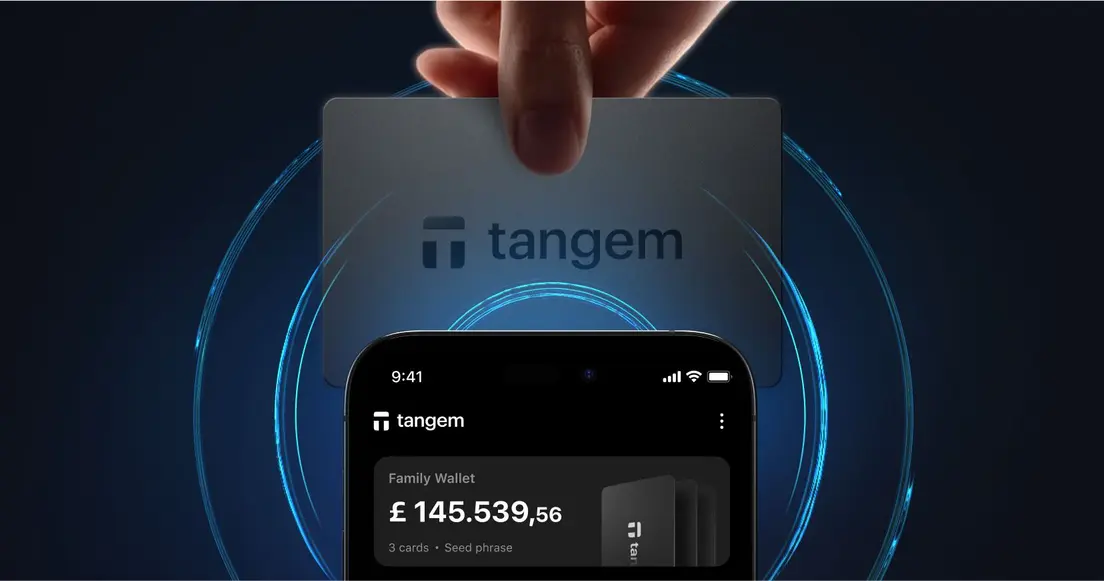
The Tangem Cold Wallet is a credit card-sized device that stores your private keys in a Samsung S3D350A secure element chip, certified to EAL6+ under the Common Criteria. The chip generates your private key using a True Random Number Generator, and that key never leaves the card under any circumstances.
The 3-card pack gives you redundancy. All three cards unlock the same wallet. If you lose one card, the other two still work. Tangem recommends keeping the primary card with you, one backup at home in a secure location, and the third with a trusted person or in a safety deposit box. Never store all three cards together.
One important limitation to keep in mind: if all three cards are lost or destroyed, your funds are unrecoverable. No one, including Tangem, can retrieve them. The private key exists only on your cards.
Download from App Store (iOS) or Google Play (Android), search "Tangem Wallet"
The Tangem app is published by Tangem AG. On iOS, it requires iOS 16.0 or higher (iPhone 8 or newer). On Android, it requires Android 6.0 or higher with NFC support. The app is free. It's also open-source on GitHub, so the code is publicly auditable. Note that the app has no desktop or web interface. It's mobile-only. Every interaction with your hardware card is handled by this app via NFC.
Open the App: Tap "Create New Wallet"
Here's the step-by-step setup flow.
- Download the Tangem app from the App Store or Google Play.
- Open the app and select "Create New Wallet."
- Hold one of your Tangem cards to the back of your phone (the NFC area, usually near the top on iPhone, varies on Android). The app reads the card and generates your wallet instantly. Your private keys are generated in the secure chip at this moment, not on your phone or any server.
- Add your backup cards. The app will prompt you to tap each additional card. Do this for all three cards in your pack. You cannot add backup cards after setup is finalized, so don't skip this step.
- Set an access code. The minimum is 4 characters, though 6 or more is recommended. This is your PIN equivalent. Store it securely. Tangem support will never ask for it.
- Your wallet is ready. You'll see your portfolio screen, which starts at zero.
The entire process takes 1-3 minutes.
Tap on Bitcoin (or Ethereum, or Any Asset) to See Your Wallet Address
Once your wallet is set up, you need your receiving address to accept any funds. In the Tangem app, tap on Bitcoin (or whichever asset you're moving). You'll see a "Receive" option that displays your wallet address, a unique, cryptographically generated alphanumeric string. Think of it like a bank account number: safe to share publicly, used by senders to direct funds to you.
Copy this address. You'll paste it into your exchange's withdrawal form in the next step. Two rules that matter here. First, your wallet address is safe to share publicly. It's how people send you funds. Second, your access code (PIN) is never shared with anyone, ever. Those two things are completely different, and confusing them is a common beginner mistake.
One more thing: crypto addresses don't forgive typos. A single wrong character can permanently send funds to the wrong place. Always double-check the first and last several characters of any address before confirming a transfer.
Select the Asset You Want to Withdraw (e.g., Bitcoin)
This is where most mistakes happen. Follow this sequence carefully.
Step 1: Log in to your exchange and navigate to your portfolio.
On Coinbase, Kraken, or Binance, find the asset you want to withdraw. Look for "Send," "Withdraw," or "Transfer." The label varies by platform, but the function is the same.
Step 2: Paste your Tangem wallet address into the recipient field.
Don't type it manually. Copy it from the Tangem app and paste it directly. Then verify: does the address shown on screen match your Tangem address, character-for-character? Check the first 6 and last 6 characters at a minimum.
Step 3: Select the correct network.
This step is critical. Bitcoin goes on the Bitcoin network. ETH goes on Ethereum. USDT can exist on multiple networks (Ethereum, Tron, BNB Chain), and you must select the same network your Tangem wallet is configured to receive on. Sending to the wrong network can permanently lose funds, because transactions on different chains aren't interchangeable.
Step 4: Start with a test transaction.
Send a small amount first, $5 to $10 worth. Wait for it to arrive in your Tangem wallet before sending the rest. This confirms the address is correct, the network matches, and the process works end-to-end. The few dollars of network fee this costs is cheap insurance.
Step 5: Confirm with your 2FA method and submit.
Every on-chain withdrawal has a network fee, and some exchanges may also charge a withdrawal fee. Network fees go to blockchain validators, not to Tangem. Under normal network conditions, fees typically run from a few cents to several dollars, depending on the network and current congestion. They can spike higher during busy periods.
Step 6: Wait for confirmation.
Under normal conditions, Bitcoin takes roughly 10 to 60 minutes for confirmation. Ethereum takes 15 seconds to 5 minutes. Solana settles in under 3 seconds. Once the test amount appears in your Tangem app, repeat the process for your full balance.
What Cold Storage Actually Means
The principle is simple: your private keys never touch the internet.
When you sign a transaction with Tangem, the unsigned transaction data travels from the app to the card via NFC (an encrypted channel 0-5 cm in length using AES-256). The card signs it inside the secure element, then returns the signed transaction to the app for broadcast. The private key itself never leaves the chip. It never appears on your phone's screen, never passes through a server, never exists anywhere online.
This is what separates cold storage from every other option. A software wallet on your phone is always online. An exchange wallet is an online, custodial wallet. Cold storage keeps the keys in hardware, offline, physically in your possession. The standard practice is to keep small amounts in a hot wallet for active use and move the bulk of your holdings to cold storage. A hot-wallet compromise doesn't touch your cold storage because the keys are completely separate.
Now That Your Crypto Is in Tangem
Once the transfer is confirmed, the picture changes fundamentally. The exchange cannot freeze your funds. Bankruptcy does not affect your balance. A platform hack cannot reach your keys. To send funds from your Tangem wallet, an attacker would need the physical card, your access code, and physical proximity to your NFC device. That combination is extraordinarily difficult to obtain remotely.
In a self-custodial setup, no third party can freeze, seize, or lose access to your funds. You control the private key. If Tangem as a company ceased to exist tomorrow, your funds would remain completely accessible through your cards, because private keys are stored on your hardware, not on Tangem's servers.
Here's the honest trade-off: self-custody shifts responsibility entirely to you. If you lose all three cards, there is no recovery process. No customer support call, no account reset. The funds are gone. This is why the backup card setup and the storage of the access code matter so much.
The Tangem app is mobile-only. There's no desktop or web interface. For most users, this isn't a limitation, but it's worth knowing before you commit.
Move the Crypto You Plan to Keep
Moving crypto to cold storage is a 10-minute task that protects your holdings indefinitely. The exchange risk is real and documented: billions lost, accounts frozen, platforms gone overnight. FTX proved that even large, well-known exchanges aren't immune.
The process itself isn't complicated. Set up your Tangem wallet (1-3 minutes), copy your receiving address, run a test withdrawal, verify it arrived, then move the rest. Every step in this guide exists to prevent the one mistake that can't be undone. Cold storage isn't a technical exercise for advanced users. It's the baseline for anyone who cares about holding crypto. Order your Tangem Wallet at tangem.com.
FAQ
-
Yes, once your hardware wallet is properly set up and you've verified the address with a test transaction. Moving holdings to cold storage is the standard recommendation for any crypto you're not actively trading. The exchange holds your keys until you move them; after that, you do.
-
Blockchain transactions are irreversible once confirmed. This is why the test transaction step is non-negotiable: send $5 to $10 first, confirm it arrived in your Tangem app, then send the full balance. A small network fee for the test is cheap compared to losing everything.
-
The fee is a network fee paid to blockchain validators, not to Tangem or your exchange. The amount varies by network and congestion. Tangem itself charges no transaction fees; the only fees you'll ever pay are blockchain network fees.
-
Ethereum: 15 seconds to 5 minutes. Bitcoin: 10 to 60 minutes, with Bitcoin blocks arriving roughly every 10 minutes and services typically requiring 3 to 6 confirmations. Solana: under 3 seconds. Track any transfer using the TXID on the appropriate block explorer for your network.
-
No. There's no battery, no expiry, no subscription, and no account to maintain. Your wallet address is permanent. The card draws power from your phone's NFC field when you tap it. Tangem offers a 25-year replacement warranty based on chip lifetime.
-
Your private keys are on the card, not the phone. Losing your phone doesn't affect your funds. Download the Tangem app on a new phone, tap your card, and your wallet reappears with full access.
-
Your funds remain fully accessible. Private keys are stored on your physical cards, not on Tangem's servers. Tangem is not involved in any crypto operations. Transactions go directly to public blockchain nodes. If the company disappeared tomorrow, your cards would still work with any compatible NFC-enabled app.
-
Not easily. A thief would need the physical card, your access code, and a phone with the Tangem app within NFC range (0-5 cm). The access code has brute-force protection with progressive delays after 6 failed attempts. The card alone is not enough.
-
Yes. Tangem supports 16,000+ tokens across 91+ blockchains, including Ethereum, Solana, BNB Chain, Tron, Cardano, TON, XRP, and many others. The receiving address process is identical for each asset: tap the asset in the app, copy the address, and use it on your exchange's withdrawal form.