This article reviews the top crypto wallet apps of 2025, emphasizing the importance of security, ease of use, and cross-platform compatibility when managing digital assets. It highlights leading options like Tangem, Trust Wallet, MetaMask, Exodus, Coinbase Wallet, Atomic Wallet, and SafePal, comparing their features, pros, and cons. The article concludes that while each app has unique strengths, Tangem stands out for its seedless, hardware-backed security combined with mobile convenience, making it a top choice for users prioritizing both safety and usability.
Crypto wallets are no longer just digital keychains. They've evolved into full-blown command centers that handle everything from DeFi staking and NFT trading to cross-chain swaps and real-time portfolio tracking. The best wallets today aren't simply about "holding your coins." They're about powering your entire Web3 life. Need to stake Solana for passive income? Done. Want to mint an NFT or hop into a mining pool? Easy. Want to buy Bitcoin with a debit card or swap tokens across chains without ever touching an exchange? These apps do all of that, right from your phone, with security that'd make a bank jealous.
In this guide, we'll break down the best crypto wallet apps in 2026, including the best Android crypto wallets, the best iOS wallets, and which ones are worth your time if you're new to crypto or a battle-hardened DeFi user.
What to Look for in a Crypto Wallet App
Before jumping into the list, here's what actually matters when picking a wallet:
Security features like biometrics, two-factor authentication (2FA), and PIN protection are non-negotiable. If someone finds your phone, they shouldn't be able to drain your funds. The best wallets layer these protections on top of each other.
User interface and ease of use matter more than people admit. A confusing wallet leads to mistakes, and in crypto, mistakes can be permanent. Look for clean layouts that make sense, whether you're on day one or year three.
Multi-currency support lets you manage Bitcoin, Ethereum, and dozens of altcoins without juggling five different apps: one wallet, one dashboard.
Cross-platform compatibility means your wallet works the same whether you're on Android or iOS. If you ever switch phones, you shouldn't lose access to your assets.
Open-source code is a big trust signal. When developers publish their code publicly, security researchers can check it for bugs or backdoors. Closed-source wallets ask you just to trust them, which is a weaker position.
Hardware wallet integration adds a layer of cold storage protection, meaning your private keys never touch the internet. This is especially important for larger holdings.
Top 7 Crypto Wallet Apps in 2026
1. Tangem Wallet
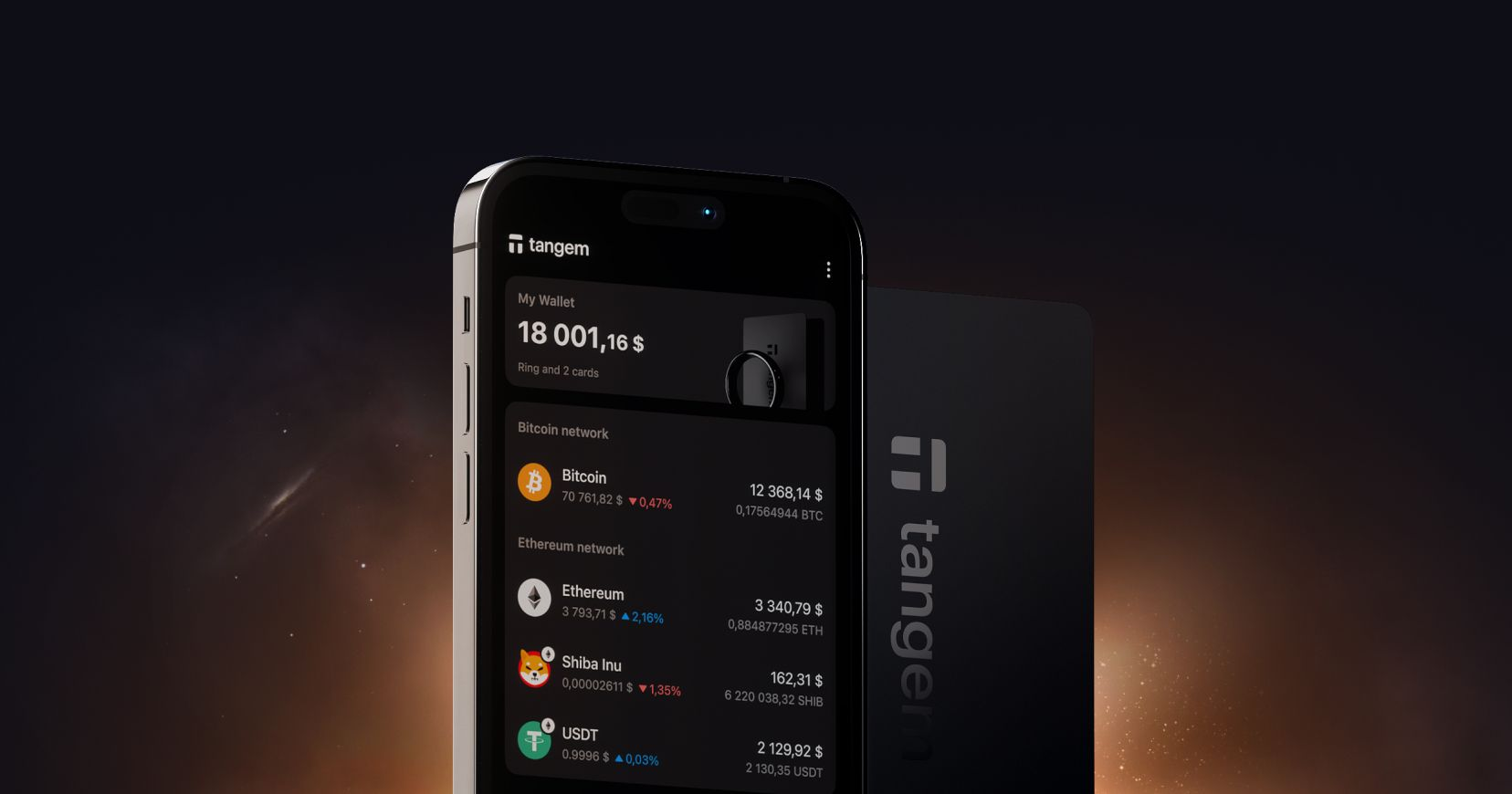
Tangem is genuinely different from every other wallet on this list. Instead of storing your private keys in software (which can be hacked, corrupted, or lost if you forget your seed phrase), Tangem stores them inside a physical NFC smartcard. You tap the card to your phone to authorize transactions. No seed phrase to write down, lose, or have stolen. The mobile app handles everything else: sending, receiving, swapping, buying, and staking. It's the interface; the card is the vault.
Supported assets: 16,000+ coins and tokens across 85+ blockchains
Features: In-app swaps, staking, fiat on-ramp/off-ramp, NFT support (Ethereum, Polygon, Solana)
Fees: No extra fees beyond standard blockchain network fees
Best for: Anyone who wants hardware-grade protection without paying hundreds of dollars or learning complex setups. Especially great for beginners who are scared of messing up a seed phrase (which is almost everyone at the start).
Pros:
Removing the seed phrase eliminates one of the biggest security risks in crypto.
Affordable hardware card (under $60)
Simple enough for a complete beginner
Transparent, no-surprise fee model
Cons:
You need the physical card to authorize transactions, so don't lose it (though you can set up backup cards)
Tangem stands out because it solves the two biggest problems beginners face: security complexity and seed phrase anxiety. You don't need to understand cryptography to use it safely. That's rare.
2. Trust Wallet
Binance owns Trust Wallet but runs as a self-custody wallet, meaning Binance doesn't control your keys. It supports an enormous range of assets and has one of the cleanest interfaces for a beginner. The built-in DApp browser lets you connect directly to DeFi protocols and NFT platforms without leaving the app.
Supported assets: 10M+ assets across 100+ blockchains
Features: DApp browser, staking, fiat on-ramp, cross-chain swaps, NFT gallery
Fees: Free to use; you pay blockchain gas fees. Swap fees vary by DEX
Security: Private keys stored locally, seed phrase recovery, no 2FA or multisig
Pros:
Huge token coverage, great for altcoin hunters
Simple, beginner-friendly interface
Direct DeFi and NFT marketplace access
Cons:
No two-factor authentication is a real gap
Some users are uncomfortable with the Binance ownership connection
Customer support is basically nonexistent if something goes wrong
3. MetaMask Mobile
MetaMask is the default wallet for Ethereum and every EVM-compatible blockchain (Polygon, Arbitrum, BNB Chain, Avalanche, and many more). If you're going deep into DeFi or NFTs, you'll probably end up here eventually because most dApps assume you're using MetaMask.
Supported assets: All Ethereum and EVM chains and tokens
Fees: Normal gas fees plus a 0.875% service fee on swaps
Security: Open-source, community-audited, seed phrase recovery. Hardware wallet support via Ledger or Trezor.
Pros:
Industry standard for Web3, most dApps connect to it by default
Flexible, you can add any EVM chain manually
Open-source and trusted by developers worldwide
Cons:
The interface is cluttered and overwhelming for newcomers
Ethereum gas fees can be eye-watering during busy periods
No built-in fiat on-ramp, you need a third-party service
4. Exodus Mobile
Exodus is the wallet that cares most about how things look. The interface is genuinely beautiful, and it makes checking your portfolio feel good. It supports around 300 assets and integrates with Trezor for hardware security.
Supported assets: ~300 assets across multiple chains
Features: In-app swaps, staking for 10+ coins, NFT support (Ethereum, Solana), portfolio tracker
Fees: No send/receive fees beyond gas. Swaps charge variable spreads from 0.5% to 12%, which can be steep.
Security: Keys stored locally, but the code is closed-source, meaning you're trusting the team without being able to verify what's under the hood.
Pros:
One of the best user interfaces in all of crypto
Great for visualizing and tracking your portfolio
Available on desktop and mobile
Cons:
Swap fees can get surprisingly high
Closed-source code is a transparency issue
Not built for advanced DeFi usage
5. Coinbase Wallet App
This is not the same as the Coinbase exchange app. The Coinbase Wallet is a self-custody wallet, meaning your keys are under your control. It integrates smoothly with Coinbase's exchange and supports NFTs, DeFi, and Layer 2 networks like Base.
Supported assets: 100+ coins, NFTs, dApps
Features: Direct link with Coinbase exchange, fiat on-ramp, DeFi integrations
Fees: The wallet is free to use; blockchain fees apply. Exchange trading fees on Coinbase itself can exceed 1%.
Security: Seed phrase recovery plus optional iCloud/Google Drive backup (which is convenient but less private)
Pros:
Smooth experience for existing Coinbase users
Clean UI and familiar branding
NFT and dApp support
Cons:
Cloud backup options reduce privacy
Less flexible for niche or emerging chains
Tied closely to the Coinbase ecosystem
6. Atomic Wallet
Atomic Wallet markets itself as an all-in-one solution with built-in staking, swaps, and fiat purchase options. It's packed with features, but it has some baggage.
Supported assets: 300+ coins and tokens
Features: Built-in exchange, staking for 20+ coins, portfolio tracker
Fees: Network fees for sends. Swaps cost 0.5% plus DEX partner fees. Fiat purchases via Simplex incur a 2% to 5% fee.
Security: Keys stored locally, but the wallet is closed-source. Importantly, Atomic Wallet suffered a significant hack in 2023, resulting in users losing funds.
Pros:
Feature-rich for one app
Good staking APR options
No login or KYC required
Cons:
Closed-source code
The 2023 hack raised serious security questions that haven't fully gone away.
Mixed customer support reviews
7. SafePal
SafePal bridges the gap between software and hardware wallets at an affordable price. You can use it as a standalone mobile app or pair it with SafePal's physical hardware wallet, including air-gapped devices that never connect to the internet.
Supported assets: 30,000+ tokens across 100+ blockchains
Security: Hardware options include air-gapped devices (no wireless connectivity). Mobile-only mode relies on seed phrase storage.
Pros:
Very wide blockchain and asset support
Low swap fees compared to MetaMask and Exodus
Cons:
The interface is less polished than Exodus or Trust Wallet
Smaller brand recognition, fewer community resources
Top Crypto Wallet Apps Comparison Table
App
Type
Supported Assets
Security
Swap Fees
Best For
Tangem
Non-custodial
16,000+ / 85+ chains
EAL6+ hardware chip, seedless
Network fees only
Beginners, security-focused users
Trust Wallet
Non-custodial
10M+ assets
PIN, biometrics, open-source
DEX variable spreads
Altcoin hunters, DeFi beginners
MetaMask
Non-custodial
All EVM chains
Biometric, open-source
0.875% + gas
DeFi and NFT power users
Exodus
Non-custodial
300+
Biometric, encrypted keys
0.5% to 12%
Casual holders, design fans
Coinbase Wallet
Non-custodial
100+
PIN, biometrics, cloud backup
Exchange fees apply
Coinbase users
Atomic Wallet
Non-custodial
300+
Password, key encryption
0.5% + DEX fees
Feature seekers (with caution)
SafePal
Non-custodial
30,000+
Hardware pairing, PIN
0.2% + gas
Budget hardware users
Best Android Crypto Wallets
Android gives you more flexibility than almost any other platform when it comes to crypto apps. You can install apps from outside the Play Store, customize permissions more granularly, and access a wider range of DeFi tools. Here are the best Android crypto wallets worth using in 2026.
All seven wallets reviewed above are available on Android. But if you're specifically on Android and want to know which ones shine brightest on that platform, here's the breakdown.
Best Android Bitcoin Wallets
If you're primarily holding or transacting in Bitcoin (not jumping into DeFi or altcoins), you want a wallet that's rock-solid, simple, and handles Bitcoin natively without unnecessary bloat.
Wallet
Bitcoin Support
Hardware Security
Open-Source
Android Rating
Tangem
Yes (native)
Yes, EAL6+ chip
Partial (app is open)
4.8/5
Trust Wallet
Yes
No
Yes
4.6/5
Exodus
Yes
Via Trezor only
No
4.5/5
SafePal
Yes
Yes (hardware option)
No
4.6/5
Tangem is the top pick for Android Bitcoin wallets because your Bitcoin private key never touches your phone's software. The NFC card holds the key in a certified secure chip, and the Android app is simply the interface. Even if malware infects your Android device, your Bitcoin remains protected.
Trust Wallet is a solid free option if you want a quick setup without buying hardware, but remember it lacks 2FA, which is a notable gap. For Bitcoin holders seeking the best balance of security and simplicity on Android, Tangem is the clear answer.
Best iOS Crypto Wallets
iOS has a reputation for tighter security than Android, and Apple's App Store review process means fewer shady apps make it through. That said, iOS wallets still face the same fundamental risks: if your seed phrase is compromised or your phone is stolen without adequate protection, your funds are at risk.
Best iOS Bitcoin Wallets
Wallet
Bitcoin Support
Hardware Security
iOS Hardware Wallet Support
App Store Rating
Tangem
Yes (native)
Yes, EAL6+ chip
Yes (NFC on iPhone 7+)
4.8/5
Trust Wallet
Yes
No
No
4.5/5
Coinbase Wallet
Yes
No
No
4.6/5
SafePal
Yes
Yes (hardware option)
Yes
4.7/5
For iOS users, Tangem is also the strongest iOS hardware wallet option. iPhones from the 7 model onward support NFC, which is how Tangem's card communicates with the app. Tap your card, approve the transaction, done. No seed phrase sitting in your Notes app or your iCloud.
One important note for iOS users: Apple restricts some DApp browser functionality on iOS due to App Store guidelines. Trust Wallet and MetaMask have had limited access to DApp browsers on iOS at various points. If deep DeFi access is important to you, double-check current functionality before committing to a wallet on iOS. For Bitcoin holding and transactions on iPhone, Tangem offers the best combination of iOS hardware wallet security and ease of use.
Why Tangem Stands Out in 2026
Every wallet on this list does something well. MetaMask is essential for DeFi. Trust Wallet is great for exploring tokens. Exodus looks beautiful. But most of them share the same core vulnerability: your security depends on a seed phrase, which is a string of 12 or 24 words that, if anyone else sees it, means your funds are gone. People lose these phrases. They write them on paper that gets thrown out, or type them into phishing sites, or store them in cloud notes that get hacked. Tangem removes that risk entirely. There is no seed phrase. Your private key is generated inside the hardware chip and never leaves it. Not even Tangem can extract it.
At the same time, it doesn't make you feel like you're operating a nuclear reactor. The app is clean, the setup takes about two minutes, and anyone who can tap a card to a phone can use it. That combination of maximum security and minimum complexity is genuinely hard to find, and at under $50 for a set of 2 cards, it's significantly cheaper than other dedicated hardware security solutions.
Important Things Most Wallet Guides Don't Tell You
You can use multiple wallets
No rule says you can only have one. Many experienced crypto users keep a hardware-backed wallet like Tangem for their main holdings and a software wallet like MetaMask or Trust Wallet for active DeFi use. Think of it like a savings account vs. a checking account.
"Non-custodial" doesn't automatically mean safe
Non-custodial just means no company holds your keys. It doesn't mean your keys are stored safely. A non-custodial software wallet still stores your keys in software on a device connected to the internet, which carries real risks. Hardware security, whether through a dedicated device or a smartcard like Tangem, takes protection a significant step further.
Gas fees are separate from wallet fees
Most wallets advertise themselves as "free to use," and technically, they are. But every transaction on a blockchain costs gas (a fee paid to validators). These fees vary wildly depending on network congestion. On the Ethereum mainnet during peak times, gas fees can exceed the value of small transactions. Networks like Solana, Polygon, and Arbitrum are much cheaper alternatives if fees are a concern.
Seed phrases stored digitally are already compromised
If you've ever typed your seed phrase into any website, app, or digital document, treat it as potentially compromised. Real wallets and exchanges never ask for your seed phrase. If anything ever asks you to "verify" or "restore" using your seed phrase, it's a scam.
Your wallet app is not your wallet
This is confusing at first, but important. Your actual wallet is your private key. The app is just a window for viewing and managing it. This means if you delete an app, your crypto isn't gone, as long as you have your seed phrase or, in Tangem's case, your card. You can restore access by reinstalling the app and recovering your account using the seed phrase (or re-tapping your Tangem card).
Frequently Asked Questions
What is the most secure crypto wallet app in 2026?
Tangem is widely considered one of the most secure because it stores your private keys inside a certified hardware chip rather than on your phone or in software. Even if your device is hacked or infected with malware, your keys remain protected inside the card. The EAL6+ security certification on the chip is the same level used in some government identity cards.
Are mobile crypto wallets safe to use?
Yes, if you choose a reputable non-custodial app with strong security features. The risk level varies significantly depending on the wallet. A hardware-backed option like Tangem offers stronger security than a pure software wallet because your private key never leaves your card.
What is the best crypto wallet app for beginners?
Tangem is the best starting point for most beginners because it skips the seed phrase entirely and uses a physical card instead. There's almost no way to "mess it up" in the ways that commonly cause beginners to lose funds. Trust Wallet is a good free alternative if you're not ready to spend on hardware.
What is the best Android Bitcoin wallet?
For Android users focused on Bitcoin, Tangem is the top pick because it offers hardware-grade security via an NFC card without a complicated setup. Trust Wallet and SafePal are solid free options with native Bitcoin support.
What is the best iOS Bitcoin wallet?
On iPhone, Tangem works via NFC on iPhone 7 and later models, making it the strongest iOS hardware wallet for Bitcoin. It offers better security than any pure software option on the App Store.
Do I need a different wallet for Bitcoin vs. altcoins?
Not necessarily. Most modern wallets, including Tangem, Trust Wallet, and SafePal, support both Bitcoin and thousands of altcoins in a single interface. You don't need separate wallets for different coins unless you have specific reasons.
What happens if I lose my Tangem card?
Tangem lets you set up backup cards during the initial configuration. If you lose your primary card, the backup gives you full access to your funds. This is why Tangem recommends buying a pack of two or three cards.
What is a seed phrase, and why does it matter?
A seed phrase is a list of 12 or 24 random words that acts as the master key to your crypto wallet. If anyone gets access to your seed phrase, they can instantly and permanently steal everything in your wallet. Tangem eliminates this risk by using a hardware chip instead.
Can I use multiple crypto wallets at the same time?
Absolutely. Many experienced users keep a secure wallet like Tangem for long-term holdings and a software wallet like MetaMask for daily DeFi interactions. It's the crypto equivalent of having a savings account and a spending account.
What is the difference between a custodial and a non-custodial wallet?
A custodial wallet means a company (like an exchange) holds your private keys on your behalf. If they get hacked or go bankrupt, your funds are at risk. A non-custodial wallet means you control your own keys. All wallets in this guide are non-custodial. Learn more about the difference here.
The Bottom Line
Every wallet in this guide has genuine strengths. Still, if you want a wallet that's actually safe for real money, not just technically non-custodial but hardware-protected, and still simple enough to use without a tutorial, Tangem is the answer in 2026. It's not the flashiest, but it solves the problem that matters most: keeping your crypto yours, no matter what happens to your phone.
Limited-Time Offer
20% OFF + up to $20 in BTC 🛍️
Selected Wallets
Ends March 16
 + Up to $20 in BTC till Mar 16