Tangem Pay - Turn your crypto into everyday spending

Use your crypto for everyday spending

Tangem Pay is the seamless bridge between your hardware wallet and the real world

Top up your card with USDC directly from your Tangem Wallet, then tap to pay instantly anywhere Visa is accepted

Learn more

From cold storage to hot coffee

Unlock your self-custody assets for your daily life. A single tap is all it takes to cover your morning coffee, weekly groceries, and everything in between

From cold storage to hot coffee

Have crypto, will travel

Book flights, hotels, and adventures across the globe. Tangem Pay gives you the freedom to use your assets on your terms, anywhere Visa is accepted

Have crypto, will travel

Your vault stays vaulted

Spend freely, knowing your main assets stay completely separate—untouched and protected by the security that only Tangem provides

Your vault stays vaulted
1
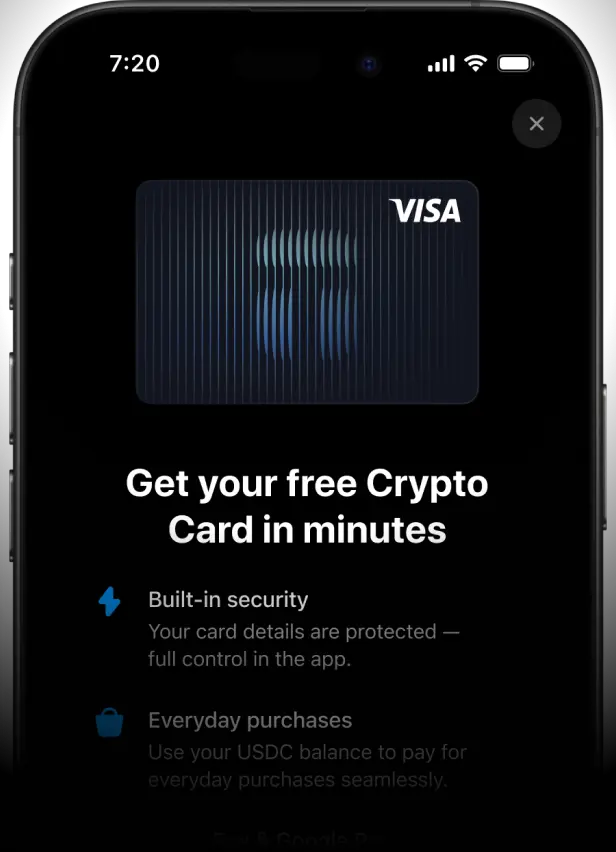
Activate your card
Instantly create your virtual Visa card inside the Tangem app

Activate your card
2
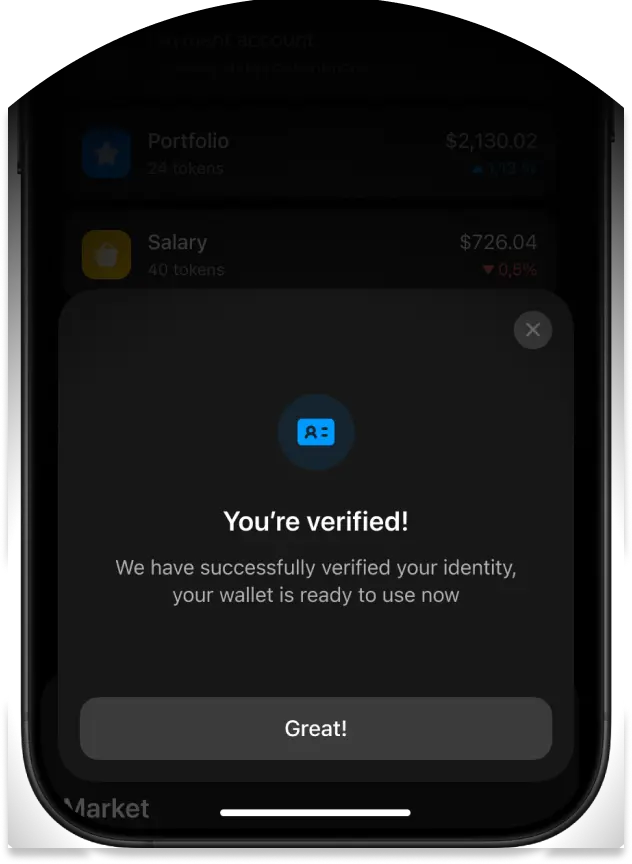
Verify your account
To enable global payments, a quick KYC procedure is handled by Rain, our independent issuing partner.

We never see your personal data, keeping your main wallet completely private
Verify your account
3
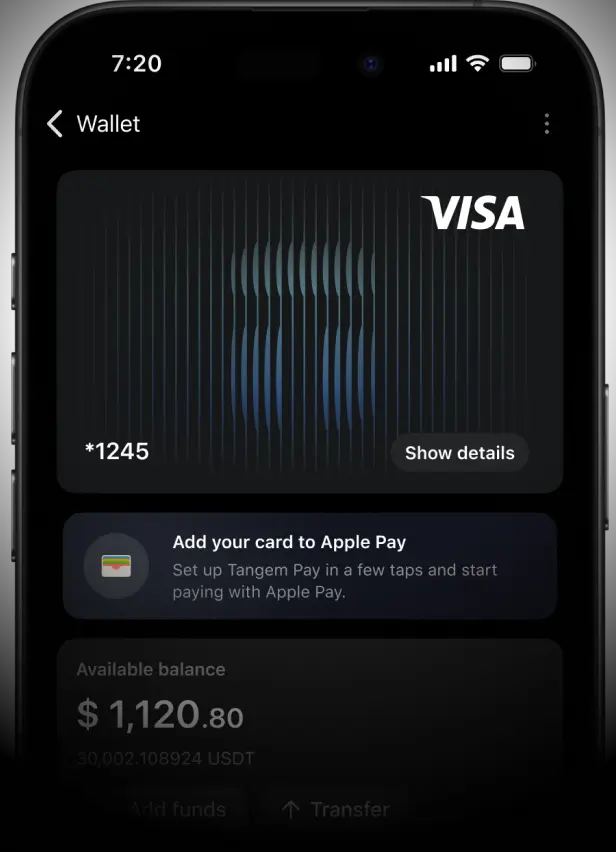
Deposit funds, add to Apple Pay or G Pay
Add your card to Apple Pay or Google Pay and tap to pay for anything, anywhere Visa is accepted

Deposit funds, add to Apple Pay or !!G!! Pay

Get your Tangem Pay

Open your Tangem app to activate your virtual Visa card. It's instant, secure, and free.

You will need to have Tangem Wallet to activate Tangem Pay

Tangem Pay is completely free

Prepare for what's next

Physical card drops

Spending rewards

More countries supported

FAQ about Tangem Pay

We've answered some of the most frequently asked questions

  • Tangem Pay is a non-custodial payment account built into the Tangem Wallet app. It lets you spend assets directly with a virtual Visa card, online or in-store, using Apple Pay or Google Pay. No need to move funds to a third-party; spend it from your wallet.

  • Tangem Wallet is a self-custodial hardware wallet that gives you full control of your private keys. Tangem Pay is a separate, regulated feature within the same app that lets you create a payment account, complete identity verification, and receive a virtual Visa card for real-world spending online, in-store, or via Apple Pay and Google Pay.

  • You receive a virtual Visa card. No physical card is available yet. One may be introduced in a future update. You don't need a physical Tangem card to make payments. Add your Tangem Pay card to Apple Pay or Google Pay using the card details in the app, then pay by holding your phone to any contactless terminal. Note: Apple Pay availability depends on your country and is determined by Apple. You can check Apple Pay country support at support.apple.com/en-us/102775.

  • You can use your Tangem Pay card anywhere Visa is accepted, both online and in-store. This includes merchants that support Apple Pay and Google Pay, allowing for seamless contactless payments. The card currency is USD, so if you make a purchase in any other currency, Visa’s foreign exchange rates and cross-border fees may apply. International transactions are fully supported, but subject to standard Visa terms.

  • You don't need to convert to FIAT, but you do need to top up your Tangem Pay account with USDC on the Polygon network before you can spend. Your Tangem Pay card uses this on-chain USDC balance to settle real-world purchases. When you make a payment, the equivalent amount of USDC is automatically deducted from your smart contract account and processed through Visa in U.S. dollars, while your balance remains on-chain and non-custodial.

  • Currently, Tangem Pay supports native USDC on the Polygon network. You’ll need to fund your Tangem Pay account using this specific token from either your Tangem Wallet or an external wallet. Support for additional stablecoins and networks will be added later.

  • Once you pass KYC verification, your Tangem Pay account is activated, and you receive your virtual Visa card instantly. You can then top up with USDC on Polygon and start spending.

  • Tangem Pay is available in the U.S. and in select countries across LATAM, APAC, MEA, and Africa. Not all countries or US states are supported. To confirm eligibility, apply through the app and enter your country of residence during onboarding.

  • 1) A Tangem Wallet 2) A valid government-issued ID to complete KYC 3) A home address in one of the supported countries Once you complete verification, your card is issued in most cases within 5 minutes. In rare cases it can take up to 48 hours. To start spending after your card is activated, you will need to fund your account with USDC on the Polygon network. You can send USDC directly or use the built-in swap feature in the app.

  • There are no monthly fees or transaction fees. Foreign exchange markups apply for non-USD purchases, and Polygon network gas fees apply when topping up (these are network fees, not charged by Paera).

  • To fund your account, tap ‘Add funds’ in the app and send USDC on Polygon from your Tangem Wallet or any external wallet. You do not need POL tokens to make card payments; POL is only required when sending USDC to your Tangem Pay account during a top-up.

  • Your balance is held in a smart contract you control and can be withdrawn back to your Tangem Wallet at any time. The account only supports USDC on Polygon; sending any other token to your Tangem Pay address will result in permanent loss of those funds, with no possibility of recovery.

  • You can use your card for online and in-store purchases at Visa-accepting merchants. Currently, you cannot use the card at ATMs. Only USDC (Polygon) that has been prefunded can be used. Spending directly from other tokens or chains is also unavailable.

  • When you make a purchase, the equivalent USDC is deducted from your account, processed through Visa, and settled with the merchant in fiat. Declined transactions leave your funds untouched. Refunds are processed in accordance with Visa's standard procedures. Once a merchant initiates a refund, it typically appears on your Tangem Pay card balance within 3–14 business days, though in some cases it may take up to 30 days depending on the merchant and processing times. If you have not received a refund after 14 business days or if a payment is declined unexpectedly, contact support@paera.com with your transaction details.

  • Tangem Pay is provided by Paera LLC, a U.S.-based company. The card is issued by Rain a Visa Principal Member, and supported by Sumsub (ID verification), Elliptic (transaction monitoring). Tangem AG does not operate the Tangem Pay program. Full legal agreements and regulatory notices: paera.com/tangempay

  • Stablecoin yield and referral-based rewards are on the roadmap. Subject to change. Availability may vary by region.

  • Tangem Pay is a Visa card that uses your USDC as collateral to fund purchases. You can only spend up to the balance you have loaded into your account. You also cannot spend beyond your available balance. Payments are processed through the Visa network and settled with merchants in fiat.

  • You can use it anywhere Visa is accepted; online, in-store, and via Apple Pay or Google Pay. Some merchant categories are restricted by the card program (e.g., gambling, online casinos, liquor stores, etc.). You can set a custom daily spending limit between $0 and $50,000 directly in the app's card settings. The default is $50,000.

  • You don’t need to convert to FIAT, but you do need to top up your Tangem Pay account with USDC on the Polygon network before you can spend. Your Tangem Pay card uses this onchain USDC balance to settle real-world purchases. When you make a payment, the equivalent amount of USDC is automatically deducted from your smart contract account and processed through Visa in U.S. dollars, while your balance remains onchain and non-custodial.

  • Currently, Tangem Pay supports native USDC on the Polygon network. You'll need to fund your Tangem Pay account using this specific token from either your Tangem Wallet or an external wallet. Support for additional stablecoins and networks will be added later.

  • Yes. KYC is required for all cardholders as a legal compliance requirement. If your verification is rejected, nothing happens to your Tangem Wallet or assets. If you want to know why it was rejected or need to update your details, contact support@paera.com. Tangem Support does not have access to verification data.

  • ATM cash withdrawals are currently restricted. Fees will apply when the feature becomes available.

  • Using Tangem Pay does not, in itself, create new tax obligations beyond those that already apply to your underlying crypto and spending activity. Tax rules vary significantly by country and individual circumstances, so we recommend consulting a qualified tax professional to understand your obligations.

  • Currently, only one card per verified user. Multiple cards are planned for a future update. Tangem Pay can only be linked to a Tangem Wallet via the Tangem app; external wallets such as Ledger or MetaMask are not supported.

  • General questions about the card setup and Tangem Pay features: pay@tangem.com Account, KYC, identity verification, transaction disputes, declined payments, refunds, and personal data: support@paera.com. Never send sensitive data or identification documents through email or similar channels.

More questions?

Tangem Support responds in just a minute. Available 24/7

Get in touch
Activate Tangem Pay Instantly create your virtual Visa card inside the Tangem Wallet app Tangem Pay Activate your card