Switch to seedless. Get 30% off with SWITCH30 till Oct 21
Replace a Hardware Wallet After an Attack?
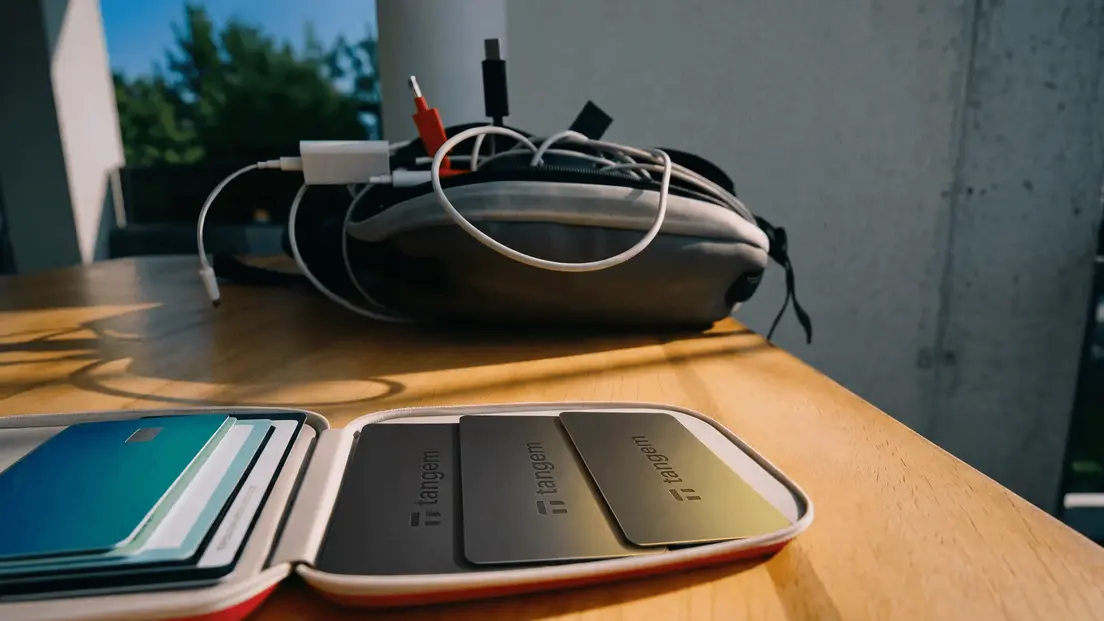
Something felt off with your hardware wallet. Maybe the packaging looked tampered with. An unauthorized transaction appeared, or you've been reading about supply-chain attacks and aren't sure whether your device is safe.
Here's the honest question: do you actually need to replace the device, or is the real risk somewhere else entirely? The answer depends on which part of your setup was exposed. A hardware wallet is one component in a larger system, and replacing the physical device only helps if the device is the compromised part.
Understand the Threat Model
Self-custody means you, not an exchange or intermediary, control the private keys used to authorize transactions. That's powerful. It's also a full transfer of responsibility.
A hardware wallet generates and stores private keys offline, then signs transactions internally before returning the signed result to a companion app for broadcast. The keys never travel to your phone or computer in readable form. That's the core security benefit.
But the system has more than one part. Consider what's actually at risk in each attack category:
| Threat type | What's at risk | Does replacing the device help? |
|---|---|---|
| Supply-chain compromise | Device integrity before setup | Yes, if caught before first use |
| Phishing / fake app | Recovery phrase or credentials | No, the phrase is already exposed |
| Malware on connected device | Keystrokes, clipboard, wallet files | Partially, keys stay safe, but approvals don't |
| Malicious transaction approval | Funds in a specific wallet | No, a new device uses the same keys |
| Physical access to device | Signing capability | Only if attacker can't bypass access controls |
| Recovery backup exposure | Full wallet control | No, the backup is the vulnerability |
A traditional seed phrase is a 12- or 24-word recovery backup that can regenerate all associated keys on any compatible wallet. Anyone who possesses it controls the funds. A copied phrase lets another compatible wallet recreate the same keys.
A supply-chain compromise is different: tampering, counterfeit replacement, malicious firmware, or altered initialization introduced during manufacturing or delivery before your first setup. Warning signs include a device that arrives already initialized, a pre-generated recovery phrase, damaged or inconsistent packaging, failed authenticity verification, or setup instructions that ask you to enter recovery words outside the device itself.
How the Attack Path Works
Here's how a legitimate hardware-wallet transaction flows: unsigned transaction data goes to the device, the device signs it with the private key internally, and the signed transaction returns to the companion app for broadcast. The private key never leaves the chip.
That limits key exposure during signing. Other risks still need separate controls. If your recovery phrase was photographed, copied, or entered into an unsafe service, an attacker can restore your entire wallet on a different device. The physical hardware you're holding becomes irrelevant. Replacing it doesn't help because the phrase regenerates all the same keys.
Phishing works differently. Fake websites or wallet apps trick you into revealing credentials or your recovery phrase directly. The hardware wallet isn't involved in that transaction at all. Malware on a connected device can capture keystrokes and clipboard data, which matters most for software wallets but can still intercept a recovery phrase typed during setup.
Internet-connected environments have a larger attack surface than offline ones. But even a hardware wallet can't protect you from approving a transaction you didn't fully understand. If malicious smart-contract interactions drain a wallet, the keys were never stolen. You signed the transaction yourself. This is the distinction that matters most when deciding whether to replace a device: was the private key exposed, or was something else compromised?
Controls That Reduce Exposure
The most effective controls address the specific risk you've identified, not hardware wallets in general.
For recovery backup risk:
- Keep your seed phrase out of cloud storage and phone photos entirely.
- Store backups physically, in more than one separate location.
- Test recovery before committing significant funds to any setup.
For phishing and credential risk:
- Verify website addresses before entering anything. Bookmark the official sites.
- Never share a recovery phrase with anyone, including support staff or recovery services.
For malware risk:
- Keep wallet applications, operating systems, and browsers updated.
- Avoid unverified browser extensions when using a software wallet.
For transaction-approval risk:
- Separate funds by purpose. Keep a small hot-wallet balance for active use and the bulk of holdings in cold storage. A hot-wallet compromise then doesn't affect long-term holdings.
For device integrity risk:
- If a device arrives initialized or shows failed authenticity checks, don't use it. Treat it as compromised from the start.
- Secure hardware physically and use durable, separate backup locations.
If your recovery phrase may have been photographed, copied, or disclosed, the right response is to generate a fresh seed on a verified device and migrate funds. Do not reuse the old phrase.
Limits and Trade-offs
A hardware wallet protects the private-key signing environment. That's genuinely valuable. But it doesn't make fake websites safe, wallet-app phishing impossible, or malware on the connected device harmless.
Self-custody removes exchange counterparty risk. It shifts full responsibility for lost keys, compromised recovery material, device security, and transaction decisions to you. That's the trade-off, and it's worth being clear-eyed about it.
Hardware wallets also add cost and are less convenient than hot wallets for frequent transactions. Hot wallets offer greater DApp versatility at the cost of continual online exposure. Seed phrases offer cross-wallet recovery, which is useful. The same portability means that anyone who reads the phrase controls the funds. Portability and security pull in opposite directions here.
Replace the device if it may have been compromised before or during setup. A disclosed recovery phrase, phishing that captured credentials, or a malicious approval needs a response that addresses that exposure.
How Tangem's Design Reduces Specific Attack Vectors
Tangem Cold Wallet addresses several of the attack paths above through specific hardware choices rather than software policies.
The card has no screen, battery, USB port, or Bluetooth radio. Communication happens over NFC with a 0-5 cm range, requiring physical proximity for every signing operation. The secure element is a Samsung S3D350A chip with Common Criteria EAL6+ certification. Private-key generation uses a DRAM-based true random number generator on-chip; the key never leaves the chip, and signing happens internally.
Tangem firmware is factory-installed and non-updatable, which eliminates remote exploit vectors that rely on malicious firmware updates. Before any operation, the app verifies the authenticity of the card and its firmware as anti-counterfeit protection. Kudelski Security audited Tangem in 2018 and Riscure conducted a security assessment in 2023.
In the default seedless setup, no seed phrase is generated or stored. Backup uses 2- or 3-card sets instead, each sharing the same private key. This removes the recovery-phrase exposure path entirely for users who choose it.
The trade-offs are real. If all backup cards are lost and no seed phrase was created, the funds are permanently inaccessible. Tangem cannot recover them. The app is mobile-only, with no desktop or web interface. And while the firmware has been audited, it is not user-updatable or publicly open-source, so community verification isn't possible.
Phishing, malicious transaction approvals, and user error remain risks regardless of the hardware design. Tangem's WalletConnect integration includes Blockaid threat detection to flag suspicious dApps before connection, and transaction simulation provides a human-readable preview before signing. These reduce the risk of malicious approvals but don't eliminate it.
No wallet design is unhackable. These choices reduce specific attack surfaces. Which surfaces matter most depends on your own setup and habits.
FAQs about Replacing a Hardware Wallet
FAQ
-
No. A hardware wallet can keep private keys out of an internet-connected environment, but it cannot prevent phishing, malicious transaction approvals, unsafe recovery backups, coercion, or every supply-chain and physical attack. The device is one part of a larger system. Each other part carries its own risks.
-
Map what you protect, how you use it, and the realistic ways an attacker could reach your keys, recovery material, or transaction approval. Then apply controls to the highest-impact paths. A device replacement only makes sense once you've identified that the device itself is the compromised component.
-
Seek trusted, independently verified help when assets may be actively at risk or a device appears compromised. Never share a seed phrase or private key with support staff or anyone offering recovery. Seek professional incident-response assistance when unauthorized transactions have occurred, losses are significant, or valuable locked positions remain.
-
Not necessarily. A seed phrase can restore wallet access on any compatible device. In Tangem's seedless multi-card setup, at least one surviving card is needed to access the wallet. The recovery outcome depends on which backup method you chose and whether that backup is intact.
-
Treat it as a full wallet compromise. Generate a fresh seed on a verified device, create a new wallet, and transfer funds immediately. Do not reuse the old phrase on any device. The physical hardware is no longer the relevant variable once the phrase is out.