Switch to seedless. Get 30% off with SWITCH30 till Oct 21
Move Crypto From Ledger to a New Wallet Safely
You've decided to move your crypto off a Ledger device. Maybe you're switching to a different hardware wallet, maybe you're concerned about a security incident, or maybe you just want a fresh setup. The mechanics are straightforward. The risks are not. A single wrong address or mismatched network can send funds somewhere they can never be retrieved from.
Create and independently verify a new destination wallet. Send a small test amount on the correct network. Confirm it on-chain, then transfer the remaining balance.
Before You Start: Assess the Risk
Not all migrations carry the same urgency. Here's the distinction that matters most.
Routine migration means you're replacing a device or switching wallets for convenience. Your recovery phrase has never been seen by anyone else, and the Ledger itself hasn't been tampered with. In this case, the main risks are operational: sending to the wrong address, choosing the wrong network, or losing access to the new wallet before you've confirmed its backup works.
- Emergency migration is a different situation entirely. If your seed phrase (the 12- or 24-word human-readable backup that can regenerate all associated keys) may have been seen, photographed, or entered somewhere it shouldn't have been, moving funds to a new address on the same device doesn't fix the underlying problem. Anyone who has that phrase controls every address derived from it. The correct response is to generate a completely new wallet with a new seed phrase on a device that has never been connected to the compromised setup, then transfer funds to that new wallet immediately.
Self-custody shifts all responsibility to the user. There is no support line to reverse a transaction sent to the wrong address. A transfer sent to a valid but wrong address is permanent: the network completes it, and no one can undo it. That's not a flaw in the system; it's how blockchains work. Understanding that before you start is the only real preparation.
Prepare and Verify the Destination
Before you send a single satoshi or token, confirm four things about the destination wallet.
Supported assets and networks. Different blockchains use different address formats. An address that looks valid for Ethereum might not work on Solana, and tokens sent on the wrong network don't automatically appear on the right one. A mismatch can make funds inaccessible or cause permanent loss. Check that the destination wallet explicitly supports both the asset you're moving and the specific network you're using.
Device source. Buy hardware wallets directly from the manufacturer. A second-hand device may have been tampered with before it reached you.
Official setup flow. Follow the new wallet's own documentation to generate a new wallet and its backup. Don't skip or abbreviate the setup because you're in a hurry to receive funds. A wallet you haven't properly set up is a wallet you might not be able to recover.
- Recovery plan. Before transferring any significant amount, test the recovery procedure. Cold-storage best practice is to verify that your backup actually works while the stakes are low. If the backup fails, you want to find out before your funds are in the wallet, not after.
One more thing: generate the receiving address on the destination device itself or through its official app. Verify that the address displayed in the app matches what you're about to paste into the sending interface.
Step-by-step Migration
Work through these steps in order. Don't skip the test transfer.
1. Open the destination wallet and generate a receiving address. Use the official app for your new wallet. For the asset you're moving, generate a fresh receiving address and note the network it belongs to. Write down or copy the full address.
2. Open Ledger Wallet on your computer or phone. Navigate to the account holding the assets you want to move. Select "Send."
3. Paste the destination address and double-check it. Don't type the address manually. Copy it from the destination wallet's official interface, paste it into Ledger Wallet, then verify the first 6 and last 6 characters against the source. If they don't match exactly, stop.
4. Confirm the network. At transaction creation, you supply a recipient address, an amount, a network, and a fee. Selecting the wrong network can cause permanent loss. Ethereum and several other chains share similar-looking address formats, which makes this step easy to skip and costly to get wrong.
5. Set a fee and send a small test amount first. Transfer fees go to miners or validators. Setting a fee that's too low during congestion can leave a valid transaction waiting in the mempool for hours. Use the fee estimate your wallet provides. Before moving your full balance, send a small amount, such as $5 to $10 worth of the asset, to verify the address and network are correct.
6. Confirm the test transfer on-chain before continuing. Open a block explorer for the relevant network. Search the TXID (transaction ID) that Ledger Wallet displays after broadcast. The explorer will show the transaction status, confirmation count, paid fee, and destination address. Wait for the number of confirmations the receiving wallet or platform requires before concluding the test succeeded.
7. Send the remaining balance. Once the test transfer has confirmed and arrived at the correct address in the destination wallet, repeat the process for the full amount. Use the same address and network. Check the fee estimate again, as network conditions can change.
8. Verify receipt in the destination wallet. The balance should appear in the destination wallet's interface. If it doesn't appear immediately, check the block explorer again. A pending status means the transaction is in the mempool and not yet included in a block. That's normal.
After the Transfer
Verification doesn't end when the transaction confirms. Use the block explorer for the correct network, search the TXID, and confirm the destination address shown on the explorer matches what you intended. A pending transaction is not necessarily failed. Before sending again, check the explorer: a low fee or network congestion can leave a transaction waiting without it being lost.
If your new wallet interacts with any decentralized applications, review any approvals you've granted and revoke access to applications you don't recognize or no longer use. Never share a private key or seed phrase with any website, chat, or support form. No legitimate wallet, airdrop, or protocol needs either secret.
How Tangem's Design Reduces Specific Attack Vectors
If you're choosing a new hardware wallet as part of this migration, Tangem is worth understanding in terms of what specific design choices it makes and which risks those choices reduce.
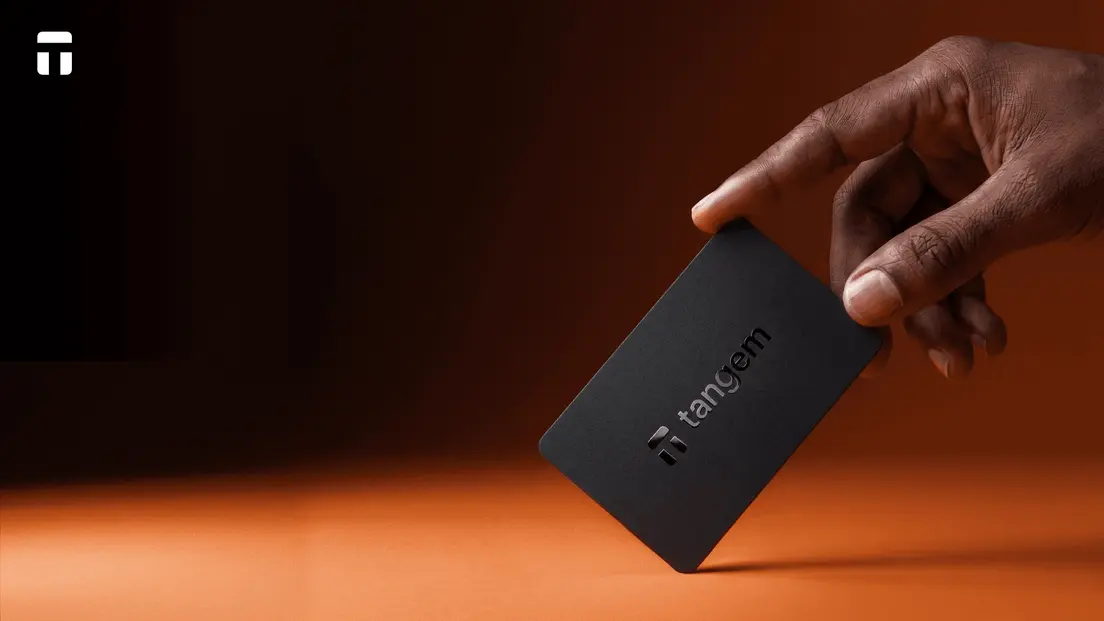
The card has no screen, no buttons, no USB port, no battery, and no Bluetooth radio. The secure element and NFC antenna are sealed into a single monolithic card. This removes physical-port attack surfaces, wireless-stack vulnerabilities, and battery-related failure modes. The NFC channel operates at a 0-5 cm range and uses AES-256 encrypted communication. Signing happens inside the chip: the private key is generated on-chip, never leaves the secure element, and cannot be extracted or duplicated.
Tangem's seedless setup generates keys inside the card and backs them up across two or three cards in a set. This removes the recovery-phrase exposure path entirely: there's no 24-word phrase to photograph, copy, or phish. The trade-off is real and documented. If you lose every card in the set without having enabled seed-phrase backup, funds are permanently inaccessible. Tangem's recommended practice is to store backup cards in separate physical locations.
Firmware is factory-installed and non-updatable. This eliminates the malicious-firmware-update attack vector but also means firmware vulnerabilities cannot be patched. The app performs a cryptographic authenticity check before every operation and warns if a card appears to have been activated before setup, which reduces counterfeit and pre-initialized-card risks.
Residual risks remain regardless of wallet design. Phishing, malicious approvals, and user error are not solved by hardware. No wallet is immune to a user approving a malicious transaction or entering credentials on a fake site.
Tangem's firmware has not been independently open-sourced, though the company documents independent security audits by Kudelski Security in 2018, Riscure in 2023, and Cure53 in 2026. The app's source code is available on GitHub. For users who want desktop workflows or an on-device screen for transaction verification, Tangem's mobile-only interface is a genuine limitation worth weighing.
FAQ
-
For a new destination or unfamiliar network, verify the address and network first and send a small test amount before moving the full balance. This limits the amount at risk if the address, network, or transfer process turns out to be wrong. Account for fees on each transaction, confirm the asset is supported on the destination network, and verify the destination wallet has been independently set up and backed up before sending the bulk of your holdings.
-
Only follow the new wallet's official recovery instructions, and never type a seed phrase into a website, chat, or support form. If the old phrase may have been exposed, migrating funds to a new address derived from the same phrase doesn't resolve the risk. You need a new wallet with a new seed phrase generated on a clean device, then transfer funds to an address controlled by that new phrase.
-
Verify the destination address and network independently before sending. After the transaction broadcasts, search the TXID on the block explorer for the correct network. The explorer shows the transaction status, destination address, confirmation count, and fee paid. Confirm the expected assets appear in the destination wallet's interface before making further transfers. A pending status means the transaction is in the mempool and hasn't been included in a block yet. That's not a failure.
-
The old device can remain as a backup signer, or you can factory-reset it following Ledger's official process. A Ledger device permanently wipes its data after three incorrect PIN attempts, and recovery requires the Secret Recovery Phrase. If you're retiring the device, use the official reset procedure rather than discarding it with data intact.
-
If you set up Tangem in the default seedless mode and lose every card in the set, funds are permanently inaccessible. There is no recovery process without the cards or a seed phrase. This is the documented trade-off for removing the recovery-phrase exposure path. Tangem recommends storing backup cards in separate physical locations, and seed-phrase backup remains an optional setup choice for users who prefer it.
-
Do not send that asset to the new wallet until its support for the exact network is clear. Check the wallet's official documentation first. An address can look valid while the destination cannot receive that asset on the selected network.
-
Treat the phrase as exposed. Create a new wallet with a new seed phrase on a clean device, then transfer funds to an address controlled by that new phrase. Never enter the old phrase into a website, chat, or support form again.