How to Send Cryptocurrency
Tangem Wallet allows you to send cryptocurrency in just a few taps. Follow these steps to send cryptocurrency to another wallet or exchange.
Before sending crypto
Make sure that:
- The recipient address is correct.
- The network matches the recipient's wallet.
- You have enough funds to cover the network fee.
Sending assets to the wrong address or network may result in permanent loss of funds.
Step-by-step guide
Choose the cryptocurrency you want to send on the homepage and tap Send.
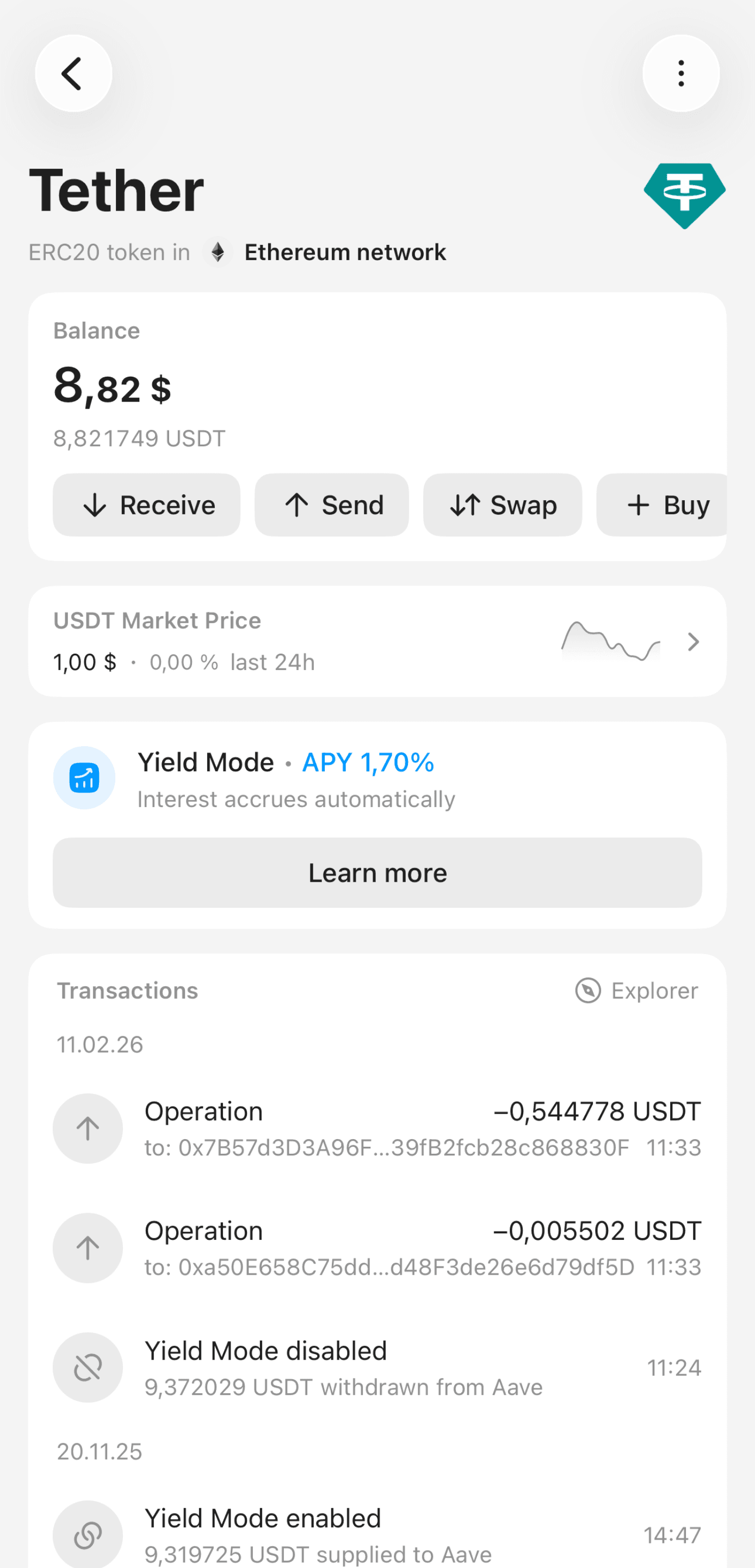
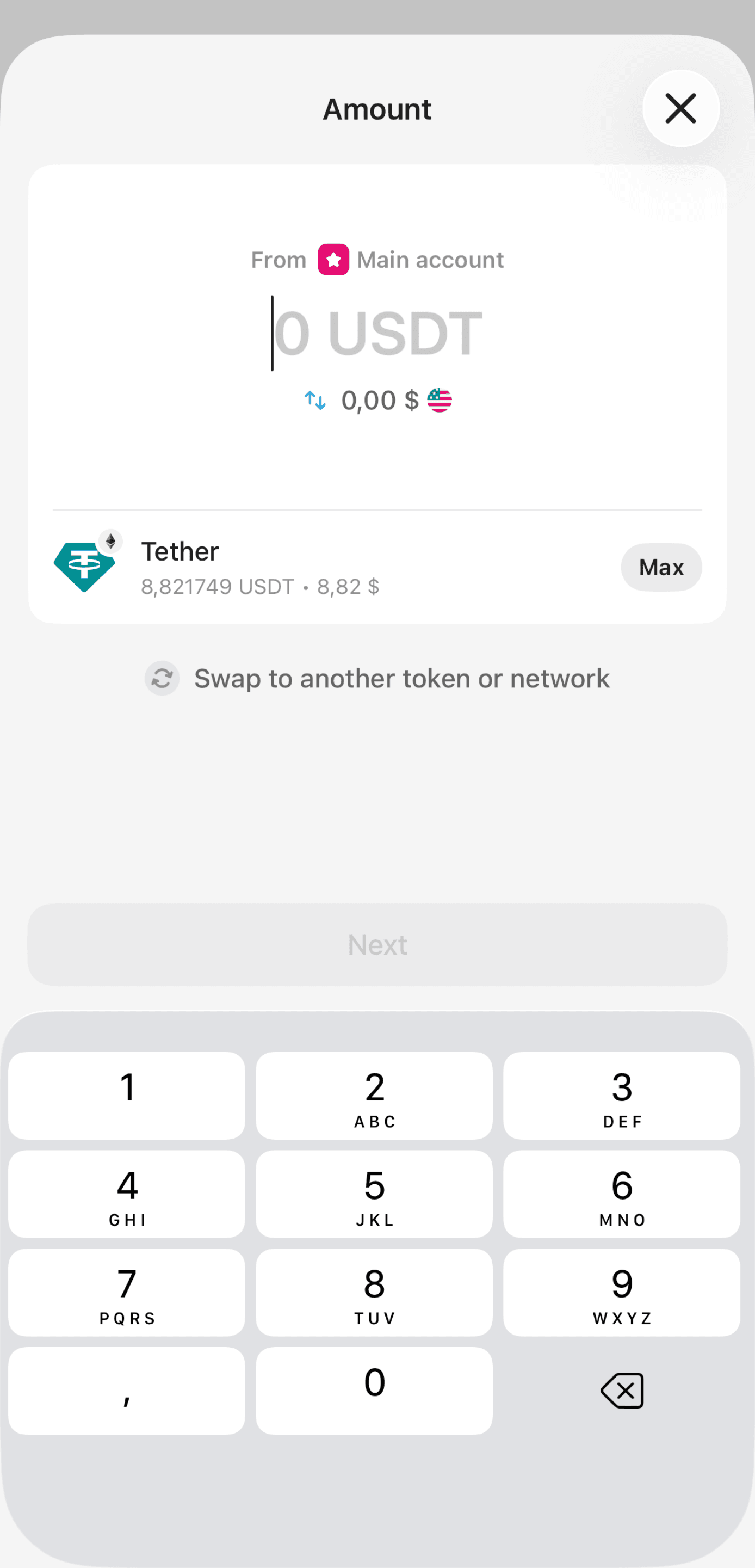
Enter the amount of tokens or their equivalent in USD. You can also send the entire balance by selecting Max.
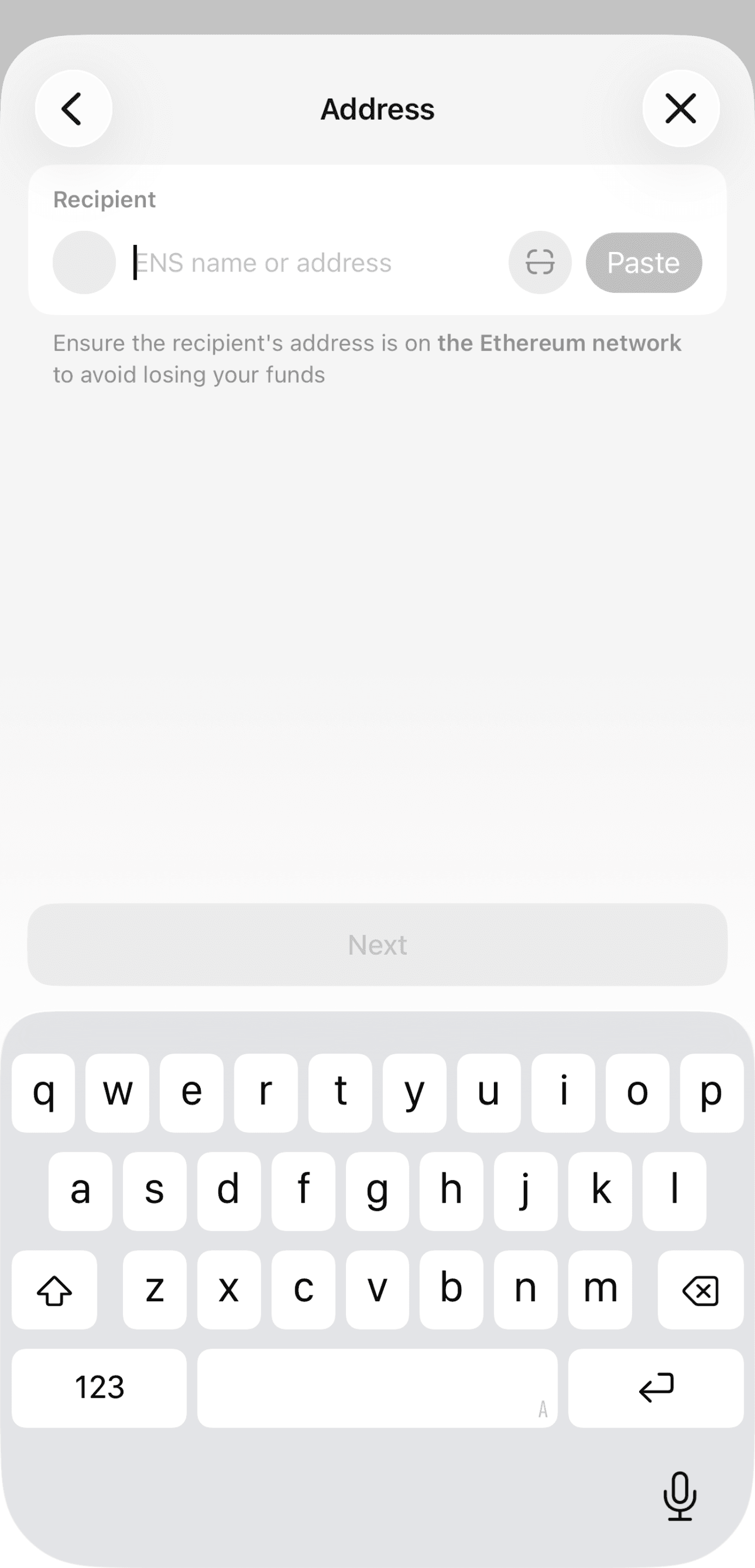
Enter the recipient's address, paste it, or scan the recipient's QR code.
Important:
- Double-check the address before sending.
- Make sure the network matches the recipient's address. Sending assets on the wrong network may result in permanent loss of funds.
- Enter a memo if required by the recipient.
- Under Network fee, you can change the fee level. The default option is Market.
Available options include:
- Slow — lower fee, slower confirmation
- Market — recommended default fee
- Fast — higher fee for faster confirmation
- Custom — manually set your own fee
Tip: In supported networks, if you don’t have enough native coins, Tangem can automatically use USDT or USDC to pay the network fee. You can change the fee payment currency if needed.
Ensure the custom fee is sufficient to confirm the transaction.
Review all transaction details before tapping Send.
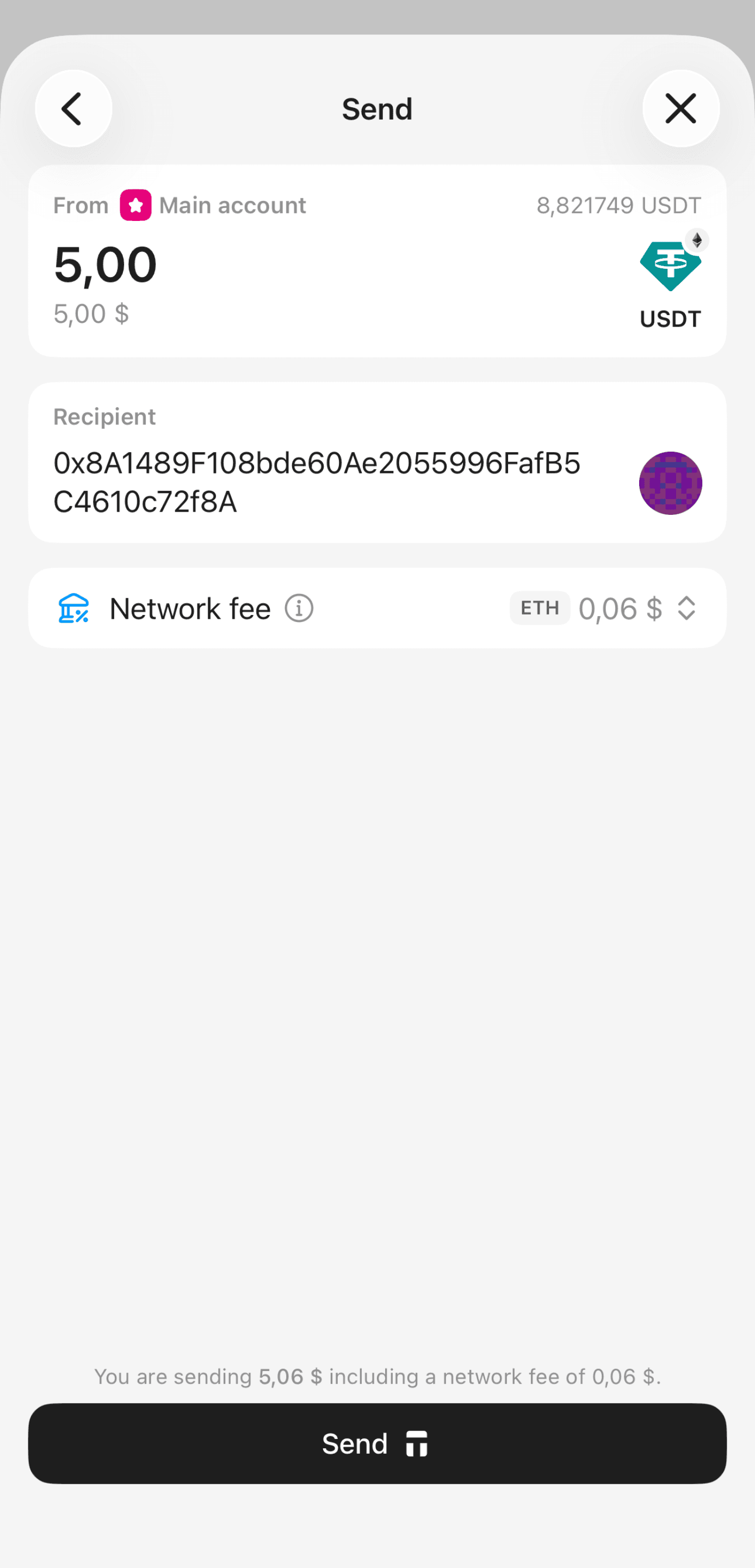
- Confirm the transaction to sign it.
Once the transaction is signed and sent to the blockchain, your balance will update after the network confirms the transaction.
FAQ
How do I track my transaction?
You can track the transaction status in the app history or through the blockchain explorer. To do this, click on the currency on the main screen. Select View Transaction History or Explorer to go to the blockchain explorer.
What is the transaction processing time?
Transaction processing time depends not on the wallet, but on the specific blockchain where the transaction was executed. The transaction speed is influenced by the current workload of that particular network, and the network fee you set.
When sending crypto assets, the network fees you offer determine your priority in the queue of pending transactions. Miners/ validators will prioritize transactions that offer high fees. Choose high fees if you require fast confirmation, or lower fees if you can wait a while to save on fees. Tangem offers three fee levels depending on the current network load: Slow, Market, Fast, and Custom.