Get 15% Off – Just for Signing Up!

Subscribe to Tangem newsletters for an extra 15% discount, stackable with other offers.

By providing your email, you indicate that you have read and understood Terms and Conditions

Get Tangem

How to Buy RSS3

Ready to secure your RSS3? Just follow these steps:

Step 1: Choose a reliable hardware wallet that supports RSS3.

Step 2: Purchase RSS3 through a reputable crypto exchange.

Step 3: Safely move your RSS3 into your hardware wallet for top-level security.

Step 1 of 3

Buy Tangem Crypto Cold Wallet to Store your RSS3 Securely

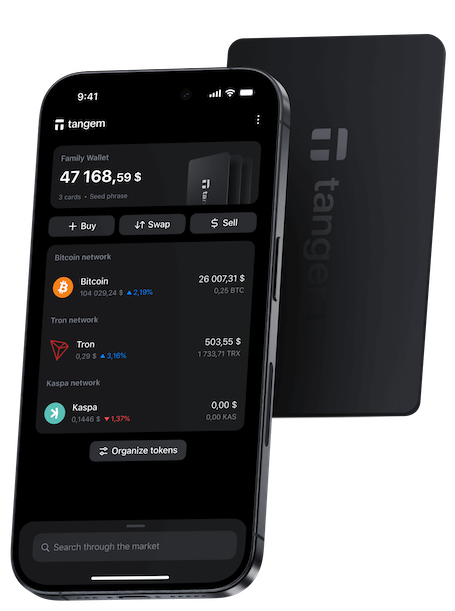
Tangem is more than just a cold wallet — it’s your all-in-one solution for managing RSS3 securely and effortlessly.

Buy, sell, exchange, and store your RSS3 directly in the Tangem app without relying on third-party platforms.

With Tangem, your private keys never leave the wallet, ensuring complete ownership and unmatched security.

Step 2 of 3

How to Get RSS3 with Tangem

Skip the complicated exchanges — get RSS3 right inside the Tangem app.

Use your bank card, Apple Pay, Google Pay, or other payment methods to buy crypto in just a few taps.

No need to leave the app or expose your assets to centralized platforms — everything you need is already in your wallet.

Step 3 of 3

Manage Your RSS3 Safely with Tangem Wallet

Once you’ve bought RSS3 through the Tangem app, it’s immediately available in your wallet — no transfers, no waiting.

Track your balance, make secure transactions, and exchange assets on the go.

Tangem puts you in full control of your RSS3, combining ultimate security with everyday convenience.

Step 1 of 3

Buy Tangem Crypto Cold Wallet to Store your RSS3 Securely

Tangem is more than just a cold wallet — it’s your all-in-one solution for managing RSS3 securely and effortlessly.

Buy, sell, exchange, and store your RSS3 directly in the Tangem app without relying on third-party platforms.

With Tangem, your private keys never leave the wallet, ensuring complete ownership and unmatched security.

Buy Tangem Crypto Cold Wallet to Store your RSS3 Securely
Step 2 of 3

How to Get RSS3 with Tangem

Skip the complicated exchanges — get RSS3 right inside the Tangem app.

Use your bank card, Apple Pay, Google Pay, or other payment methods to buy crypto in just a few taps.

No need to leave the app or expose your assets to centralized platforms — everything you need is already in your wallet.

How to Get RSS3 with Tangem
Step 3 of 3

Manage Your RSS3 Safely with Tangem Wallet

Once you’ve bought RSS3 through the Tangem app, it’s immediately available in your wallet — no transfers, no waiting.

Track your balance, make secure transactions, and exchange assets on the go.

Tangem puts you in full control of your RSS3, combining ultimate security with everyday convenience.

Manage Your RSS3 Safely with Tangem Wallet

Why Choose Tangem Crypto Hardware Wallet to Secure Your RSS3?

Trust Tangem for Maximum Protection of Your RSS3

Are you confident your RSS3 is truly yours? Storing assets on centralized platforms entrusts your wealth to others. With Tangem’s hardware wallet, you regain ownership and remove all intermediaries from the equation.

Tangem creates a fortress for your RSS3 private keys, never exposing them online or to apps, thereby drastically minimizing your risk. You, and only you, hold the keys to your assets, making accidental loss or theft from online threats almost impossible.

"Take control of your RSS3 with a wallet designed for true freedom and security."

Don’t leave your digital future to chance – let Tangem bring ultimate protection to your RSS3.

Tangem ring with cards

When you store your crypto on an exchange, you're trusting someone else to safeguard your keys. With Tangem, you become your own bank.

Tangem Cold Wallet ensures that your RSS3 private keys never leave the wallet, creating an impenetrable barrier between your funds and potential cyber threats. It’s designed to keep your crypto safe and under your control, no matter where you are. In the world of cryptocurrency, the greatest trust you can place is in yourself – and Tangem makes that possible.

What is RSS3?

Before you buy, check out all the RSS3 stats right here.

Tangem RSS3 Wallet isn’t just about storing your cryptocurrency asset – it’s about taking full control of your crypto journey. When you invest in cryptocurrencies, the most crucial element is your private key. This key is the foundation of your ownership and security. Many beginners don’t realize that by keeping crypto on an exchange platform, they’re giving control of their private keys – and essentially their assets – to a third party.

RSS3 FAQ

  • Purchasing RSS3 in Tangem is possible through the app’s supported fiat-to-crypto providers. These third-party on-ramps process your card or transfer payment, then send the purchased RSS3 to your Tangem Wallet. Availability varies by region and provider, so check if RSS3 is supported where you live.
  • Purchasing RSS3 is considered safe when done through established providers. Safety depends on your own digital hygiene too—never share login details, avoid links sent through messages, and rely on verified exchanges. After the purchase, transfer your assets to a wallet you fully control.
  • Tangem allows users to purchase RSS3 through its built-in partner on-ramps. These providers handle the actual transaction, while Tangem simply receives the funds into your secure, non-custodial wallet. Availability depends on local regulations and whether RSS3 is supported by the selected on-ramp.
  • Tangem works with many blockchain networks, and whether RSS3 is supported depends on integration. When available, you can manage RSS3 with full offline security. Unsupported assets should not be sent to the wallet until official support is confirmed.

Get a RSS3 wallet

Collection
Number of sets

Add napa leather cardholder

Sleek black exterior, bold blue interior – holds up to 4 cards.

Cardholder Size: 10x7.5x1cm
Promo code
Est. delivery
Or express checkout

Taxes and duties are not included.

Free standard shipping for all orders above $100.00 (VAT excl).

error

Something went wrong

Please