+ Up to $20 in BTC till Mar 26
How to Use Kalshi With Your Crypto Wallet (Step-by-Step Guide)
- AI summary
- What Is Kalshi?
- How Kalshi and Crypto Actually Work Together
- Two Ways to Use Kalshi With Crypto
- Why Your Wallet Choice Matters More Than You Think
- Step-by-Step: Fund Your Kalshi Account With Crypto (Using Tangem)
- Using the In-Wallet Route (Phantom + Tangem Together)
- What Can You Trade on Kalshi?
- Fees, Limits, and Practical Stuff
- Safety Tips Before You Start
- Kalshi vs. Polymarket: Quick Comparison
- Why Tangem Is the Right Wallet for This
- Frequently asked questions about Kalshi
AI summary
Prediction markets like Kalshi are gaining popularity, allowing users to trade on real-world events with the added convenience of funding accounts via crypto. The article explains how to securely use crypto wallets—especially the Tangem hardware wallet—to fund, trade, and withdraw from Kalshi, emphasizing regulatory safety, ease of use, and the importance of wallet security. It also compares Kalshi to Polymarket and provides practical guidance on setup, fees, and best practices for new users.
Prediction markets are having a massive moment. Here's how to get in on it without leaving your wallet.
You’ve probably seen Kalshi pop up on your feed. Someone bragging about calling an interest rate move. Someone else is predicting an election outcome and cashing in on it. And if you’re into crypto, your first thought is simple: can I use my wallet for this? Good news. Yes, you can fund Kalshi with crypto. And no, you don’t need to wrestle with a complicated setup to make it work. Let’s break it down step by step so you know exactly what to expect and how to get started.
What Is Kalshi?
Kalshi is a prediction market. Think of it like a stock exchange, but instead of buying shares in companies, you're buying contracts on real-world events. Questions like:
- Will Bitcoin hit $150,000 this year?
- Will the Fed cut interest rates in Q3?
- Who will win the NBA championship?
- Will it rain more than two inches in New York in September?
For each question, you buy either a YES or NO contract. Each contract is priced between $0.01 and $0.99 and pays out exactly $1.00 if you're right. So if you buy a YES contract for $0.70, and the event happens, you make a $0.30 profit. If the event doesn't happen, you lose your $0.70.
The price of a contract at any given moment basically reflects what the market collectively thinks the odds are. A YES contract priced at $0.70 implies the market thinks there's roughly a 70% chance the event occurs.
What makes Kalshi different from just gambling online? It's federally regulated. Kalshi operates as a Designated Contract Market (DCM) under the oversight of the U.S. Commodity Futures Trading Commission (CFTC). It's the first and only platform in the United States to hold this designation for event contracts. A federally regulated clearinghouse holds your funds, not some shady offshore account.
How Kalshi and Crypto Actually Work Together
Here's something that surprises many people: Kalshi isn't a blockchain platform. Your trades don't happen on-chain. Everything runs off-chain in US dollars. So when you "use crypto" with Kalshi, what you're really doing is depositing crypto to fund your Kalshi account in dollars. Crypto is converted to USD upon arrival. You then trade in dollars.
Kalshi currently accepts deposits in:
- USDC (USD Coin, a stablecoin)
- Bitcoin (BTC)
- Solana (SOL)
- WLD (WorldCoin's token, for users in the World ecosystem)
Zero Hash, a licensed cryptocurrency infrastructure provider, processes all crypto deposits. Zero Hash acts as the secure bridge between your crypto wallet and your Kalshi cash balance. Once the funds arrive, they appear in dollars and earn you 3.75% APY just by sitting there.
Crypto also offers the highest deposit limit on the platform: up to $500,000 per day, compared to just $2,500 per day for debit cards.
Two Ways to Use Kalshi With Crypto
There are two distinct approaches here, and it's worth understanding both.
Option 1: Deposit Crypto to Fund Your Kalshi Account
This is the traditional route. You send crypto from your wallet to Kalshi via Zero Hash, it converts to dollars, and you trade normally on the Kalshi website or app.
Best for: People who want access to Kalshi's full catalog of thousands of markets, advanced order types, and the complete web platform.
Option 2: Trade Kalshi Markets Directly Inside a Crypto Wallet
This is the newer and more exciting development. Starting in late 2025, Kalshi began integrating directly into crypto wallets. As of now:
- Phantom wallet (Solana) has Kalshi prediction markets built right in. You can trade using SOL or Phantom's in-app stablecoin CASH, without leaving the wallet or creating a separate Kalshi account.
- Solflare wallet (also Solana) added the same integration in December 2025. You can use SOL or supported stablecoins to buy tokenized YES or NO outcomes on real-life events.
In both of these, positions are tokenized on the Solana blockchain, meaning you hold an on-chain token representing your position. It's a hybrid: Kalshi's regulated order books powering a non-custodial, on-chain experience.
But here's the thing. These in-wallet integrations are convenient, but they come with trade-offs. You're trading through a third-party wrapper, not directly on Kalshi's whole platform. The platform may offer fewer markets, and you stay tied to whatever the wallet’s interface supports. If you want the cleanest, most secure way to manage your crypto before and after Kalshi trading, you need to think carefully about where your funds live.
Why Your Wallet Choice Matters More Than You Think
When you're moving crypto around to fund prediction market positions, you're making multiple transactions: from your wallet to Kalshi, and back when you withdraw profits. Every one of those moves is a potential security vulnerability if your wallet isn't safe.
Hot wallets (apps on your phone with no hardware component) are convenient, but they're connected to the internet. That means malware, a phishing attack, or a compromised device could, in theory, access your private key.
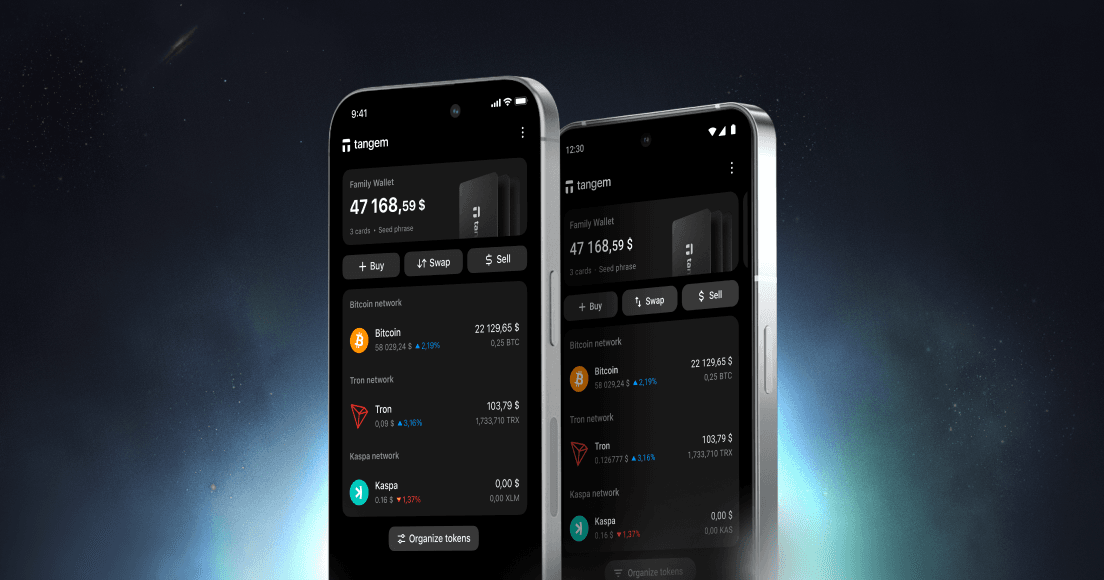
This is where Tangem changes the equation entirely. Tangem is a hardware wallet in the form of a card. Your private key is generated and stored on a secure chip inside the card, never on your phone, never online, never accessible to anyone. It's certified to CC EAL6+, which is the highest commercially available security certification for chips. Over 6 million cards sold, zero hacks.
Here's what makes Tangem perfect for Kalshi users specifically:
- It stores USDC, BTC, and SOL natively. Kalshi accepts all three of the main crypto assets for deposits. You can store them safely on your Tangem card and send them directly to fund your Kalshi account.
- It's seedless. Most hardware wallets provide a 12- or 24-word seed phrase that you must write down and keep safe forever. Lose the phrase, lose your crypto. Tangem eliminated this. Your key is backed up across 2 or 3 cards instead.
- Setup takes 2-3 minutes. Tap the card to your phone via NFC, follow the app prompts, and you're done. You don't need to be a technical person. If you can use a debit card, you can use Tangem.
- It supports Solana tokens. If you want to use the Phantom or Solflare in-wallet Kalshi integrations, you need SOL. Tangem stores SOL with the same hardware-level security.
Think of Tangem as your secure base of operations for all your crypto. You park your assets there safely, send some to Kalshi when you want to trade, and bring your winnings back when you finish. Nothing sits exposed on a hot wallet longer than it needs to.
Step-by-Step: Fund Your Kalshi Account With Crypto (Using Tangem)
Here's the complete walkthrough from start to finish.
Step 1: Set Up Your Tangem Wallet
If you don't have one yet, order a Tangem wallet (the 3-card set is recommended for backup redundancy). When it arrives:
- Download the Tangem app (iOS or Android)
- Tap your card to your phone
- Follow the setup prompts to create your wallet
- Write down or store your access code securely
Your wallet is now active. No seed phrase required.
Step 2: Add Crypto to Your Tangem Wallet
Buy or transfer crypto to your Tangem wallet address. For Kalshi deposits, you'll want:
- USDC on any supported network (most straightforward option since it's already dollar-pegged)
- BTC if you hold Bitcoin
- SOL if you're using Solana
You can buy crypto directly in the Tangem app through integrated partners or transfer from an exchange. Your Tangem wallet address is visible inside the app.
Step 3: Create and Verify Your Kalshi Account
Go to kalshi.com and sign up. Because Kalshi is CFTC-regulated, they require KYC (Know Your Customer) verification. You'll need to provide:
- Your name, address, and date of birth
- A Social Security Number (for US users)
- A government-issued ID (driver's license or passport)
Verification usually completes within minutes, but can take up to 24 hours.
Step 4: Navigate to the Deposit Page
Once your account is set up:
- Log in to your Kalshi account
- Go to the "Transfers" tab
- Select "Deposit to Kalshi"
- Choose "Crypto" as your deposit method
Step 5: Complete the Deposit Through Zero Hash
Kalshi will redirect you to Zero Hash, their crypto transfer partner. Zero Hash will:
- Show you the wallet address to send your crypto to
- Give you a QR code you can scan
- Walk you through the transfer steps
In your Tangem app, go to your USDC, BTC, or SOL balance, tap Send, and either paste the wallet address or scan the QR code. Double-check the address and the network (sending to the wrong network can result in lost funds), then confirm the transaction by tapping your Tangem card to your phone. That's it. Funds typically arrive within 30 minutes and are immediately available for trading.
Step 6: Start Trading on Kalshi
With dollars in your account, you're ready to trade. Browse markets by category: crypto price predictions, sports, economics, politics, and entertainment. Each market shows the current YES/NO prices, total trading volume, and the time it takes to resolve.
Click into a market, choose YES or NO, enter your position size, and place your order. You can use a market order (fills immediately at the current price) or a limit order (fills only at a price you specify, with zero maker fees).
Step 7: Withdraw Your Winnings Back to Tangem
When you want to take profits out:
- Go to "Transfers" and select "Withdraw from Kalshi."
- Choose the "Crypto" option
- Follow Zero Hash instructions to send funds to your Tangem wallet address
- Funds typically arrive within 30 minutes
Daily crypto withdrawal limit is $2,500. Fees vary by amount and are disclosed before the transaction.
Using the In-Wallet Route (Phantom + Tangem Together)
If you want the smoother on-chain experience of trading Kalshi markets inside Phantom or Solflare, here's how to think about it.
Tangem stores your SOL securely. When you want to trade:
- Transfer some SOL from your Tangem wallet to your Phantom wallet
- Open Phantom, find the Prediction Markets section
- Browse and trade Kalshi markets directly, using your SOL or CASH balance
- When done, move any profits back to your Tangem wallet for safekeeping
This workflow uses Phantom for the transaction interface while keeping your main holdings secure in Tangem. You're only exposing what you're actively using, not your whole stack.
What Can You Trade on Kalshi?
Once you fund your account, you can access thousands of markets. Here's a taste of what's available:
- Crypto Markets: Will Bitcoin close above $X by a specific date? Will Ethereum hit a new all-time high this year? What will the BTC price range be at month's end? These markets use CF Benchmarks Real-Time Indexes, the same pricing data used by the Chicago Mercantile Exchange, to prevent manipulation.
- Economics and Finance: Will the Federal Reserve cut interest rates at the next meeting? Where will the S&P 500 be at year's end? Will US inflation exceed X% in Q3? These are among the highest-liquidity markets on the platform.
- Sports: NFL game winners, NBA championships, MLB outcomes, UFC fights. Sports markets have seen massive growth, now accounting for about 75% of total platform volume.
- Politics: Who will win a given election? Will a particular bill pass? These markets were the ones that put Kalshi on the map after their landmark legal victory, allowing political contracts.
- Entertainment and Culture: Oscar winners, Grammy awards, viral cultural events. Lower liquidity, but fun for the pop culture enthusiasts.
Fees, Limits, and Practical Stuff
Fees Kalshi charges between $0.01 and $0.02 per contract, depending on the contract's price. Fees are capped on 100-contract blocks. Limit orders (maker orders) have zero fees, so if you're patient and set a limit price, you can trade for free.
Deposit Limits
- Crypto: up to $500,000 per day
- Debit card: $2,500 per day (plus a 2% fee)
- Bank transfer (ACH): $10,000 per day, takes 3-5 business days
APY on Idle Cash: All cash in your Kalshi account earns 3.75% APY. Your open positions earn it too. It's a nice bonus for holding positions over time. There is no minimum deposit requirement, but $10-50 is a practical starting point.
Taxes: Kalshi reports trading activity to the IRS. They issue a 1099-B for crypto transfer proceeds, a 1099-INT for interest earned, and a 1099-MISC for bonuses. Profits are taxable income. Keep records.
Safety Tips Before You Start
A few things worth knowing before putting real money in:
- Read the resolution criteria. Every Kalshi market has a "rules summary" explaining exactly how and when it settles. The single most common regret among traders is misunderstanding how a contract resolves. Read it before you buy.
- Start small. Your first few trades should be small. Get a feel for how prices move and how markets resolve before scaling up.
- Don't send the wrong crypto. Zero Hash currently accepts USDC, BTC, and SOL. Double-check which one you're sending and which network it's on. Sending ETH when they expect USDC, or sending on the wrong network, can result in failed transactions or lost funds.
- Secure your Kalshi account. Enable two-factor authentication on your Kalshi account. Use a strong, unique password. This is separate from securing your Tangem wallet, and both matter.
- Keep most of your crypto in Tangem. Only move to Kalshi (or Phantom) what you plan to trade actively. Your long-term holdings belong on a hardware wallet like Tangem, safe from online threats.
Kalshi vs. Polymarket: Quick Comparison
You might have also heard of Polymarket, another popular prediction market. Here's how they compare for crypto users:
Factors | Kalshi | Polymarket |
Regulation | CFTC-regulated (US) | Decentralized, unregulated |
Availability | US + 140+ countries | Global (excluding restricted areas) |
Currency | USD (crypto converts on deposit) | USDC on Polygon |
KYC Required | Yes | No |
Crypto Wallet Integration | Phantom, Solflare | MetaMask |
Trading Fees | $0.01-$0.02 per contract | No fees |
APY on Balance | 3.75% | None |
Market Count | 3,500+ | 85,000+ |
The choice depends on what you prioritize. If you're in the US and want regulatory safety, Kalshi is the clear choice. If you want fully decentralized, no-KYC trading with more markets, Polymarket is the alternative.
Why Tangem Is the Right Wallet for This
When you're trading prediction markets, you're moving crypto in and out of external platforms regularly. That activity pattern is precisely what makes security hygiene critical. Every time you move funds, there's a moment of exposure.
Tangem's hardware wallet is built for precisely this kind of active use. You're not just HODLing, you're managing real flows of money. The card's form factor lets you tap-to-approve transactions quickly and conveniently, while the EAL6+ secure chip ensures no private key ever travels online.
A few specific Tangem advantages for Kalshi users:
- Supports all Kalshi deposit assets. USDC, BTC, and SOL are all supported natively in the Tangem app across multiple networks.
- Multi-network USDC support. Tangem handles USDC on Ethereum, Polygon, Solana, and other networks. Kalshi's Zero Hash supports multiple networks for USDC deposits, so you can choose the cheapest route (Solana-based USDC tends to have very low fees).
- No seed phrase exposure. Most hacks that drain crypto wallets start with a compromised seed phrase. Tangem's seedless design eliminates this attack vector.
- Fast, mobile-first. The Tangem app is clean and quick. Approving a transaction is as simple as tapping the card on your phone. No desktop required, no hardware buttons to fumble with.
- Long-term durability. The cards are rated to last 25+ years and to withstand water, dust, X-rays, and extreme temperatures. A type of wallet you buy once and use for a decade.
If you're serious about participating in prediction markets with real money, serious security is the baseline requirement. Tangem makes that baseline effortless.
Frequently asked questions about Kalshi
Is Kalshi legal in my state?
Kalshi is legal in all 50 US states. It's CFTC-regulated and operates as a federally licensed exchange. As of October 2025, it has also expanded to 140+ countries, though 38 countries remain restricted, including the UK, Canada, France, Russia, and Singapore.
Do I need crypto to use Kalshi?
No. You can fund your account with a debit card, ACH bank transfer, wire transfer, or Apple Pay. Crypto is just the fastest option with the highest deposit limits.
What crypto does Kalshi accept?
USDC, Bitcoin (BTC), Solana (SOL), and WLD (WorldCoin). All deposits are processed through Zero Hash and converted to USD upon arrival.
Does Kalshi have its own token?
No official Kalshi token exists as of early 2026. People have speculated about a potential future token, but the team has not made any announcement.
How long does a crypto deposit take?
Usually within 30 minutes, sometimes faster. Much quicker than the 3-5 business days it takes for a bank transfer.
Can I lose more than I deposit?
No. Kalshi contracts pay $1 or $0. Your maximum loss on any position is what you paid for the contract. There's no leverage or margin trading.
What happens to my money if Kalshi shuts down?
A federally regulated clearinghouse holds your cash separately from Kalshi’s operating funds. CFTC regulation provides consumer protections that unregulated platforms don't offer.
Can I trade Kalshi from a Tangem wallet?
Not directly from Tangem into Kalshi (Tangem doesn't have an in-built Kalshi integration). But you can store your USDC, BTC, or SOL in Tangem and send it to Kalshi when you want to fund your account. For on-chain access, transfer SOL from Tangem to Phantom and use Phantom's built-in Kalshi markets.
Is prediction market income taxable?
Yes. Kalshi issues 1099 forms and reports to the IRS. Treat your winnings as taxable income. Consult a tax professional for specifics on your situation.
What's the minimum to start?
Technically $1. Practically, $10-50 gives you enough to place a few trades and learn how everything works without risking much.

Don't miss these