Switch to seedless. 30% off with SWITCH30 until 04 Nov
Binance $6.3B Hack: Withdraw Your Crypto to a Self-Custodial Wallet
Your crypto is only as secure as your platform. The $6.3B Binance hack is a reminder to use a self-custodial wallet.
This article is available in the following languages:
This content is for general information and education only and does not constitute investment advice, a financial promotion, or a recommendation to buy, sell, hold, or otherwise deal in any cryptoasset or to use any specific third‑party service. Cryptoassets are high‑risk, can be very volatile, and you could lose all the money you invest. You will not have access to UK compensation or ombudsman schemes in relation to cryptoassets. If you are unsure whether any activity is suitable for you, you should seek independent financial advice. Take 2 mins to learn more.
On October 29, 2026, large unauthorized outflows from Binance hot wallets across multiple blockchains triggered a major security incident.
According to Binance’s official Security Incident Update, the initial investigation indicates the incident “may involve a compromised DevOps engineer’s laptop, which allowed an attacker to gain access to a service container and submit unauthorized withdrawal transactions.”
The exchange estimates the total impact at around $6.3 billion.
The key takeaway for users
Even with strong reserves, insurance funds (SAFU), and a commitment to cover losses, this incident highlights the ongoing risks of keeping significant holdings on centralized exchanges. Hot-wallet systems and internal access points can become attack vectors.
The principle “not your keys, not your coins” describes the trade-off between exchange custody and self-custody.
Self-custody carries its own risks. You hold your keys, so you carry responsibility for key security and recovery. Lost keys, lost devices, phishing, and wrong-network transfers can cause permanent loss, and no one can recover funds for you.
No custody method removes all risk. If you are unsure which approach suits you, seek independent financial advice.
How to receive crypto in Tangem Wallet
These steps show how to receive a transfer from another wallet or platform.
Download the Tangem wallet app on your phone.
Create a Mobile Wallet. You can back it up with a seed phrase, iCloud, or Google Drive, or with a Tangem hardware wallet.
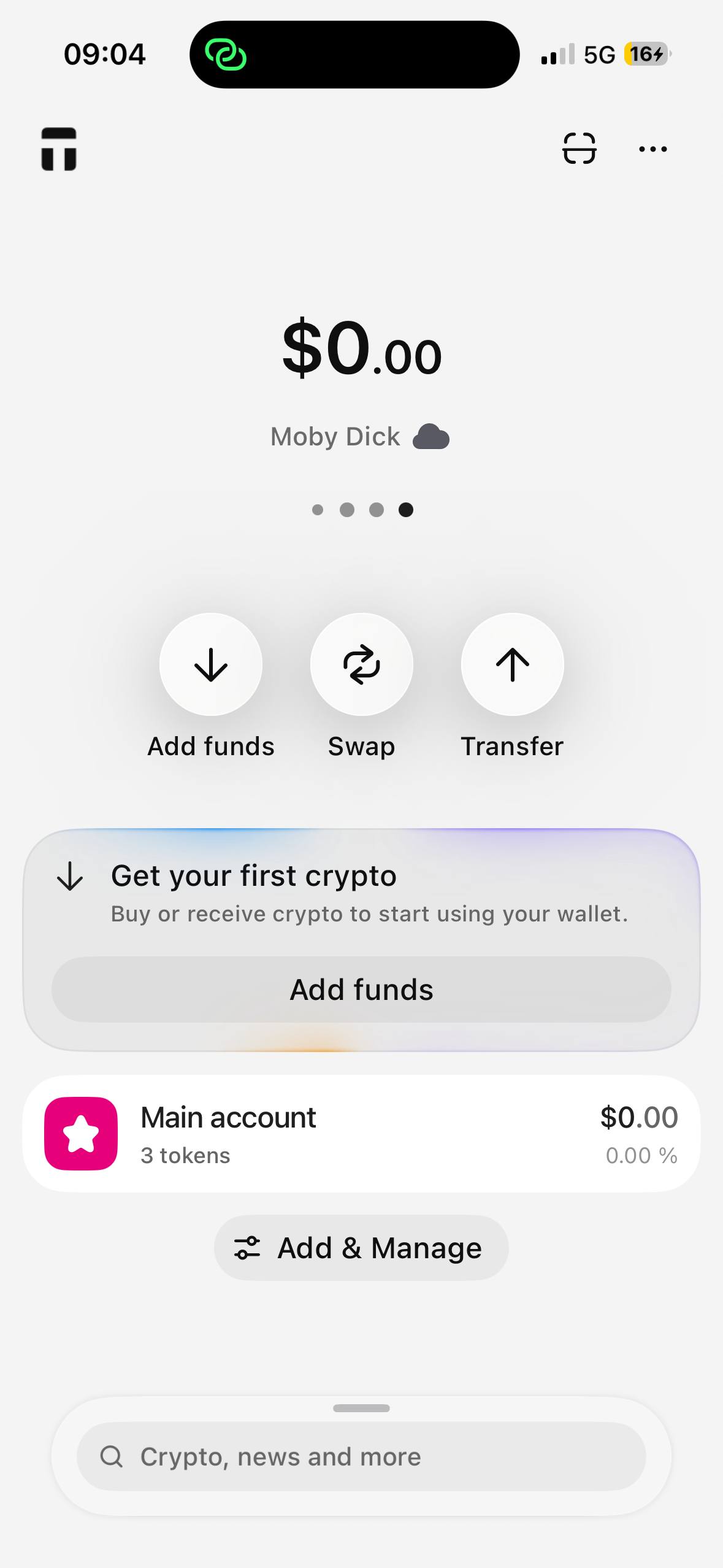
Tap Add funds and select the token you plan to receive. You can also use the search bar.
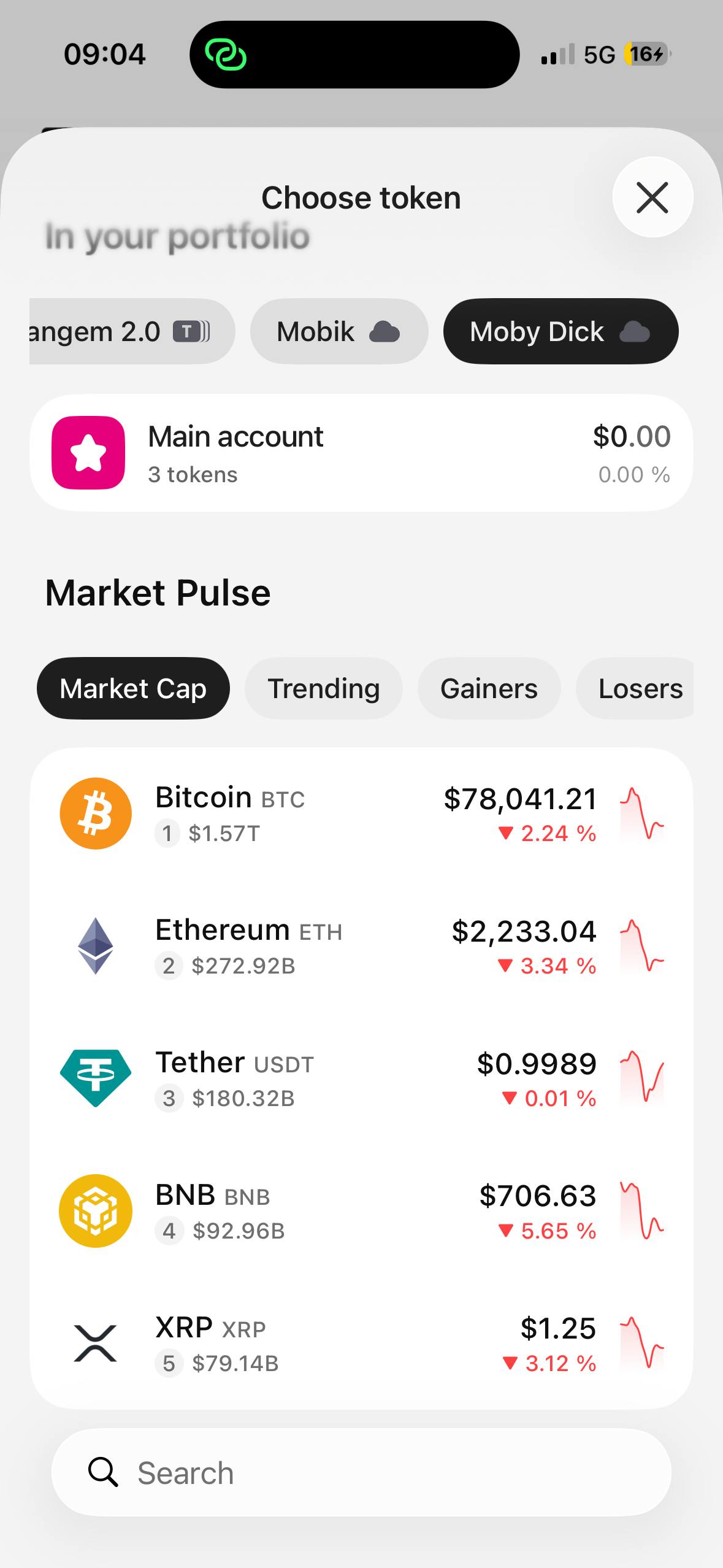
Choose the network you want to receive on and tap Confirm. The sending platform must use the same network.
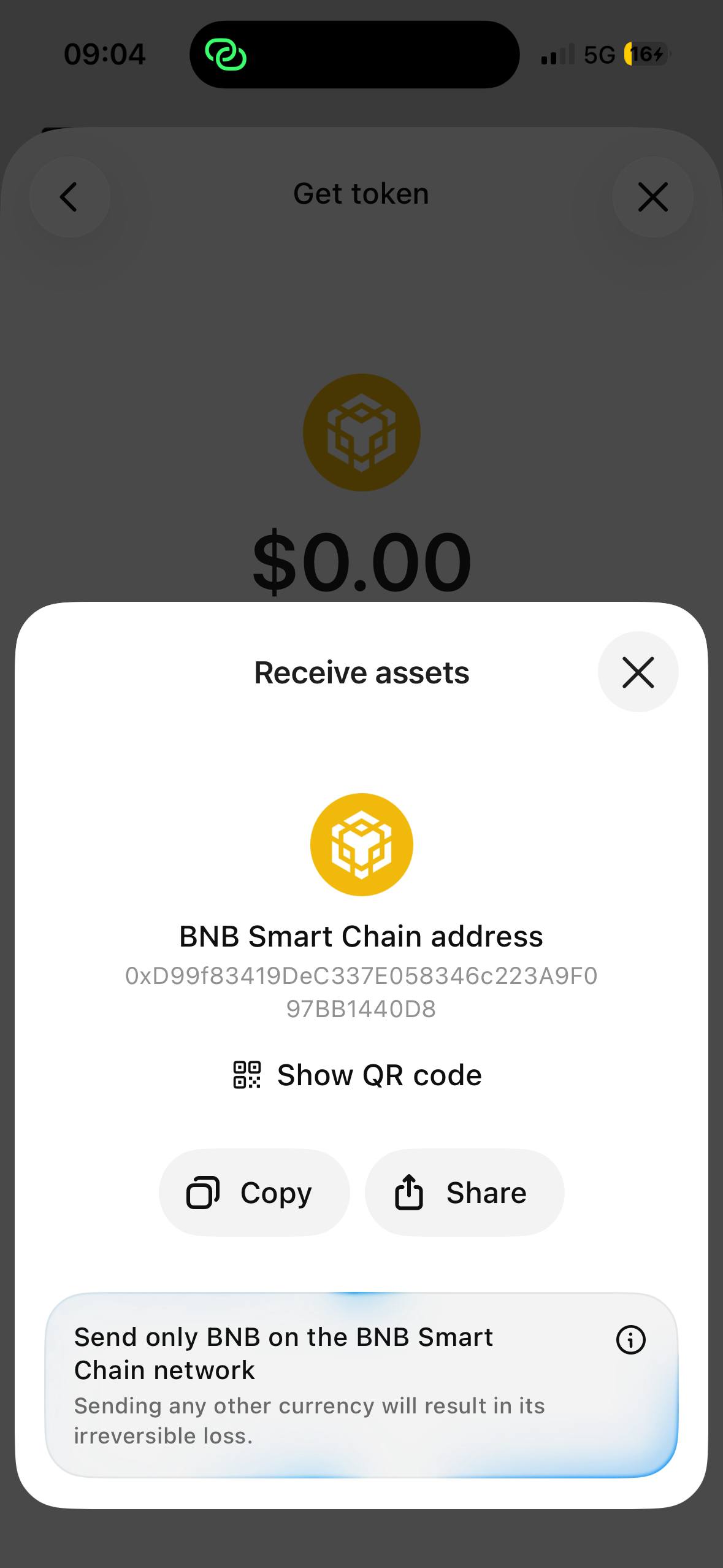
Tap Receive to get the public address.
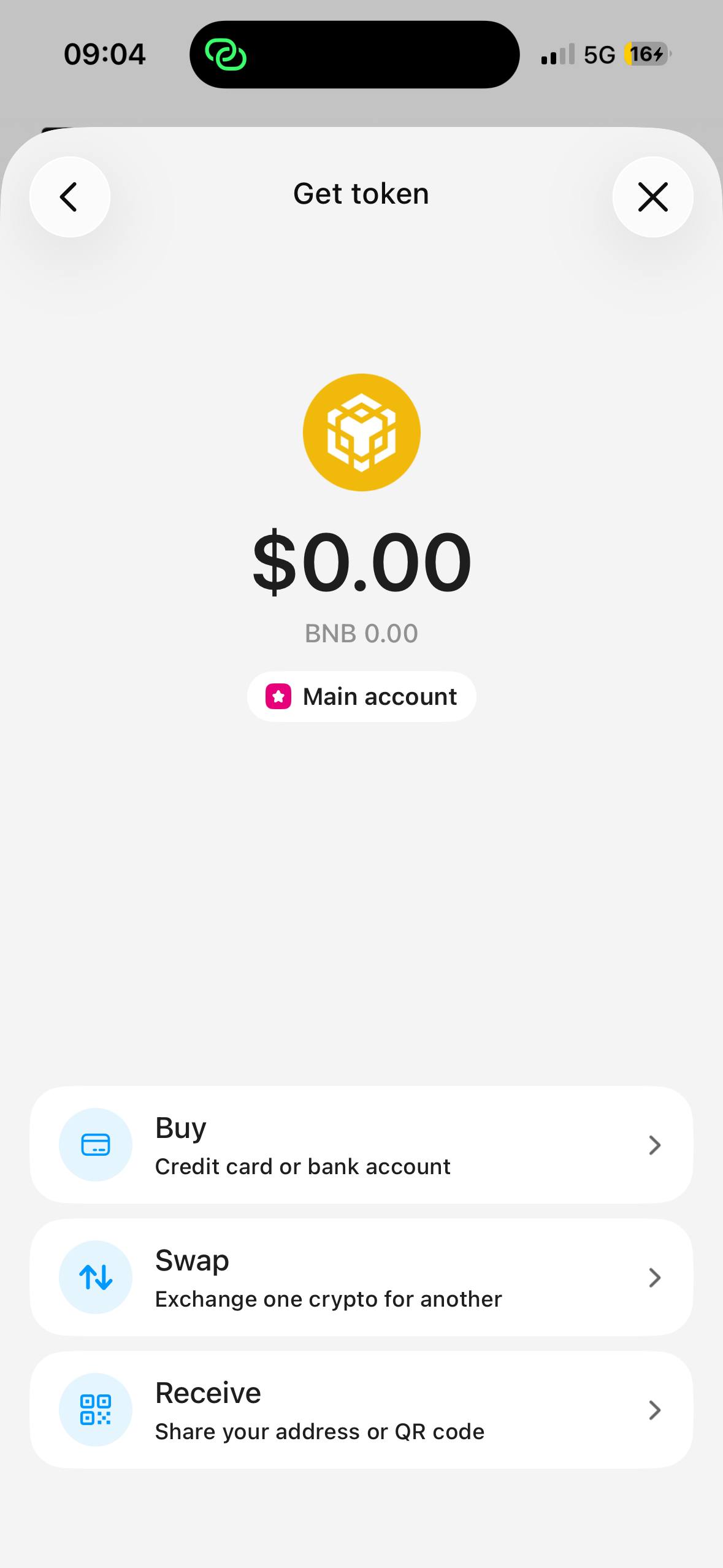
Tap Copy to copy the address to your clipboard. Then paste it into the withdrawal screen of the sending platform.
What a withdrawal from an exchange involves
Most platforms follow a similar flow. Menu names differ, so check your platform's own help pages.
- Open the platform's withdrawal page and select the coin.
- Paste the Tangem address you copied into the address field.
- Select the identical network.
- Enter the amount.
- Review all details carefully: address, network, and amount.
- Confirm the withdrawal. Most platforms ask for an email confirmation and a 2FA code.
- The platform processes the withdrawal. The status changes to "Processing."
⚠️ Warning. A wrong network causes permanent loss of your funds. Make sure that you select the same network on the sending platform as you did in Tangem.
Open the Tangem app and check your balance. Your funds appear after the network confirms the transaction. Confirmation times depend on the network:
- Bitcoin: 10 to 60 minutes.
- Ethereum: 5 to 20 minutes.
- USDT on TRC-20: 2 to 3 minutes.
- Solana: less than 30 seconds.
If the funds do not arrive, find the transaction hash in your withdrawal history. Paste the hash into a blockchain explorer to check the status. The explorer shows whether the transaction is confirmed or still pending.
Tips for safe transfers
Use these tips to reduce the risk of transfer errors.
- Send a small test amount first. Confirm it arrives, then decide whether to send more.
- Use your platform's address whitelist feature if it offers one. A whitelisted address helps prevent transfers to an unintended address.
- Check network fees before you send. Fees on some networks rise when the network is busy.
How Tangem approaches self-custody
Self-custody means you control your own keys. No exchange holds your funds or can pause your withdrawals.
Tangem wallet features:
- Seedless backup. You can decide not to use a seed phrase.
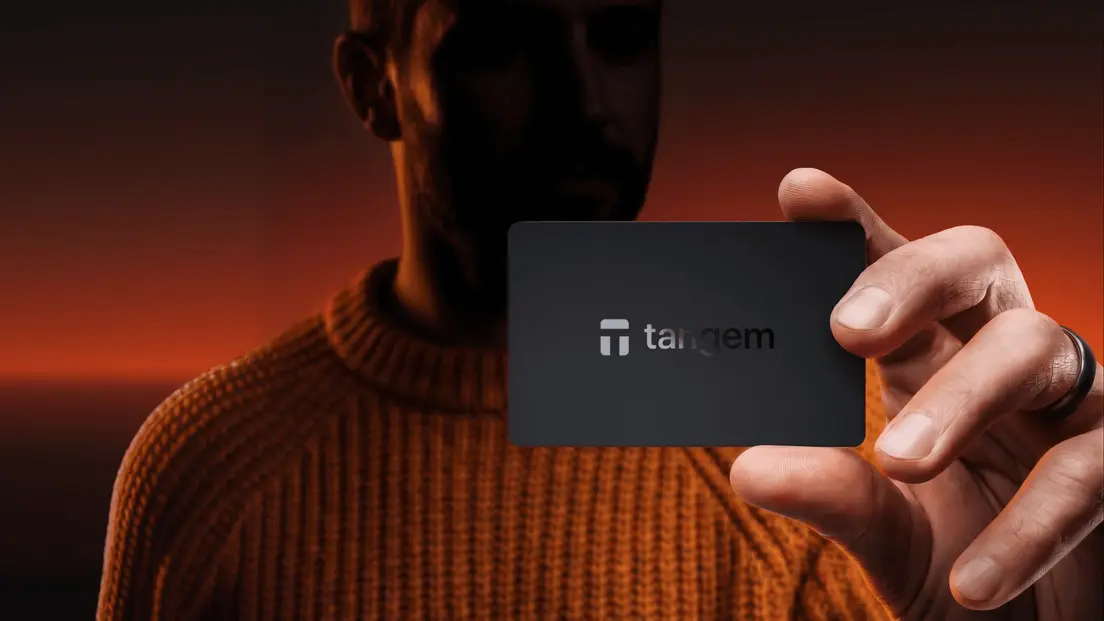
- Card format. The wallet is a card you can carry in your pocket.
- Network support. Tangem supports 90+ blockchain networks in one app.
- Secure chip. The card holds your keys on a secure element with EAL6+ certification.
- Self-custody. Tangem does not store, access, or control your funds or keys.
- Tap to sign. You tap the card to your phone and approve each transaction.
- No battery or cables. You need only a card and your smartphone.
- Tough build. The wallet carries an IP69K rating for dust and water.
- In-app swaps. The app shows swap quotes from third-party providers. Rates and fees vary, and swaps carry price and execution risk.
- dApp access. WalletConnect links your wallet to third-party DeFi and NFT apps. These apps carry risks, including smart contract failures and total loss of funds.
- Optional staking. The app includes staking for some assets. Rewards vary and carry no guarantee. Risks include lock-up periods and penalties for validator misbehavior.
- Optional Yield Mode. Yield Mode supplies supported stablecoins to a third-party DeFi lending protocol. Rates vary. Risks include smart contract failure, withdrawal delays, and stablecoin price instability. You can lose some or all of the assets you supply.
- Tangem Pay. Tangem Pay lets you spend stablecoins through a Visa card in supported regions. Check availability for your country.
- Audited app. The Tangem app is open source and independently audited.
FAQ
-
Yes. You send crypto to your own wallet address. You hold the keys, and no one else can access your funds.
-
You can lose your funds permanently. Always set the same network on Tangem and Binance, and send a test amount first.
-
Yes. Leave a tiny dust amount to avoid rounding errors, and pay the withdrawal fee for each coin.
-
It depends on the network. Solana takes seconds, USDT on TRC-20 takes 2 to 3 minutes, and Bitcoin takes 10 to 60 minutes.
-
Yes. Binance sets a minimum amount for each coin and network. The withdrawal screen shows the minimum before you confirm.