 + Up to $20 in BTC till Apr 6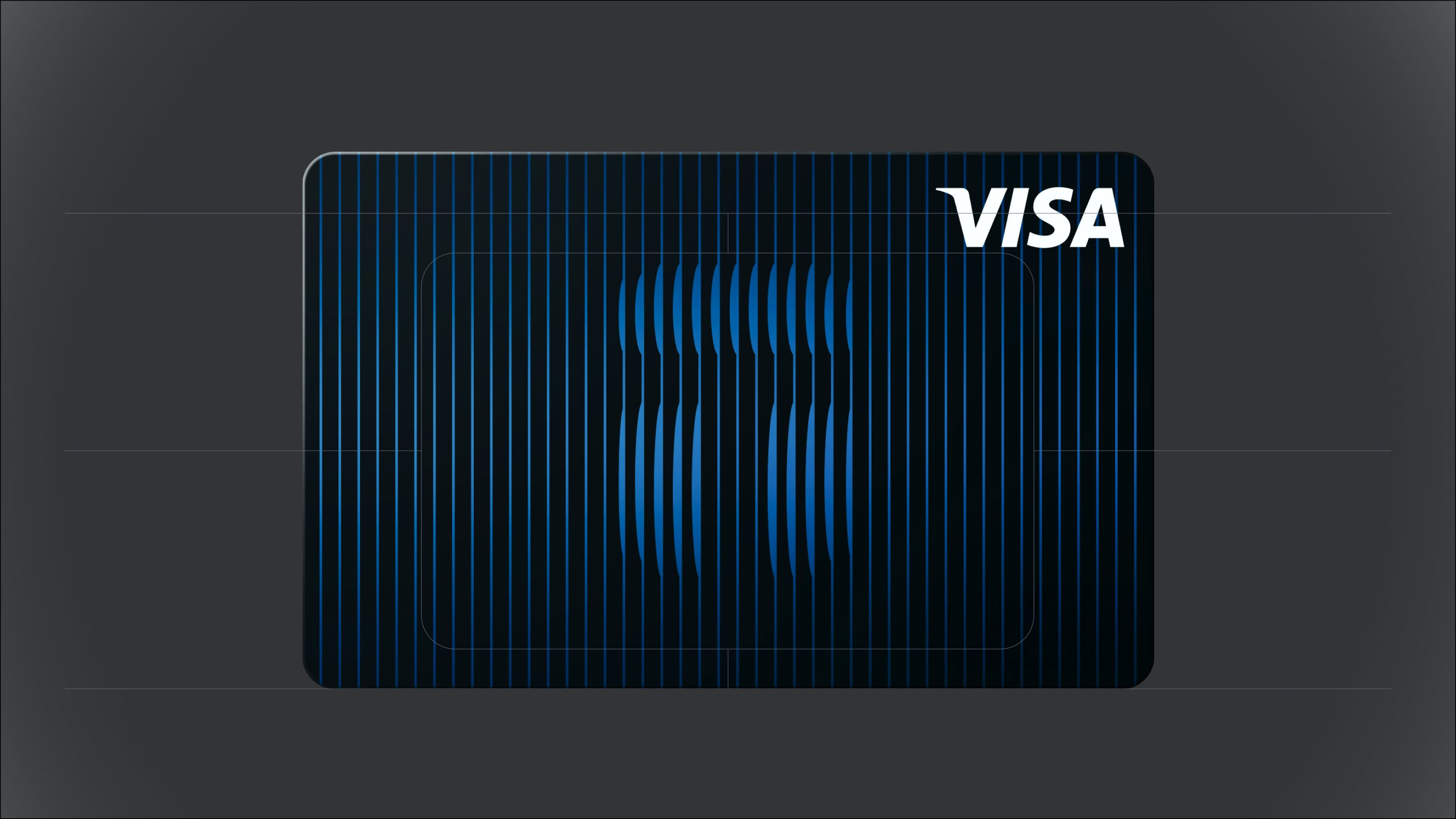
Tangem Pay is Now Available to All Users in Select Regions Worldwide
AI summary
We're delighted to announce that Tangem Pay is now available to all users in select regions worldwide. You can now spend your stablecoins anywhere Visa is accepted, directly from the Tangem app, with no compromises on security and no need to off-ramp before paying for goods and services.
What's Tangem Pay?
Tangem Pay is a non-custodial payment account that integrates directly into the Tangem Wallet app, allowing users to spend USDC on the Polygon network with a virtual Visa card. Instead of treating crypto as something you can only trade or hold, Tangem Pay turns your digital assets into everyday spending money; instantly usable at millions of merchants worldwide, both online and in physical stores.
Tangem Pay is provided by Paera LLC, a U.S.-based company responsible for delivering the service to end users in eligible countries. The Tangem Pay Visa card is issued by Third National, a licensed card issuer and Visa network partner. Our card program is managed in partnership with Rain and supported by trusted providers, including Visa, Sumsub (ID verification), Elliptic (transaction monitoring), and other providers.
How Tangem Pay works
Getting started with Tangem Pay takes just minutes.
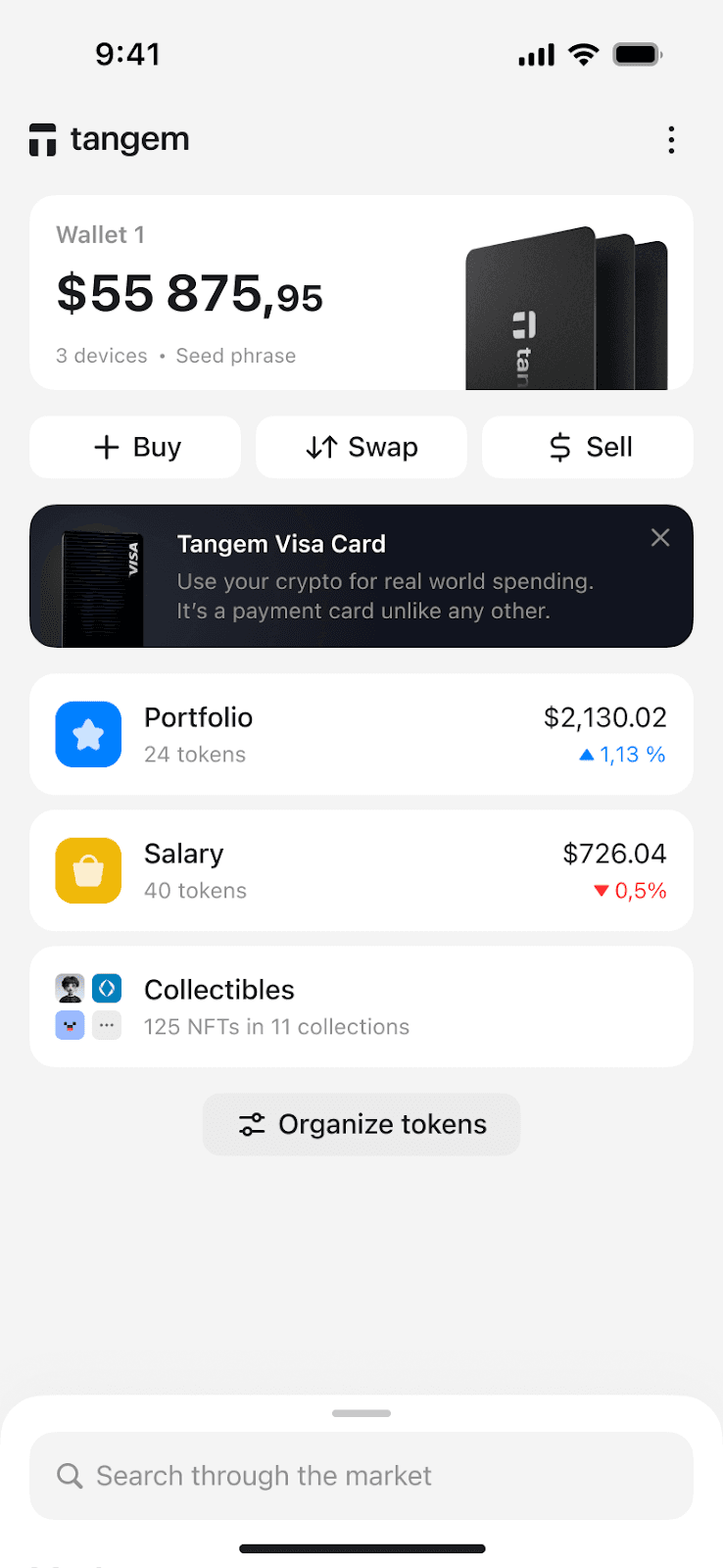
First, open your Tangem app (version 5.35 or later) and tap the Tangem Pay banner on the home screen. You can also go to app settings and tap Get Tangem Pay.
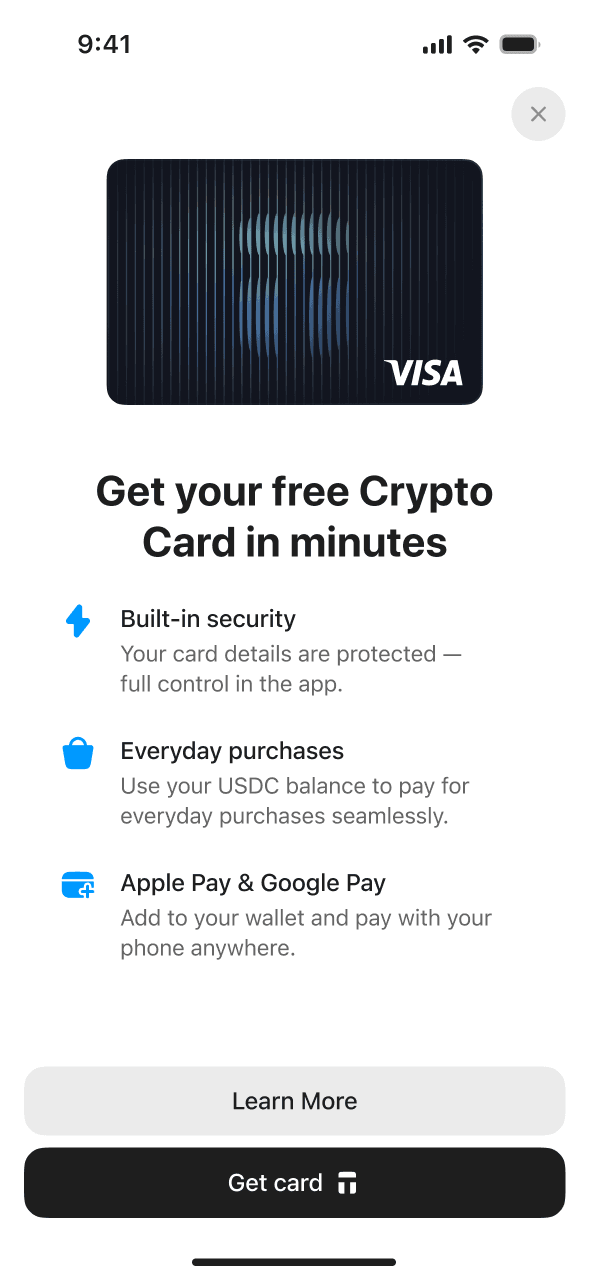
Scan your Tangem Wallet to authenticate, confirm your country of residence, and complete a quick two-minute identity verification through Sumsub, our ID verification provider. This verification is required ONLY for your Visa payment account.
Once verified, you'll receive a virtual Visa card. The next step is adding funds to your Tangem Pay balance, which functions as a dedicated payment account separate from your main holdings. You can either send native USDC on Polygon directly to your payment address or use the built-in swap feature to convert other assets.
When you're ready to pay, simply add your virtual card to Apple Pay or Google Pay and tap to complete purchases anywhere contactless payments are accepted. When you make a payment, the required USDC amount is deducted from your smart contract account and processed through Visa in US dollars.
The merchant receives standard fiat payment through the Visa network, and the transaction appears in your app immediately. No delays, no hassle; your crypto becomes as spendable as any traditional payment method.
Why use Tangem Pay?
Online purchases and subscriptions: use your digital assets for everyday purchases, such as streaming services, software subscriptions, and e-commerce with crypto. Your virtual Visa card works on any platform that accepts standard payment methods.
Travel and cross-border payments: Book flights, hotels, and rental cars without converting to local currency first. Tangem Pay handles international transactions seamlessly, with transparent conversion rates and clearly disclosed fees.
Everyday spending: Coffee shops, groceries, retail stores; if they accept Visa contactless payments, you can use your USDC. Your crypto becomes as practical as cash in your wallet.
What makes Tangem Pay different?
Self-custody meets real-world spending: Your funds stay onchain at all times. You maintain control and ownership of your wallet and its private keys.
The KYC process applies only to your Tangem Pay account. Tangem Pay is an optional, regulated feature for those who want Visa payment functionality, with identity verification handled at the account level.
Availability
Tangem Pay is now available for users in select countries across the following regions: USA, LATAM, APAC, MEA, and Africa. Not all countries within each region are supported. To confirm availability in your country, apply through the app and enter your country of residence during onboarding.
Over time, the list of supported countries will expand.
Get started today
Ready to bridge the gap between crypto and everyday spending? Download the Tangem app (or update to version 5.35), activate Tangem Pay, and start using your crypto in the real world.
For step-by-step activation instructions, card management tips, and answers to technical questions, check out the full Tangem Pay setup guide. Your crypto is about to become a lot more useful.
Frequently Asked Questions: Tangem Pay
How is Tangem Pay different from the Tangem Wallet?
Tangem Wallet is a self-custodial hardware wallet where you control your keys. Tangem Pay is an optional, regulated product within the same app that lets you create a payment account, verify your identity, and receive a Visa card for real-world spending.
How is Tangem Pay self-custodial?
With Tangem Pay, your funds sit in a smart contract account on Polygon that only you control. When you make a payment, you sign a transaction that releases only the exact amount needed—$3 for a coffee, $70 for gas. Rain, the card's issuing partner, never touches anything beyond what you've just approved.
That's a fundamental difference from every other crypto card on the market. There's no company holding your money in an omnibus account, i.e., no pooled funds or counterparty risk. Your USDC remains yours until the payment is complete.
Where can I use the Tangem Pay card?
You can use your Tangem Pay card anywhere Visa is accepted, both online and in-store. This includes merchants that support Apple Pay and Google Pay, allowing for seamless contactless payments. The card currency is USD, so if you pay in any other currency, Visa's foreign exchange rates and cross-border fees may apply. International transactions are fully supported, but subject to standard Visa terms.
Do I need to convert crypto to fiat before spending?
You don't need to convert to fiat, but you do need to top up your Tangem Pay account with USDC on the Polygon network before you can spend. Your Tangem Pay card uses this on-chain USDC balance to settle real-world purchases. When you make a payment, the equivalent amount of USDC is automatically deducted from your smart contract account and processed through Visa in U.S. dollars, while your balance remains onchain and non-custodial.
What cryptocurrencies are supported for spending?
Currently, Tangem Pay supports native USDC on the Polygon network. You'll need to fund your Tangem Pay account using this specific token from either your Tangem Wallet or an external wallet. Support for additional stablecoins and networks will be added later.
How do I sign up for Tangem Pay?
You need to become a Tangem Wallet user (either the hardware or mobile wallet) first. Once you pass KYC verification, your Tangem Pay account is activated, and you receive your virtual Visa card instantly. You can add the card to Apple Pay or Google Pay, top up with USDC on Polygon, and start spending.
What do I need to sign up?
To sign up, you'll need:
- A Tangem Wallet.
- A supported smartphone (iOS/Android).
- Valid ID to complete KYC.
- A residency address in one of the supported countries.
- A USDC balance on the Polygon network.
Are there any fees?
There are no transaction fees or monthly account fees for using Tangem Pay.
However, the following charges may apply:
- Foreign exchange markups if you spend in a currency other than USD.
- Polygon gas fees when topping up your account with USDC (subject to network conditions). These are fees paid to the network, not charged by Tangem.
- ATM withdrawal fees may apply once this feature becomes available.
How do I fund my Tangem Pay account?
You can fund your Tangem Pay account by tapping Add funds and sending native USDC (Polygon) from your Tangem Wallet. Funds are credited to your smart contract wallet and available for spending immediately after confirmation.
Can I withdraw funds back to my wallet?
Yes. Your balance is held in a smart contract you control. You can withdraw any unused USDC (Polygon) back to your Tangem Wallet at any time.
Are there any spending restrictions with Tangem Pay?
You can use your card for online and in-store purchases at Visa-accepting merchants. At this stage, you cannot use the card at ATMs, and only USDC (Polygon) that has been prefunded can be used. Spending directly from other tokens or chains is not yet supported.
What happens when I make a payment with Tangem Pay?
When you make a purchase, the equivalent amount of USDC is deducted from your smart contract account to fund the transaction. The payment is then processed through Visa and settled with the merchant in USD. If a transaction is declined, your funds remain untouched. Pending or reversed transactions will follow standard Visa network timelines.
Who is behind Tangem Pay?
Tangem Pay is provided by Paera LLC, a U.S.-based company responsible for delivering the service to end users from eligible countries. The Tangem Pay Visa card is issued by Third National, a licensed card issuer and Visa network partner. Our card program is managed in partnership with Rain and supported by trusted providers, including Visa, Sumsub (ID verification), Elliptic (transaction monitoring), and other providers.
How can I request the issuance of the card?
There are two ways to access Tangem Pay:
- A "Get Tangem Pay" option in the app menu.
- A temporary Tangem Pay banner on the home screen.
The home screen banner and menu option are available only to users whose IP addresses are in the list of supported countries.


Don't miss these