Grab EXTRA 10% OFF
Tangem Pay Tiers Explained: Basic, and Plus
This article is available in the following languages:

Most crypto cards force you into a single, rigid option: limited rewards, basic Visa benefits, low spending caps, or the need to lock up tokens just to unlock better perks.
Tangem Pay solves this with its first membership tiers: Basic and Plus. Each tier is a membership level on the same Tangem Pay account that sets your card type (Visa Platinum or Signature), number of cards, daily spending limits, and future cashback rates.
You verify your identity once, then pick the tier that matches how you spend. Basic is free and covers everyday use. Plus unlocks higher limits, stronger Visa benefits, more cards, airport lounge passes, and bigger rewards. This guide explains what each tier includes and how to choose between them.
What is the Basic tier?
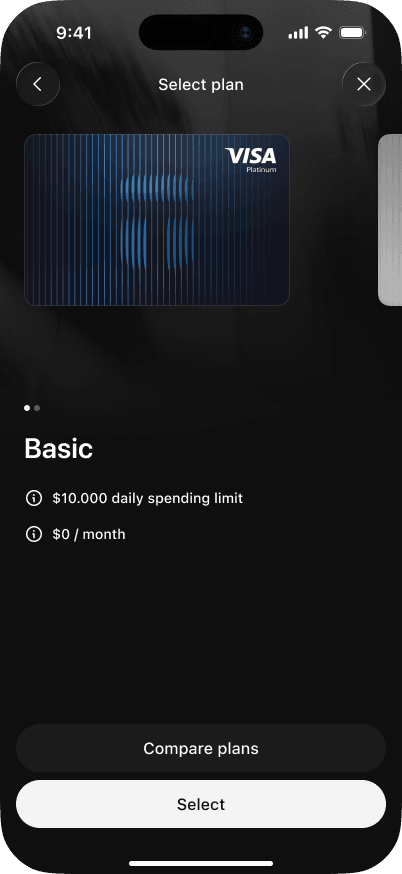
Basic is the entry tier. It gives you a working Tangem Pay card and the standard cashback rate. Basic earns 1% cashback on eligible purchases, up to a monthly cap. Cashback arrives in a later app release. Basic is free, with no monthly cost.

This tier connects to the Visa Platinum benefit level. You get airport lounge access, travel insurance, and concierge service from day one.
What is the Plus tier?
Plus is the upgraded tier. It boosts your cashback rate and grants access to higher-tier Visa benefits. With Plus, you earn 2% cashback on eligible spending, with a monthly cap, which is double the Basic rate for the same spending. At just $29 a month, Plus is currently waitlisted.

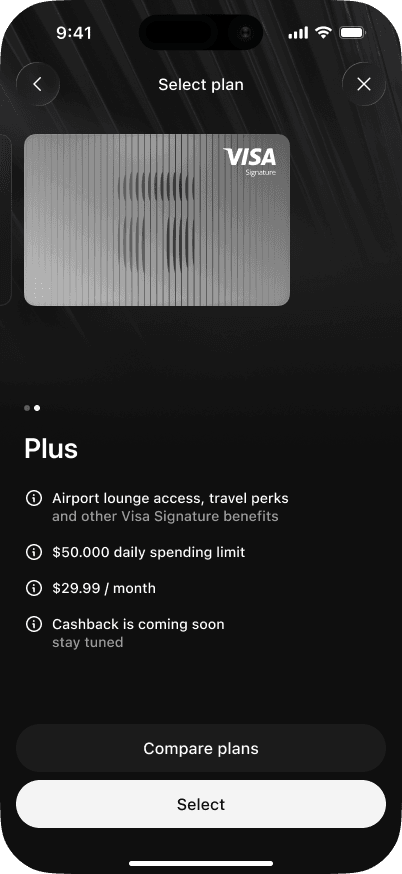
Plus connects you to the Visa Signature benefit level, offering everything in Basic plus amazing perks like the Visa Luxury Hotel Collection, which includes room upgrades, late checkouts, and a daily food or beverage credit at over 900 hotels.
Which tier should you choose?
| Basic | Plus | |
|---|---|---|
| Plan related | ||
| Plan Fee | $0 | $29.99/month |
| Card delivery fee | $17.44 (US); $15.63–$63.45 (other countries) | $0 for the first plastic card, then standard delivery fees |
| Max cards per user | 3 | 5 |
| Card replacement / additional card fee | Virtual: $5; Plastic: delivery fee only | Virtual: $5; Plastic: delivery fee only |
| FX fee | 1% | 1% |
| ATM fee | 4% | 2% |
| Daily spending limit per card | $10,000 | $50,000 |
| Visa programme | Platinum | Signature (+ Signature Benefits) |
| Card types available | Virtual, Plastic | Virtual, Plastic |
| Basic cashback | 1% on all purchases | 2% on all purchases |
| Monthly cashback cap | $100 | $300 |
Basic is free and gives you 1% cashback with a $10,000 daily limit, a good starting point if you want to try Tangem Pay with no commitment.
Plus, at $29.99/month, it doubles your cashback to 2%, halves ATM fees, and adds Visa Signature benefits and two airport lounge visits per year. It’s worth it if you spend around $3,000 or more a month, or if you travel and use ATMs often.
How do you change tiers?
You manage your tier inside the Tangem app after onboarding and setting up a Tangem Pay account.
Open the Tangem app and tap Payment account.
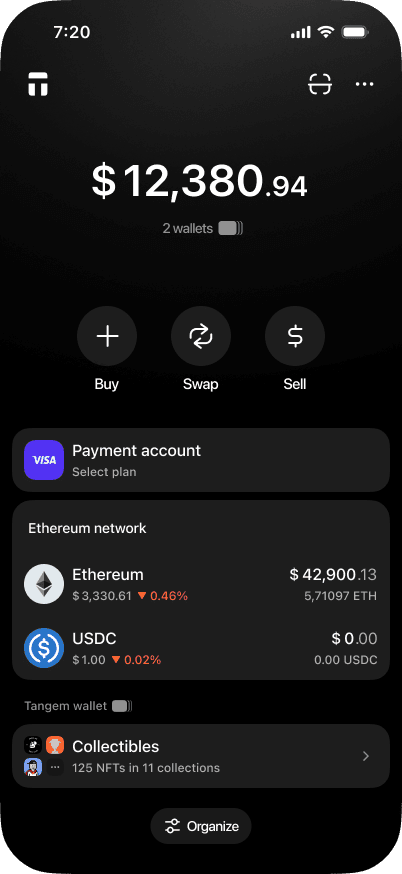
Tap Select to choose Basic or Swipe to go to Plus
Tap Select to choose Plus.
Tangem Pay tiers FAQ: Basic, Plus
-
Basic is free. Plus costs $29.99 per month.
-
Basic earns 1% cashback on eligible purchases, capped at $100 per month. Plus earns 2%, capped at $300 per month. Cashback arrives in a later app release.
-
Basic allows $10,000 per card per day, and Plus allows $50,000. You can hold up to 3 cards on Basic and up to 5 on Plus.
-
Basic connects to the Visa Platinum benefit level. Plus connects to Visa Signature, which offers perks such as the Visa Luxury Hotel Collection.
-
Plus earns 1% more cashback than Basic, so the extra cashback alone covers the $29.99 fee at around $3,000 in monthly spending. Lower ATM fees, two free Priority Pass visits per year, and free delivery of your first plastic card can further lower that number.
-
Open the Tangem app, tap Payment account, and select the tier you want.