How to Swap Coins and Tokens
You can swap cryptocurrency directly in the Tangem app using an integrated exchange providers.
Step-by-step guide
Open the Tangem app and select the currency you want to exchange.
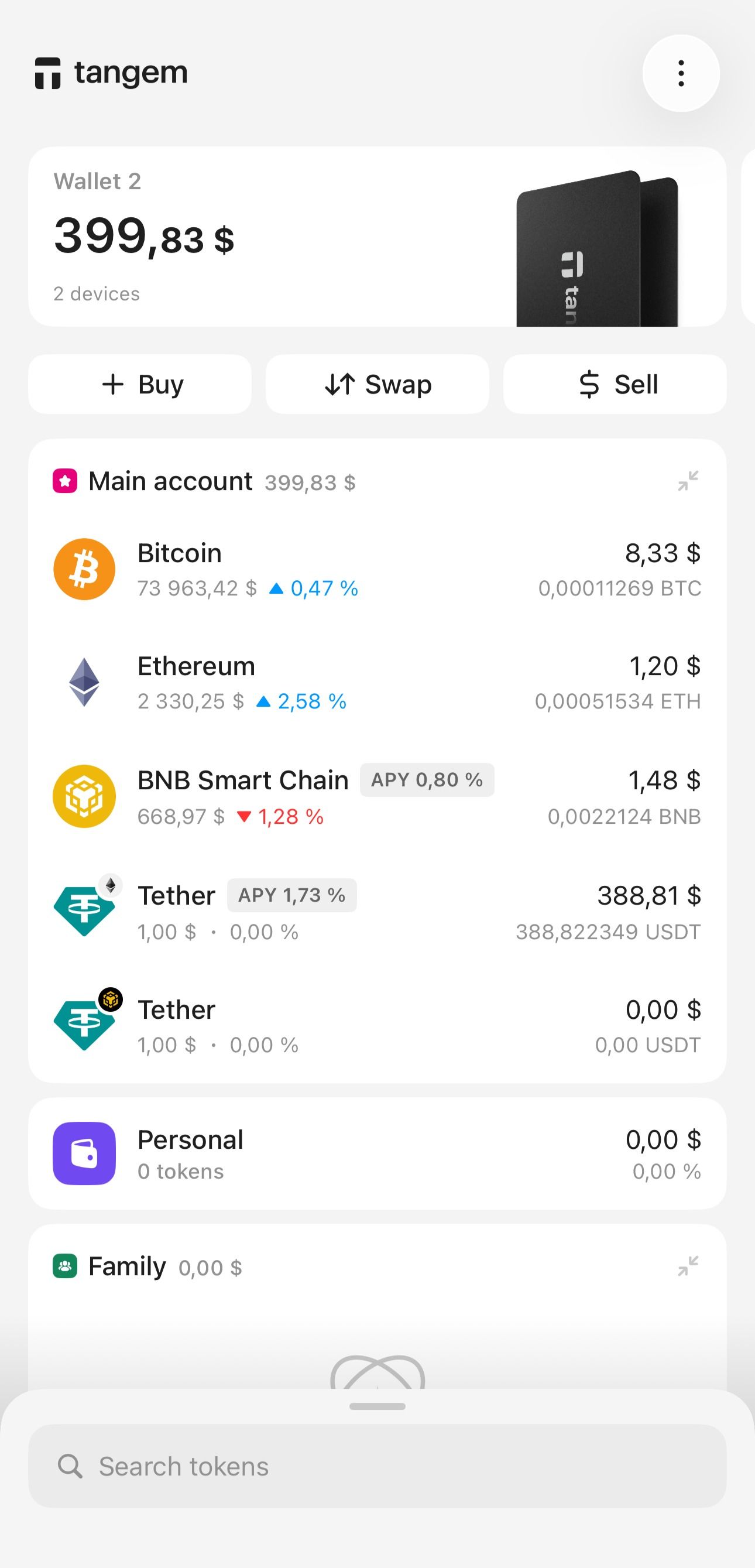
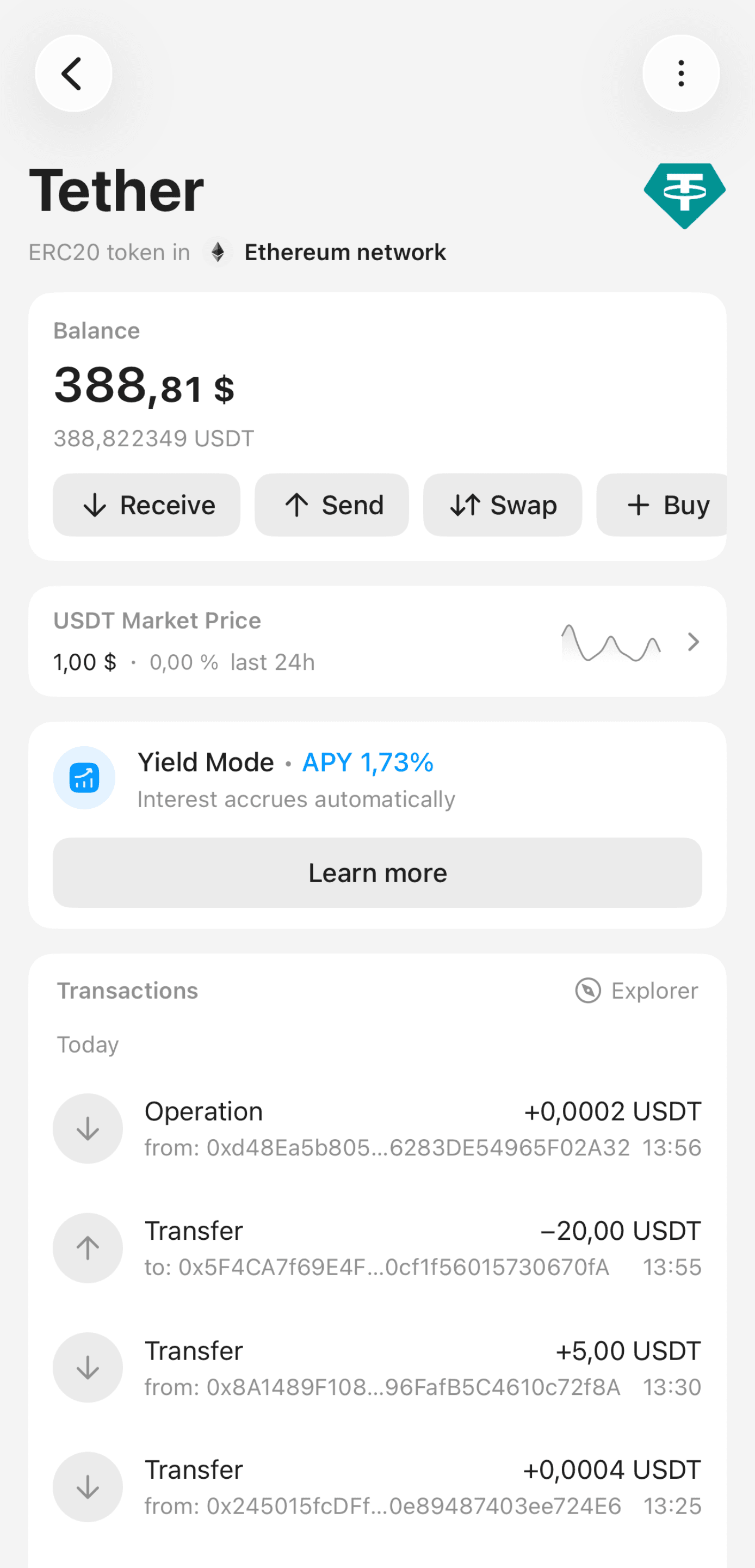
Tap Swap on the token page.
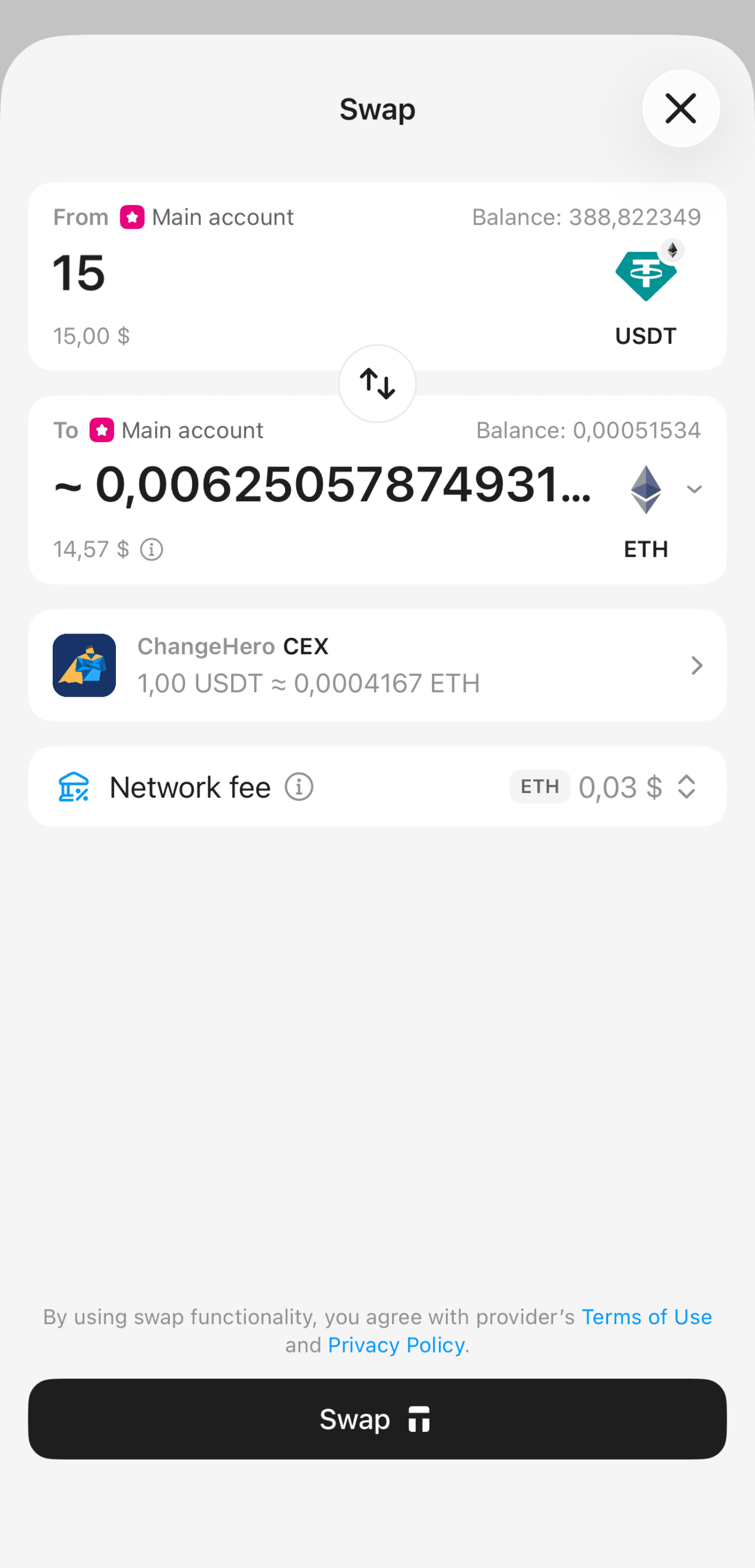
Enter the amount and select token you want to receive.
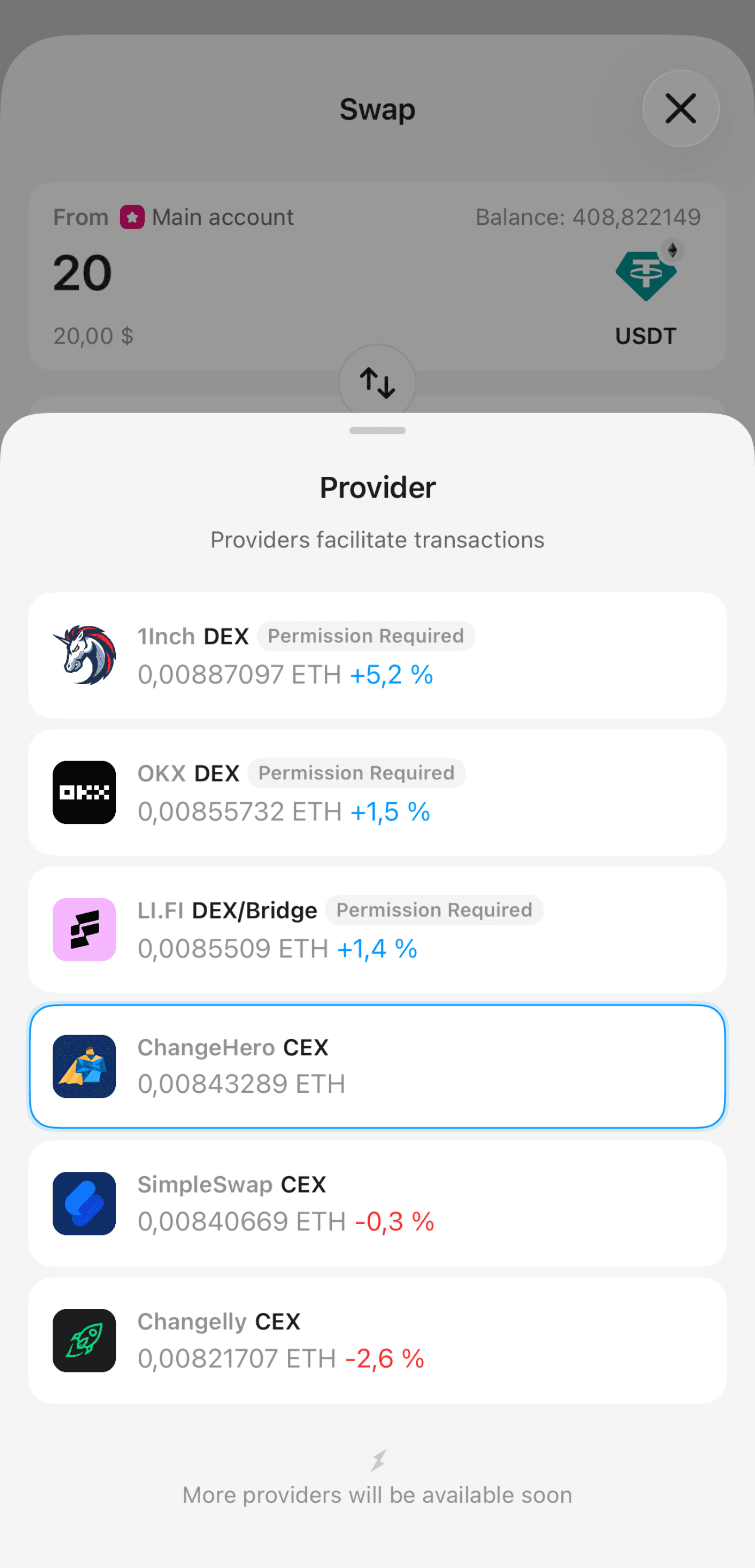
The app will display the provider offering the best rate. You can tap a provider to view all available options and compare their rates.
- Tap Swap and confirm the transaction.
Tap Status to track the transaction on the provider's page.
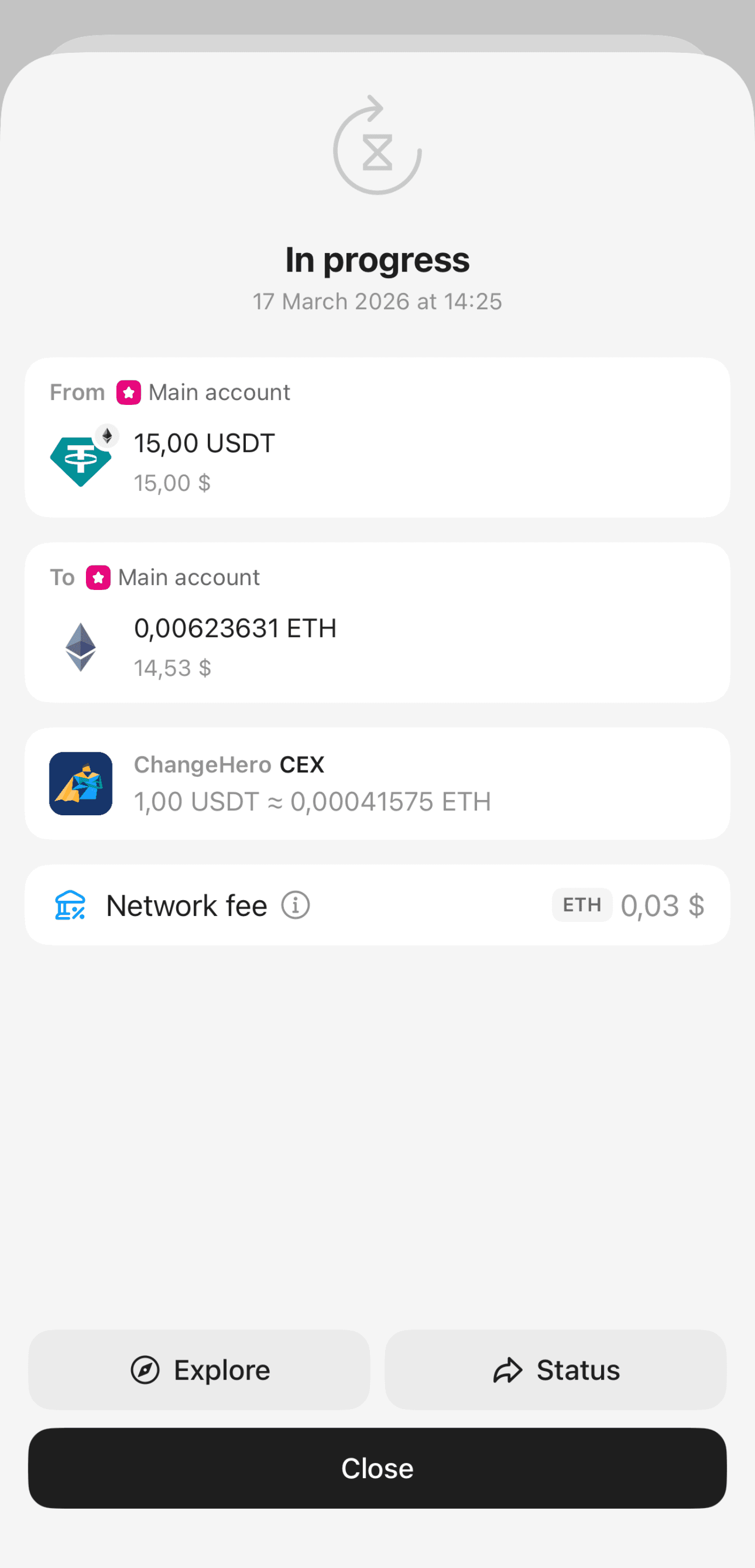
Once the swap is complete, the exchanged tokens will appear in your account.
FAQ
Why is the "Swap" button disabled?
Tangem allows you to swap cryptocurrencies through integrated third-party providers such as ChangeHero, 1inch, OKX, and others. If the Swap button is grayed out, it means the selected token or pair is not supported by the available providers.
As an alternative, you can transfer your assets to a centralized exchange (CEX) and perform the swap there.
Is KYC required for crypto swaps?
When using the CEX swap providers, you may be required to complete the KYC (Know Your Customer) procedure. Whether KYC is necessary depends on each provider's terms of service.
Tangem cannot determine the KYC rules and is not responsible for services' actions, rules, security issues, etc.
It's your choice to trust a provider before using them. We intend to add more swap providers in the future to offer our users more options.
What does "Give permission" mean?
Granting permission is a standard step when interacting with decentralized exchanges (DEXs) such as Uniswap, PancakeSwap, or 1inch.
Before a swap, you may need to allow a smart contract to access your tokens. This is required for the swap to proceed.
- The Give permission action allows the smart contract to spend a specific token on your behalf
- This action requires a network fee
- It does not perform the swap itself
After permission is granted, you will need to tap Swap to complete the transaction.